In today’s digital age, preserving and restoring old photographs is a popular endeavor. These treasured memories capture moments of the past, but over time, they can deteriorate and lose their original quality. However, thanks to advancements in artificial intelligence (AI) technology, the process of restoring old photos has become simpler and more efficient than ever before.
In this article, we will explore how AI has revolutionized the photo restoration process, offering an instant photo fix for anyone looking to bring their cherished memories back to life. Additionally, we will provide a step-by-step guide on how to use a free online old photo restoration tool by CapCut, which harnesses the power of AI to make photo restoration accessible to everyone. Many websites offer a wide range of tools, including the popular text-to-speech free converter. This tool is extensively used nowadays, providing the ability to convert written text into spoken words. If you’re interested in exploring a text to speech free converter, you can click on the link.
Instant Photo Restoration with AI
Artificial intelligence has significantly transformed the photo restoration process, streamlining it and making it more accessible to a wider audience. Traditionally, restoring old photos required extensive knowledge of editing techniques, intricate software, and countless hours of manual work. However, with AI-powered tools, individuals can now restore their old photos with just a few clicks, even without any prior editing experience.
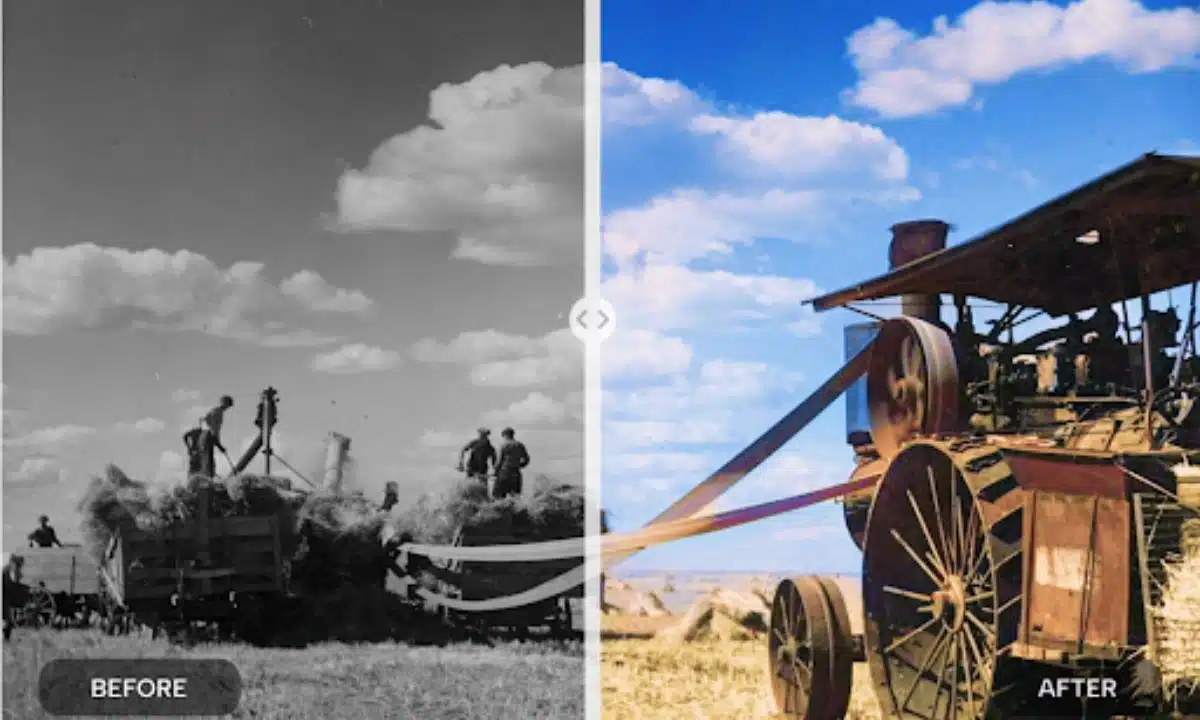
AI photo restoration algorithms work by analyzing the existing flaws and imperfections in old photographs and then applying intelligent image processing techniques to repair and enhance them. These algorithms can automatically identify and fix common issues such as scratches, noise, decolorization, and background blur. The result is a rejuvenated photo that looks as if it were taken just yesterday.
One notable benefit of using AI for photo restoration is the speed and efficiency it offers. Traditional methods often required painstakingly detailed manual work, which could take hours or even days for a single photo. With AI, the process is significantly accelerated, allowing users to restore multiple photos in a fraction of the time. This time-saving aspect is particularly advantageous for individuals with large collections of old photographs, as they can now restore and preserve their memories more efficiently.
One such AI-powered tool that simplifies the photo restoration process is offered by CapCut. This free online tool offers a user-friendly interface and a wide range of features to enhance and restore old photos with ease. Let’s explore a step-by-step guide on how to use the free online old photo restoration tool by Capcut:
Step-by-Step Guide: Using CapCut’s AI Old Photo Restoration Tool
Step 1: Access the Website
Visit the CapCut website and navigate to the tools section. You will find the tool labeled “Old Photo Restoration.”
Step 2: Upload Your Old Photo
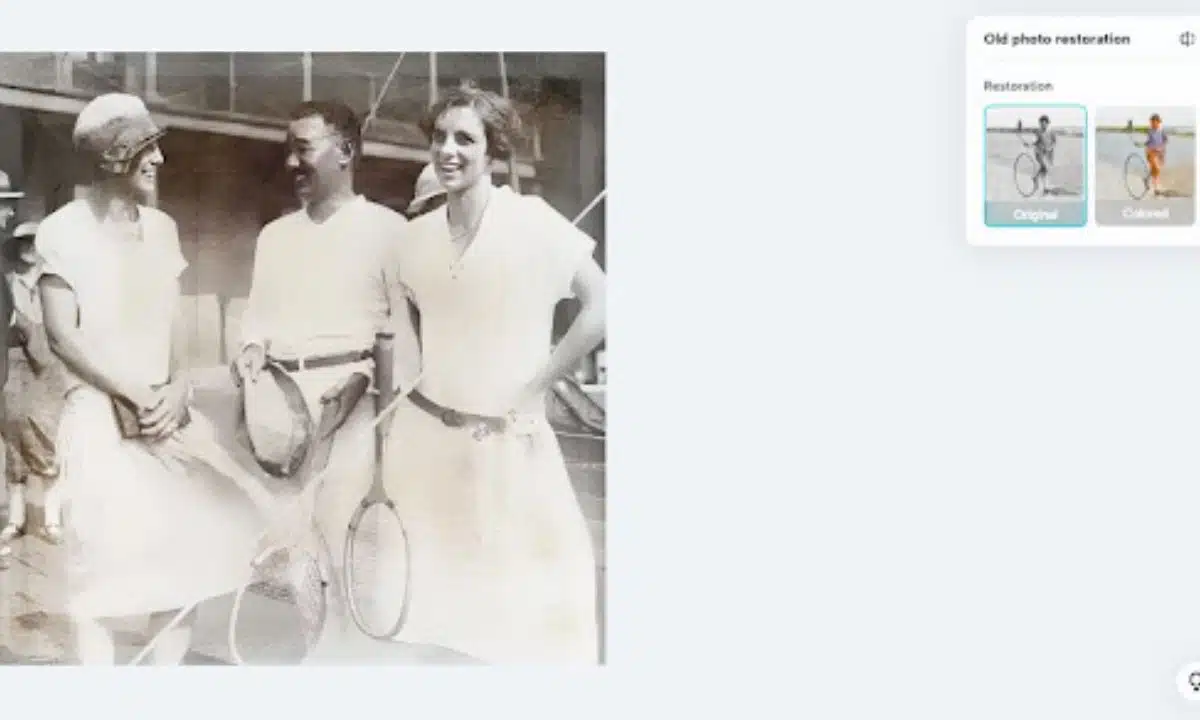
Click on the designated area to upload your old photo. You can either drag and drop the file or choose to upload it from your local storage, cloud storage services like Google Drive or Dropbox, or use sample images provided by CapCut for a quick start.
Step 3: AI Restoration Process
Once you have uploaded your photo, CapCut’s AI restoration algorithm will start analyzing and processing the image. The tool will automatically identify and repair various flaws, including scratches, noise, decolorization, and background blur.
Step 4: Preview and Edit
After the restoration process is complete, the AI tool provides a side-by-side comparison of the original and restored image. You can preview the changes made by the AI and assess the improvement. If desired, you can further enhance the photo by utilizing the other editing features.
Once you are satisfied with the restored photo, you can proceed to download it to your device or save it to your preferred cloud storage. CapCut ensures that the restored image retains its high quality so that you can preserve and share it with your loved ones.
Conclusion
The advent of AI technology has revolutionized the photo restoration process, making it more accessible and efficient than ever before. Tools like AI old photo restoration utilize the power of AI algorithms to simplify and accelerate the restoration process, allowing individuals to bring their old photos back to life with just a few clicks. Whether you are a photography enthusiast or someone looking to preserve family memories, these AI-powered tools offer a convenient and effective solution. By leveraging the capabilities of AI, photo restoration has become an instant process, enabling users to enjoy the benefits of high-quality restoration without the need for extensive technical knowledge or manual labor.
Preserving and restoring old photos is not only about reviving memories but also about preserving history and heritage for future generations. With the power of AI and tools, anyone can embark on the journey of preserving their precious moments, ensuring that they endure the test of time. So, go ahead and try out the old photo restoration tool to experience the magic of AI photo restoration for yourself.