
Listen to the Podcast:
Are you ready to unlock a world of fun? With the explosive rise of TikTok, captivating videos and entertaining content are just a swipe away. But what happens when you stumble upon a video that steals your heart and you want to keep it forever?
That’s where a reliable TikTok video downloader comes into play, empowering you to download TikTok masterpieces with ease. In this fast-paced digital era of 2024, we’ve curated a list of the top five online TikTok video downloaders that will revolutionize the way you save and share your favorite moments.
From effortless downloads to seamless conversions, get ready to dive into a world of endless laughter, jaw-dropping creativity, and unforgettable memories. Let the adventure begin!
Top 5 Online TikTok Video Downloaders for 2024
A. HitPaw Online TikTok Watermark Remover
(i) Brief Introduction
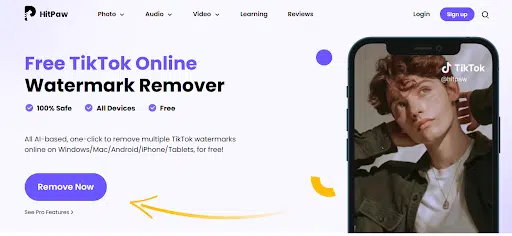
HitPaw Online TikTok Watermark Remover is an AI-based online tool that allows users to download TikTok videos without any watermark. With its intuitive interface and one-click operation, it provides an easy and convenient way to save TikTok videos to your device. Compatible with Mac, Android, iPhone, and tablets, this tool ensures a safe and secure connection, giving you full control over your uploaded files.
With no ads and unlimited usage, HitPaw Online TikTok Watermark Remover offers a seamless experience for users. While the basic version is free, the paid version allows you to download TikTok videos without any watermarks.
(ii) How To Steps
Step 1: Copy the URL of the TikTok video you wish to download.
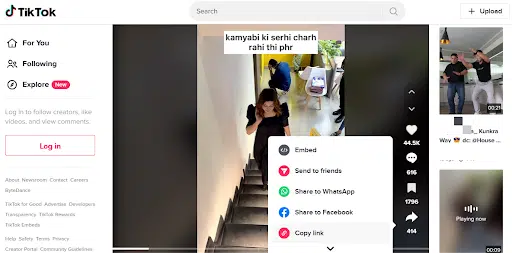
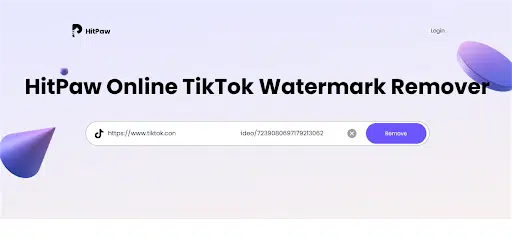
Step 2: Go to the HitPaw Online TikTok Watermark Remover website and paste the TikTok video URL into the provided field and click ‘Remove’
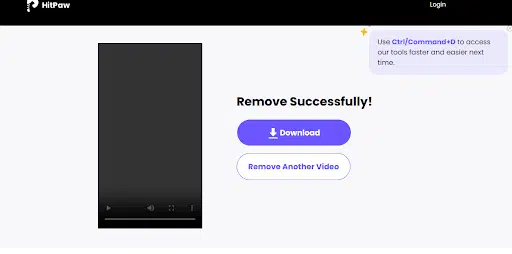
Step 3: Finally, click the download button to save the TikTok video to your device.
Pros:
- AI-based technology ensures accurate and efficient watermark removal.
- User-friendly interface with one-click operation for easy usage.
- Accessible online on various platforms, including Mac, Android, iPhone, and tablets.
- Provides a 100% safe and secure connection for your uploaded files.
- No ads guarantee a smooth and uninterrupted experience.
- Free to use with no limitations, allowing users to download TikTok videos without any cost for the first three downloads.
- Paid version available for removing watermarks from unlimited TikTok videos.
Cons:
- The free version has limitations on watermark removal, requiring users to purchase the paid version for unlimited access.
B. SnapTik
(i) Brief Introduction
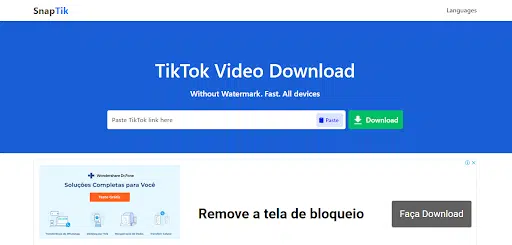
SnapTik is an exceptional online TikTok video downloader that allows users to effortlessly download their favorite TikTok videos without any watermarks. With its user-friendly interface and one-click downloading links, SnapTik makes the process simple and accessible to everyone, whether they are using PCs, Macs, or mobile devices. It is compatible with popular web browsers like Google Chrome and Safari, ensuring seamless video downloading across different platforms. By copying the TikTok video URL and pasting it into SnapTik’s input box, users can quickly obtain their desired videos.
(ii) Pros & Cons
Pros:
- Downloaded TikTok videos are free from any watermarks
- Allows users to download TT videos from phone as well as desktop
- Completely free to use
Cons:
- Users need to manually copy the TikTok video URL and paste it into SnapTik’s input box, which may be an extra step for some individuals.
- SnapTik is specifically designed for downloading TikTok videos and does not support other platforms or content types.
- SnapTik relies on a stable internet connection to function optimally, which means that users without internet access may face limitations in using the service.
C. 4K Tokkit
(i) Brief Introduction
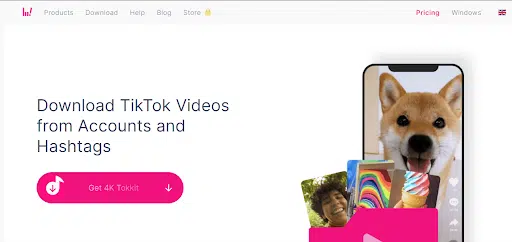
4K Tokkit, developed by 4kDownload, is a powerful TikTok video downloader that allows users to save and download videos from TikTok in various formats. With its impressive features and user-friendly interface, it has become the go-to choice for TikTok enthusiasts who want to download and enjoy their favorite videos offline.
(ii) Pros & Cons
Pros:
- Enjoy 720p resolution for visually pleasing TikTok videos.
- Download limitless TikTok videos for endless entertainment.
- Easily switch to a premium plan for extensive video downloads.
Cons:
- Higher resolution choices may be restricted.
- 4K Tokkit works exclusively with TikTok, limiting its usage.
- Stable internet connection required for smooth operation.
D. SaveTik

(i) Brief Introduction
SaveTik is another online tool designed to meet the rising demand for hassle-free TikTok video downloads. With SaveTik, users can easily save TikTok videos without the need for any software downloads. As soon as you enter the website, you gain immediate access to an array of impressive features that make video downloading a breeze.
(ii) Pros & Cons
Pros:
- Start saving TikTok videos right away upon entering the website.
- Allow to download TikTok videos without any watermarks in high definition.
- Users can download as many videos as you like directly to your folders, with no restrictions or limitations.
Cons:
- SaveTik primarily focuses on video downloading and lacks additional functionalities.
- You need a stable internet connection to use SaveTik effectively.
- While no account creation is required, it limits personalized features and preferences.
- Filled with too many ads
E. SaveTT.cc

(i) Brief Introduction
SaveTT.cc is an online TikTok video downloader that allows you to easily download TikTok videos without watermarks. Whether you’re using a computer, tablet, or smartphone, SaveTT is compatible with various devices and offers high-quality MP4 or MP3 downloads. With its user-friendly interface, SaveTT makes it convenient for anyone to save TikTok videos hassle-free.
(ii) Pros & Cons
Pros:
- Easy and convenient way to save TikTok videos
- Downloaded videos are clean and professional
- Works on various devices for flexibility
Cons:
- May lack advanced options found in other tools
- Requires a stable connection for smooth downloading
- Shows too many ads that spoils the experience
Conclusion
In conclusion, if you are looking to unlock the fun and download your favorite TikTok videos in 2024, there is one standout option that surpasses the competition: HitPaw Online Watermark Remover.
This incredible online TikTok video downloader offers the best experience, thanks to its user-friendly interface, fast download speeds, and exceptional video quality. With HitPaw, you can effortlessly save your favorite TikTok content without any watermarks, ensuring a seamless viewing experience.
So, don’t miss out on the opportunity to enhance your TikTok journey—give HitPaw Online Watermark Remover a try today and unlock a world of entertainment at your fingertips.
Frequently Asked Questions (FAQs)
-
How do online TikTok video downloaders work?
Online TikTok video downloaders work by extracting the video’s URL from TikTok and using it to download the video file to your device.
-
Are online downloaders legal and safe to use?
The legality and safety of online downloaders vary depending on the jurisdiction and the specific downloader. Some may violate TikTok’s terms of service, while others may be safe and legal to use.
-
Can I download TikTok videos on my mobile device using HitPaw Online Watermark Remover?
Yes, you can download TikTok videos on your mobile device or any other device such as Mac or Android using HitPaw Online TikTok Watermark Remover.