In an era where digital documents dominate our daily routines, finding ways to streamline PDF management can significantly boost efficiency and reduce frustration. LightPDF positions itself as a versatile, AI-infused online platform that’s perfect for a diverse audience, including freelancers hustling through client work, students organizing research materials, and businesses handling bulk document processing.
By fusing advanced artificial intelligence with intuitive tools for editing, conversion, and security, LightPDF eliminates the need for juggling multiple applications. The spotlight here is on its cutting-edge AI Invoice Generator, which revolutionizes billing, and the revamped OCR features that make extracting data from images and scans a painless endeavor. These are enhanced by an array of complementary AI capabilities, creating a holistic ecosystem for end-to-end workflows. Let’s unpack these features and see how they can transform your document game.
Revolutionizing Billing: The AI Invoice Generator in Action
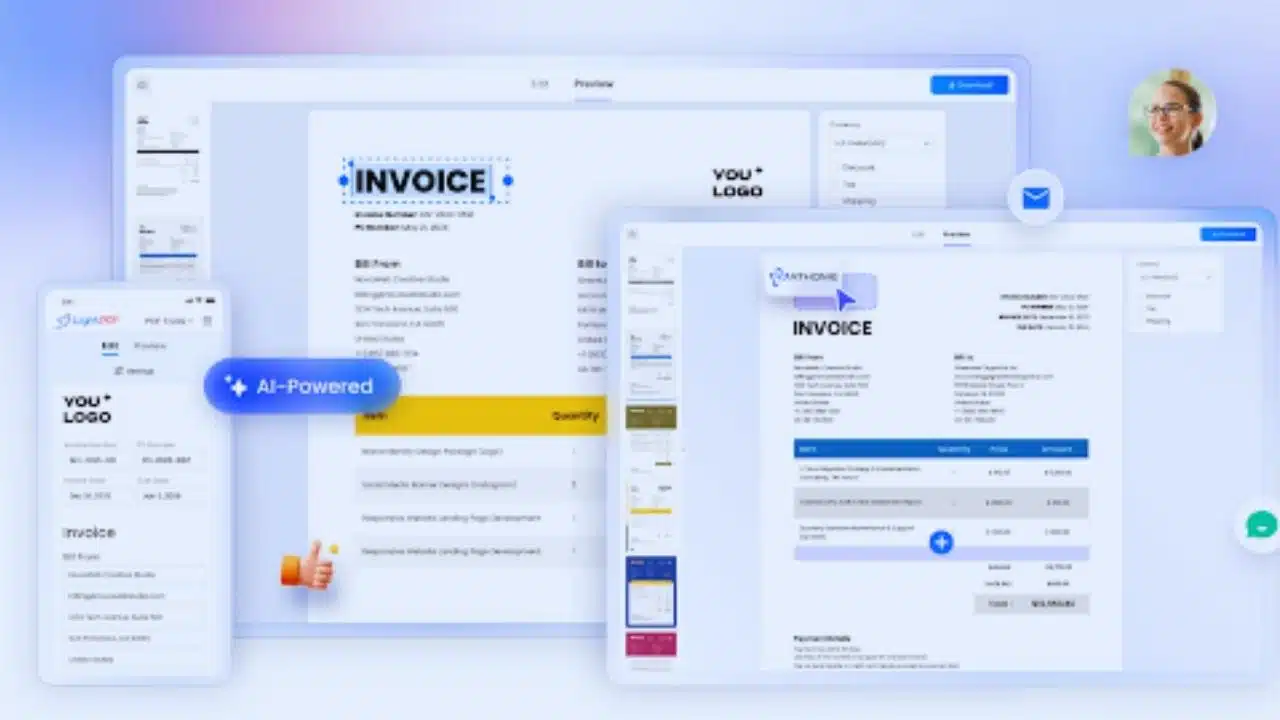
Manual invoicing often feels like a relic from a bygone era—time-consuming, prone to calculation errors, and disruptive to your flow. LightPDF’s AI Invoice Generator changes all that by leveraging smart automation to produce professional-grade invoices in mere seconds. This tool is designed with user-friendliness at its core, allowing you to build invoices directly within the platform without any steep learning curve.
Here’s a closer look at what makes it stand out:
- Intuitive Data Entry: Seamlessly add all the essentials online, from client billing information and detailed lists of products or services to adjustments like discounts, applicable taxes, shipping fees, and even custom notes for personalization. The interface guides you through each step, ensuring nothing is overlooked.
- Intelligent Auto-Calculations: Forget about pulling out a calculator or spreadsheet—the system handles all the math in real time. It computes subtotals, totals, and tax applications automatically, while offering customizable currency settings to cater to international clients or multi-currency operations.
- Instant Preview and Delivery: Before finalizing, you get a full on-screen preview to spot any tweaks needed. Once satisfied, download the invoice in a polished, client-ready format that’s optimized for email or printing.
Consider a freelancer managing multiple projects: Instead of spending hours formatting invoices in separate software, they can generate, customize, and send them out during a quick coffee break. This not only saves time but also minimizes errors, leading to faster payments and happier clients. Businesses scaling up will appreciate how it integrates into larger accounting workflows, making it an indispensable asset for maintaining professionalism without the overhead.
Elevating Data Extraction: Enhanced OCR Tools for Real-World Use
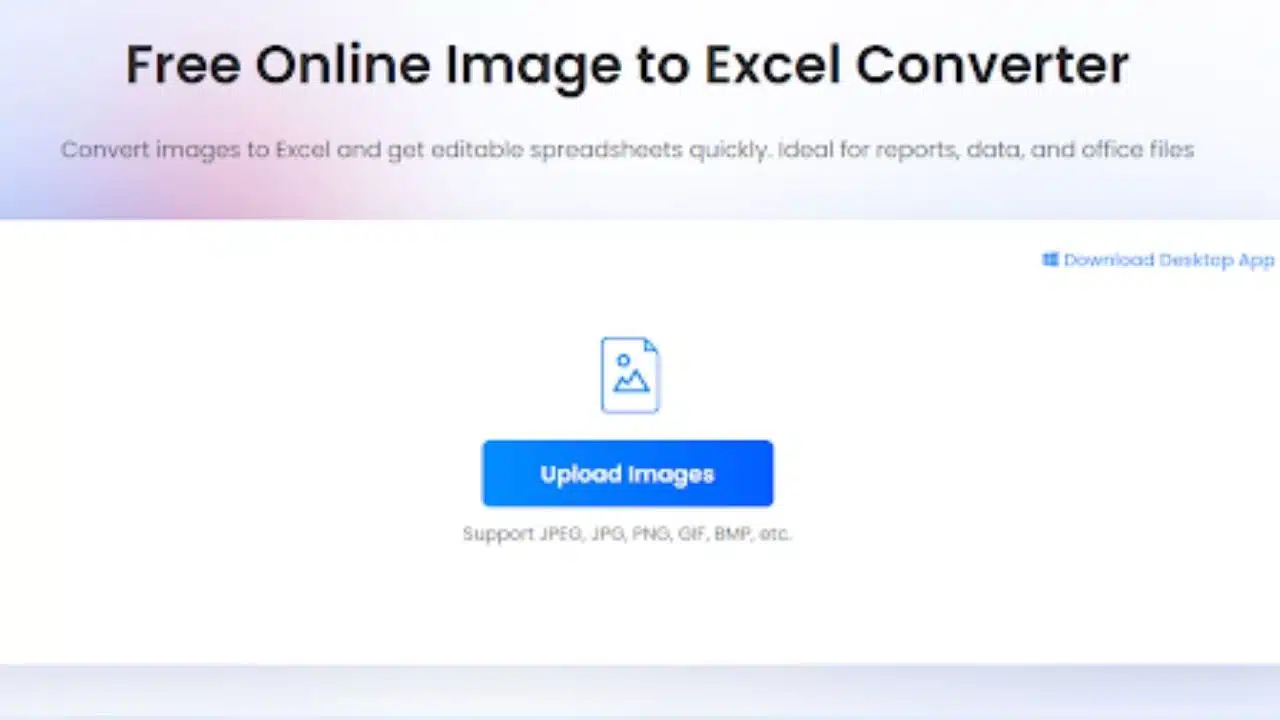
Optical Character Recognition (OCR) has long been a staple for digitizing documents, but LightPDF takes it further with targeted upgrades that focus on versatility and accuracy. These new features are particularly useful for converting static images or scanned PDFs into dynamic, editable content, helping users unlock trapped information without manual re-entry.
Delving into the specifics:
- Image to TXT Conversion: Ideal for extracting straightforward text from photos or graphics, this turns handwritten notes, signs, or printed snippets into plain text files that you can copy, paste, or integrate into other documents effortlessly.
- JPG to Word Transformation: Convert JPG images directly into fully editable Word documents, preserving as much of the original layout and formatting as possible. This is a boon for editing scanned articles, forms, or reports on the fly.
- Image to Excel Data Pull: For content with structured data like tables or charts, this feature extracts and organizes it into Excel spreadsheets, facilitating quick analysis, budgeting, or reporting tasks.
Building on LightPDF’s foundational OCR for general scanned PDFs and images, these tools make your documents searchable and manipulable. Imagine a researcher digitizing old journal scans: The OCR suite not only extracts text but also pulls tabular data into spreadsheets for statistical review, accelerating insights. Or a small business archiving receipts—the process becomes automated, reducing administrative burdens and ensuring compliance with record-keeping standards. In essence, these enhancements bridge the gap between analog and digital, making information more accessible and actionable.
Amplifying Workflows: The Broader AI Ecosystem and Supporting Tools
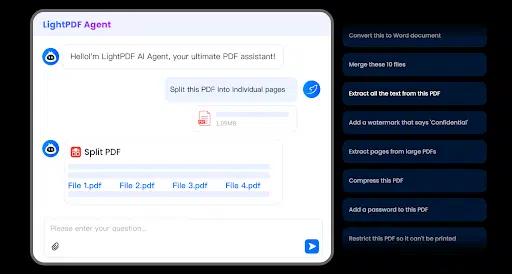
LightPDF isn’t just about isolated features; it’s built as an interconnected platform where the AI Invoice Generator and OCR tools synergize with other AI-driven functionalities to handle comprehensive document lifecycles. At the heart of this is the LightPDF AI Agent, a conversational AI assistant that responds to natural language commands. Simply upload a file and instruct it—like “Extract text from this scan, generate an invoice based on the data, and encrypt the final PDF”—and it orchestrates the tasks seamlessly, eliminating the need to switch between menus or apps.
To give you a fuller picture of the AI-powered toolkit that supports these core features:
- AI PDF Generator: Create entire PDFs from descriptive prompts, optionally incorporating web-sourced data and supporting over 20 languages for global accessibility.
- PDF to Mind Map: Automatically convert dense PDFs into visual mind maps, aiding in brainstorming, studying, or project planning.
- AI PPT Generator: Produce editable PowerPoint presentations from prompts or reference materials, perfect for turning invoice data into client pitches.
- AI PDF Translation: Translate complete documents with a single click, ensuring multilingual teams can collaborate without barriers.
- AI Watermark Removal: Remove unwanted watermarks from PDFs or images using automated detection or manual selection, maintaining document integrity.
- PDF AI Agent: As mentioned, this multitasker handles batch operations like conversions, compressions, encryptions, page numbering, and more, all in one interactive session.
Beyond AI, LightPDF covers essential PDF Conversion needs, allowing effortless switches between formats such as PDF to Word, Excel, PPT, TXT, images, and Markdown, or the reverse from sources like HTML, EPUB, CAD files, and various image types. For Editing & Security, you can modify text, annotate, reorganize pages (via splitting, merging, cropping, or rotating), optimize file sizes through compression, repair damaged files, and enhance searchability with OCR. Security options include encryption/decryption, digital signing, version comparisons, and redaction of sensitive information, ensuring compliance and data protection.
This integrated approach means you can start with OCR-extracted data, feed it into the Invoice Generator, then use the AI Agent to translate and secure the output—all within the same platform. It’s this cohesion that makes LightPDF ideal for complex scenarios, like a marketing team preparing multilingual reports or a legal firm managing secure document exchanges.
FAQ: Addressing Common Curiosities
To help you get started, here are answers to some popular queries based on user feedback:
Q1: How does the AI Invoice Generator accommodate different currencies for international work?
It features built-in automatic calculations for totals and taxes, with fully customizable currency options to support global transactions without any manual conversions.
Q2: What range of formats can the OCR tools convert scanned or image-based content into?
The tools support conversions to editable formats like plain TXT for text, Word for documents, and Excel for structured data, covering a variety of needs from simple extractions to complex analyses.
Yes, the PDF AI Agent excels at this, allowing you to use natural language to batch-process operations such as conversions, compressions, encryptions, and watermark removals in a single workflow.
Q4: Who stands to gain the most from LightPDF’s features?
It’s versatile enough for individuals tackling personal projects, students streamlining study materials, and professionals or teams requiring collaborative, secure document handling—making it a fit for nearly any scale.
Wrapping It Up: Why LightPDF AI is Your Go-To for Document Mastery
LightPDF’s latest AI Invoice Generator and OCR enhancements are more than just updates—they’re a leap forward in making PDF workflows intuitive, efficient, and powerful. By combining these with a rich suite of AI tools, conversion options, and security measures, the platform empowers you to handle documents with unprecedented ease and speed. Whether you’re aiming to cut down on administrative time, enhance data accuracy, or foster better collaboration, LightPDF delivers in a secure, user-centric package that’s continually evolving.
Ready to experience the difference? Visit LightPDF today and start optimizing your document processes for a more productive tomorrow.