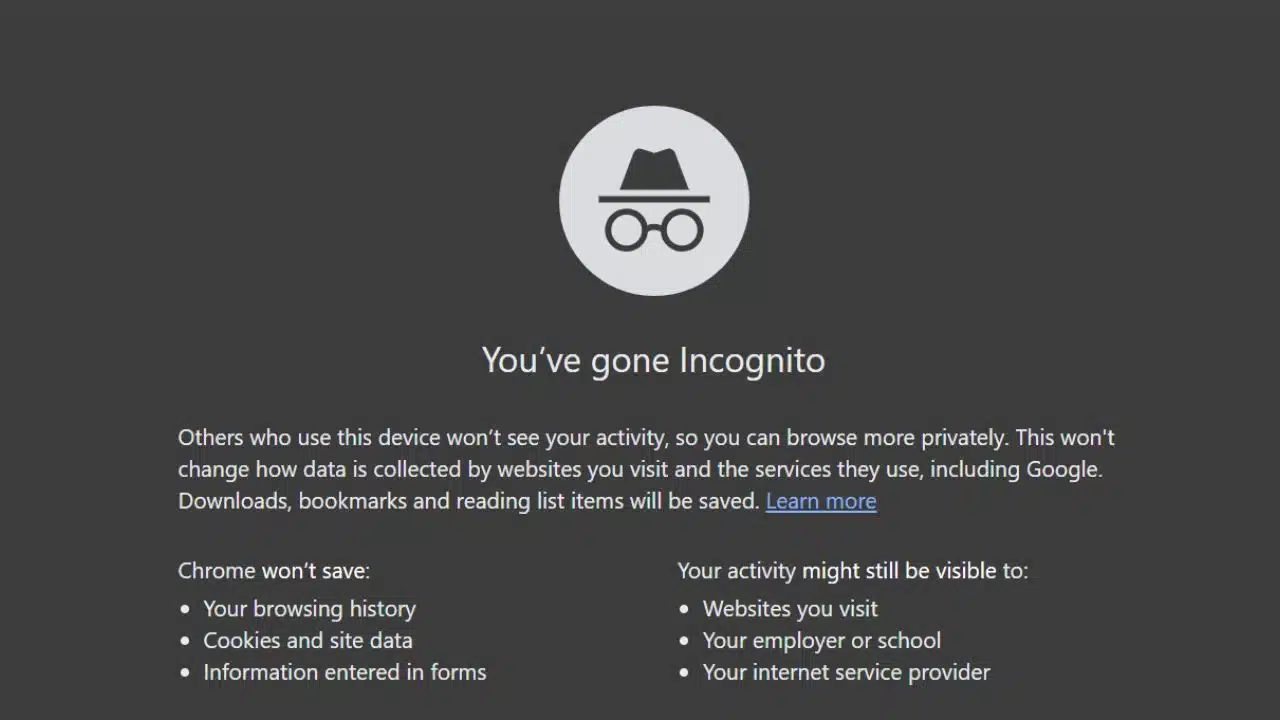
With online privacy becoming increasingly important, more people rely regularly on private browsing features such as Chrome’s Incognito mode or an Incognito web browser. Despite popular assumptions about protecting user privacy, questions linger about what actually happens to data when you hit “private mode”.
In this article, we delve deeper into incognito mode and reveal what internet users should know about navigating privately online. Let’s uncover the truth behind “private” browsing sessions and help you understand how incognito mode treats your data.
Understanding the basics of incognito mode
Incognito mode, also known as ‘private browsing’, is a feature provided by modern web browsers like Chrome, Firefox, Safari, and Edge. When users activate this mode, browsers typically promise not to save browsing histories, cookies, temporary files, or website data to the user’s local device. In other words, websites visited in incognito or private mode won’t appear in your browsing history, and any tracking cookies acquired during the session are automatically deleted after closing the window.
However, incognito mode is not a complete guarantee of online anonymity. Often misunderstood, the phrase “private browsing” might lead users to believe they are entirely invisible online, and to mistakenly assume browsing incognito hides their IP addresses or entirely prevents third-party tracking. Unfortunately, this belief simply does not reflect reality. Understanding exactly what incognito mode can and cannot do is essential to protecting yourself online.
What incognito mode does not protect you from
Incognito mode provides some valuable privacy protections, but it won’t conceal your activity from all external entities. Your Internet Service Provider (ISP), your employer, or your school network administrator can still easily track the websites you visited, even when browsing incognito. This is because private browsing does nothing to mask your IP address or encrypt data transmissions.
Thus, anyone with access to the network or the devices along the way can monitor and record your online activities. On top of this, websites that you visit while using private browsing can still collect data about you through various tracking methods. Advertisers and websites can still potentially gather information using advanced fingerprinting techniques, which can identify your online presence across different browser sessions. Using private browsing neither hides your device type nor other identifying factors, which remain accessible via normal web protocols. Moreover, logging into any personal accounts or social media websites while in incognito mode makes all associated online activity easily identifiable.
Common misconceptions around incognito browsing
The main misconception surrounding incognito mode is that it guarantees total anonymity. Users might feel confident browsing sensitive material, believing their activities are completely hidden. Another common misunderstanding is that private mode fully protects online activity on shared devices, meaning every trace disappears once you close the browser window.
However, a skilled user with administrative access or dedicated monitoring software can still potentially access traces of visited URLs and browsing information. Some people also believe that opening multiple incognito windows can effectively separate online identities, allowing them to manage different activities at once without interaction. While it might work superficially, incognito mode alone does not provide robust separation to enable advanced activities like running multiple discord accounts seamlessly. Specialized solutions and tools exist explicitly for these purposes, and private browsing features alone won’t have the required capabilities to maintain separate cookies or user sessions reliably.
Ways to stay more anonymous online
If genuine privacy and anonymity are your goals, relying solely on incognito mode will likely fall short. There are several other methods available to achieve more reliable anonymity online. Virtual Private Networks (VPNs) encrypt your traffic and hide your IP address from websites and advertisers, thus providing an added layer of online anonymity.
While VPNs don’t completely eliminate tracking, they substantially increase protection relative to simple private browsing. Moreover, privacy-focused browsers and extensions can help limit tracking scripts, advertisements, and cookie storage by blocking known trackers automatically. Users who combine private browsing modes with robust privacy tools and settings are better equipped to minimize unauthorized tracking. Remember, the internet was built to track digital footprints inherently. Thus, for maximum online privacy, users must educate themselves and employ a multi-layered approach instead of relying exclusively on incognito modes.