
Starting a software company used to mean spending years learning how to write complex logic or spending thousands of pounds hiring an engineering team. That barrier to entry has completely vanished. Today, visual development platforms allow anyone with a logical mindset and a solid business idea to launch fully functional web applications.
If you want to build a saas with no code, you are entering a market that values speed, efficiency, and solving real problems over a technical background. The democratisation of technology is empowering content writers, marketers, and everyday problem-solvers to become software founders.
The Dawn of Accessible Software Creation
The software industry is experiencing a massive shift in how applications are planned, designed, and launched. You no longer need a computer science degree to create tools that can process millions of data points or automate complex business workflows. Visual builders have matured from simple website creators into robust engineering platforms that translate your visual drag-and-drop actions into clean, functional code behind the scenes. This transition is not just a passing trend; it is fundamentally changing who gets to be a tech entrepreneur. To understand this shift, let us look at the core differences between old and new development methods.
| Feature | Traditional Development | Visual Development |
| Required Skills | Deep knowledge of programming languages | Logical thinking and basic database knowledge |
| Time to Market | Months to years | Days to weeks |
| Initial Costs | Very high (hiring developers, server setup) | Very low (monthly platform subscriptions) |
| Maintenance | Requires constant code updates and bug fixing | Managed by the visual platform provider |
Understanding the Market Shift
The numbers behind this industry shift are staggering. Recent industry reports project that the global visual development market will exceed 30 billion pounds by 2026. Furthermore, research from Gartner indicates that by 2026, roughly 70 percent of all new business applications will rely on visual building technologies rather than traditional hand-coding. This explosive growth is driven by a severe shortage of traditional software engineers and a rising demand for agile business solutions. Companies and independent creators alike realise that spending six months writing code for a product that might fail is a massive waste of resources. Visual platforms eliminate this risk by allowing you to launch and test ideas in a fraction of the time.
The Rise of the Citizen Developer
This technological shift has given birth to a new type of creator known as the citizen developer. These are professionals who understand the specific pain points of their industries but lack formal coding education. For instance, a human resources manager might build an internal tool to track employee onboarding, or a marketing expert might create a platform to automate campaign reporting. When you build a saas with no code, your primary advantage is your domain expertise. You do not need to translate your industry knowledge to an external developer; you can map out the logic and build the solution yourself. This direct translation from problem to product is why citizen developers are currently launching some of the most innovative and highly targeted software tools on the market.
Finding and Validating Your Core Idea
Building a successful software product requires more than just a passing thought or a sudden burst of inspiration. You need a rock-solid foundation built on actual market demand before you even look at a visual builder. Every great application solves a specific, painful problem for a clearly defined group of people who are willing to pay for a solution. Validating your concept early saves you from spending months developing a tool that nobody actually wants to use. Here is a breakdown of the key validation stages you should follow.
| Validation Stage | Action Required | Expected Outcome |
| Problem Identification | Interview target users about their daily frustrations | A clear list of urgent pain points |
| Solution Pitching | Present your theoretical software idea to these users | Honest feedback on whether they would pay for it |
| Competitor Review | Search for existing tools trying to solve this problem | A map of market gaps and opportunities |
| Presales | Set up a landing page to collect emails or pre-orders | Hard proof of market demand and user interest |
Identifying Pain Points in the Market
Every great software product starts with a frustrating problem. Look at your own daily workflows or the common complaints in industries you understand well. Often, the best applications are micro-solutions that tackle one very specific bottleneck for a niche audience. Instead of trying to build the next massive social network, aim to build a tool that saves a specific type of professional five hours a week. Talk to people in your target demographic and ask them what tasks they dread doing on a Monday morning. If you hear the same complaint from ten different people, you have likely found a problem worth solving. Your goal is to find a pain point that is so annoying that people will gladly hand over their payment details to make it disappear.
Conducting Competitor Analysis
Once you have a solid idea, it is time to see who else is trying to solve the same problem. Do not be discouraged if you find competitors; in fact, a complete lack of competitors often means there is no money to be made in that specific niche. Look for gaps in their current offerings. Perhaps the existing tools are far too expensive for small businesses, or maybe their user interfaces are incredibly outdated and confusing. You can position your new application to fill those exact gaps, giving you a unique selling point right out of the gate. Read their negative reviews on software comparison sites to find out exactly what their current customers are begging for, and make sure your product delivers those exact features.
Mapping Out Your Application Architecture
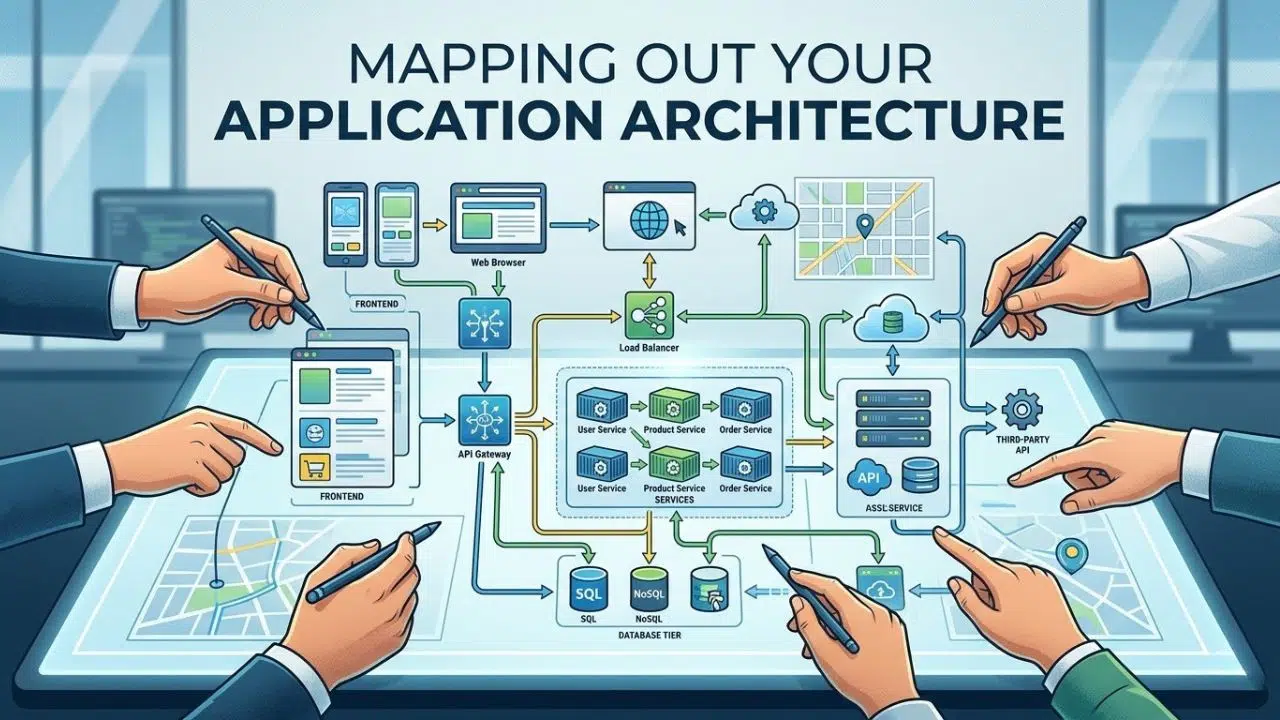
With a validated idea in hand, you must plan how your application will actually function before you start dragging elements onto a canvas. Jumping straight into a visual builder without a plan is a guaranteed way to create a messy, unscalable product. You need to understand how your users will navigate the tool and how your data will be organised behind the scenes. Think of this phase as drawing the blueprints before pouring the concrete for a house. Here are the core architectural components you need to plan.
| Component | Description | Importance |
| User Flows | The step-by-step journey a user takes to complete a task | Ensures the application is intuitive and easy to use |
| Wireframes | Basic sketches of your application screens and layouts | Prevents design mistakes before development begins |
| Data Models | The structure of the information your app will store | Dictates how fast and reliable your software will be |
| Integrations | The external services your app needs to talk to | Expands your product capabilities without extra work |
Designing the User Interface and Experience
Your users will judge your product based on how it looks and feels within the first few seconds of logging in. Keep the design modern, clean, and intuitive. Use simple wireframing tools or even just pen and paper to sketch out where the buttons, menus, and dashboards will live. A confusing interface will drive users away, regardless of how powerful the underlying technology is. Keep your colour palette simple, using two or three main colours and one accent colour for important buttons. Ensure the navigation is entirely logical so that a brand new user can figure out how to achieve their main goal without needing to read a massive instruction manual. Good design is invisible; it simply guides the user naturally from point A to point B.
Structuring Your Database
The database is the brain of your application. You need to clearly map out what information you will collect, store, and display to the users. For example, if you are building a project management tool, your database will need to store user profiles, project names, individual tasks, and deadlines. Understanding how these pieces of data relate to one another is the most important step in the entire development process. If your database is structured poorly, your application will run slowly and it will be incredibly difficult to add new features later on. Take the time to write down exactly what data types you need, such as text fields for names, number fields for prices, and date fields for deadlines, and plan how they connect.
Top Platforms to Build a SaaS With No Code
Choosing the right platform is critical, as migrating a live application to a new system later can be a massive headache. The visual development market has exploded, leaving new creators overwhelmed by the sheer number of options available. You need a platform that is reliable, scalable, and capable of handling the specific logic your application requires. Some tools are perfect for quick mobile apps, while others are designed for heavy desktop software. Let us review the most reliable platforms you should consider for your software business.
| Platform | Primary Strength | Learning Curve |
| Bubble | Complex logic and heavy database management | Steep |
| FlutterFlow | Native mobile application development | Moderate |
| Glide | Rapid deployment from existing spreadsheets | Low |
| Make | Automating workflows between different tools | Moderate |
1. Bubble
Bubble is widely considered the industry standard for creating complex, logic-heavy web applications without writing text-based code. It gives you total freedom over your design and database architecture.
• Best for: building complex web applications with heavy database requirements.
• Why We Chose It: offers unparalleled logic and database control for visual developers.
• Things to consider: steep learning curve compared to simple website builders.
• Pros: robust integration capabilities and a massive community forum for support.
• Cons: performance can sometimes slow down if workflows are not optimised properly.
2. FlutterFlow
FlutterFlow allows you to visually build native mobile and web applications that run beautifully on any device. It is built on top of Google’s Flutter framework.
• Best for: launching native mobile applications for iOS and Android.
• Why We Chose It: it generates clean, exportable code behind the scenes.
• Things to consider: requires a good understanding of visual layout principles.
• Pros: incredibly fast performance and excellent design customisation.
• Cons: web application publishing is still evolving compared to its mobile strengths.
3. Glide
Glide turns spreadsheets into beautiful, functional applications in a matter of minutes. It is perfect if you already have your data organised and just need a friendly interface for it.
• Best for: creating internal company tools or simple client portals.
• Why We Chose It: the speed of development is completely unmatched.
• Things to consider: limited ability to create highly custom visual designs.
• Pros: seamless real-time syncing with Google Sheets and Airtable.
• Cons: not ideal for products that require complex backend logic.
4. Make
While not an application builder itself, Make is the glue that connects different software tools together to automate background tasks. It is essential for adding advanced features to your main application.
• Best for: automating workflows and connecting different application programming interfaces.
• Why We Chose It: the visual routing makes complex logic easy to follow.
• Things to consider: pricing scales based on the number of automated operations you run.
• Pros: connects with thousands of different external services effortlessly.
• Cons: debugging failed automated runs can occasionally be frustrating.
Developing Your Minimum Viable Product
Your goal should be to get a working version of your software into the hands of real users as quickly as possible. This early version is called a Minimum Viable Product. It should not have every feature you dream of; it should only have the core features necessary to solve the primary problem. Perfectionism is the enemy of progress in the software world. If you spend a year building features without user feedback, you risk building things nobody actually wants. Here are the core stages of getting your early product out the door.
| MVP Stage | Focus Area | Goal |
| Core Functionality | Building the one feature that solves the main problem | Proving your concept actually works |
| Authentication | Setting up secure sign-up and login workflows | Protecting user data and privacy |
| User Onboarding | Creating a smooth first-time user experience | Ensuring new users do not get confused |
| Feedback Loop | Adding simple ways for users to report bugs | Gathering data for your next update |
Building Core Functionalities First
Resist the urge to build every single feature you can think of. Focus entirely on the core function that solves the primary problem for your users. If your application is meant to generate invoices for freelance writers, ensure the invoice generation works perfectly before you even think about adding custom email templates, dark mode, or advanced reporting dashboards. Learning how to build a saas with no code involves understanding restraint. Your early adopters will forgive a lack of advanced features, but they will not forgive an application that fails to do the one basic thing it promised to do. Launching early with a limited feature set allows you to gather real-world data and let your actual paying customers dictate what you should build next.
Setting Up User Authentication and Security
You must protect your users and their data from day one. Implement secure login systems, reliable password reset flows, and ensure that users can only see their own information. Most visual development platforms have robust built-in authentication systems that handle the heavy lifting for you, keeping your application safe from basic security threats. You need to set up proper privacy rules within your database so that a user from Company A cannot accidentally stumble upon the private records of Company B. Taking security seriously during the MVP stage prevents massive headaches and potential legal issues down the line as your user base begins to grow.
Integrating Payment Gateways
To turn your project into a proper business, you need a reliable way to collect money from your customers. This step transforms your application from a fun weekend project into a scalable software company. Setting up payments used to require deep banking integrations and complex security protocols. Now, modern payment processors allow you to start accepting global credit card payments in a matter of hours. You need to decide how you want to charge your users and then connect the right tools to handle the transactions smoothly.
| Pricing Model | Description | Common Use Case |
| Freemium | Free basic access with a paywall for advanced features | Consumer apps needing rapid user growth |
| Flat Subscription | A single monthly or annual fee for all features | Traditional business-to-business software |
| Tiered Pricing | Different price points based on feature limits or seats | Software that scales with company size |
| Usage-Based | Customers pay exactly for what they consume | Applications heavy on AI or data processing |
Choosing the Right Monetisation Strategy
Before you connect a payment processor, you must decide how you will charge your users. The tiered pricing model is currently the most popular approach in the software industry. You might offer a basic plan for solo founders, a professional plan for small teams, and an enterprise plan with unlimited usage. Alternatively, a freemium model can help you gather a massive user base quickly by offering a stripped-down version of your tool for free, hoping a percentage of those users will eventually upgrade to a paid tier. To successfully build a saas with no code, you must align your pricing strategy with the perceived value your tool provides. If your tool saves a business a thousand pounds a month in labour costs, do not be afraid to charge a premium subscription fee for it.
Connecting Stripe or Paddle
Platforms like Stripe and Paddle are the absolute standard for handling online subscriptions securely. They offer pre-built integrations for nearly all major visual development tools. These services handle all the complicated aspects of digital billing, including recurring charges, failed payment retries, card expirations, and global tax calculations. Setting up Stripe usually involves creating an account, grabbing your unique integration keys, and pasting them into your visual builder’s payment plugin. Once connected, you can create branded checkout pages where users can safely enter their payment details without you ever having to store sensitive credit card information on your own database.
Launching and Marketing Your Platform
Building the application is only half the battle; getting people to actually find it and pay for it is where the real work begins. You can have the most beautiful, functional software in the world, but if nobody knows it exists, your business will fail. Marketing a software product requires a strategic approach that targets the specific people experiencing the pain point you are solving. You need to build trust, demonstrate the value of your tool, and make it incredibly easy for people to sign up. Here are the most effective channels to focus on for your launch.
| Marketing Channel | Effort Required | Expected Return Time |
| Organic Search (SEO) | High | Slow (Months) |
| Content Marketing | Medium | Medium (Weeks to Months) |
| Social Media Outreach | High | Fast (Days) |
| Paid Advertising | Low | Immediate |
Executing a Soft Launch
Do not try to launch to the entire world at once with a massive marketing budget. Start by executing a soft launch. Invite a small group of beta testers, perhaps from a niche forum or a relevant LinkedIn group, to use the application. Watch how they navigate the interface, listen carefully to their feedback, and fix the inevitable bugs that pop up. This soft launch period is critical for ironing out the kinks before you start spending money on advertising or officially announcing the product. Offer these early users a lifetime discount in exchange for their honest feedback and a glowing testimonial that you can use on your main landing page later.
Driving Traffic and Acquiring Users
Once the software is stable and the major bugs are squashed, you need to attract your target audience at scale. Content marketing and search engine optimisation are highly effective ways to get your first paying customers without spending a fortune on ads. Write detailed blog posts that solve smaller problems related to your niche, and naturally introduce your software as the ultimate solution. Participate actively in niche online communities, subreddits, and Facebook groups where your target audience hangs out. Share your journey of building the tool in public to generate organic interest and build a loyal following of supporters who feel invested in your success.
Final Thoughts
Taking the leap into software entrepreneurship without a technical background is an exciting and highly accessible journey today. The tools available now are powerful enough to build enterprise-grade applications, yet simple enough to learn over a few dedicated weekends. Deciding to build a saas with no code is the first step toward creating a scalable business that can operate and generate revenue while you sleep.
Your immediate next step should be to map out your core idea on paper, identify the most painful problem you can solve, and choose a single visual platform to start learning. Do not get caught in the trap of endless research or feature creep. Sign up for a free trial, start connecting your database fields, and begin turning your vision into a reality.