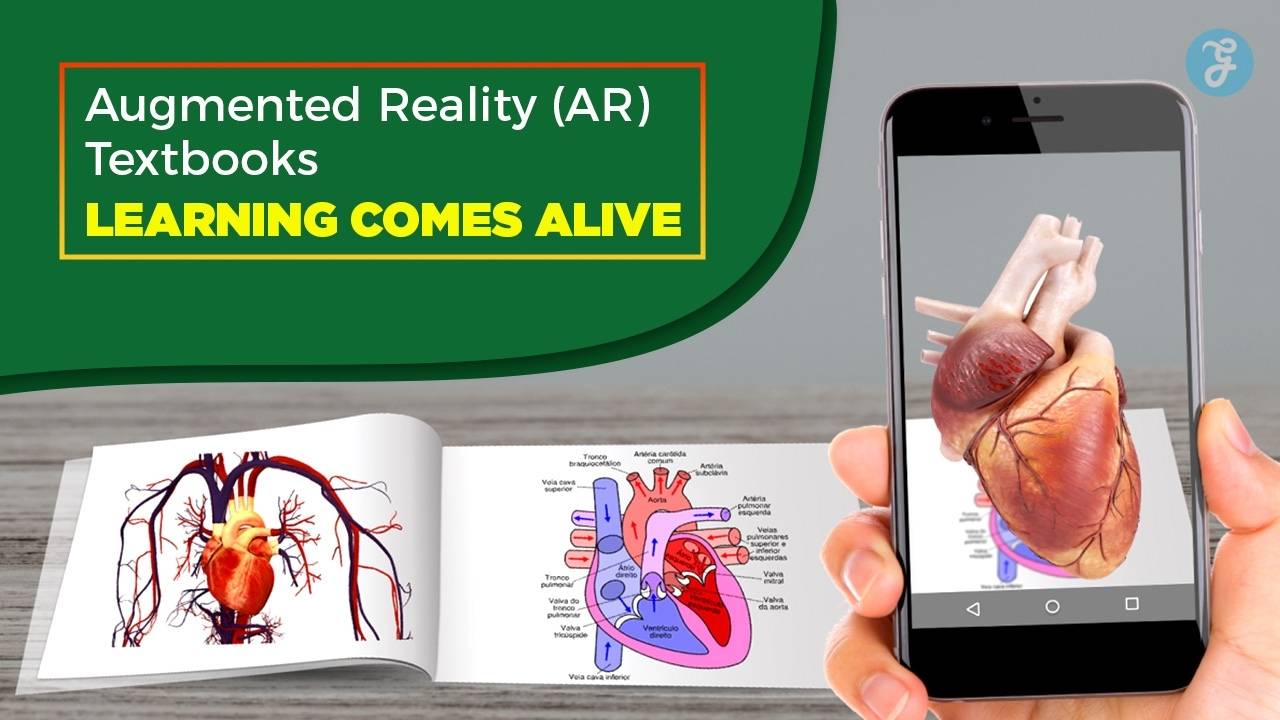
Do you remember sitting in class, staring at a biology textbook and trying to force yourself to focus? You probably flipped through page after page of flat diagrams. The words just sat there. It is tough to stay interested when the material feels so dull. But things are changing fast. Augmented Reality in Education is flipping the script on those old, heavy books. Recent data suggests that AR can improve student attention spans significantly by turning passive reading into active exploration. Imagine seeing a 3D beating heart floating right above your desk instead of just a static drawing.
I am going to walk you through exactly how Augmented Reality (AR) Textbooks: Learning Comes Alive works and how it makes learning hands-on for everyone. We will look at the tools, the benefits, and even the tricky parts no one talks about.
So grab a cup of coffee. Let’s see how your school books are about to get a major upgrade.
What is Augmented Reality in Education?
Augmented Reality, or AR, brings digital objects into the real world. It does not replace what you see; it adds to it. This new approach in classrooms makes lessons feel more alive and exciting for students.
Definition of AR
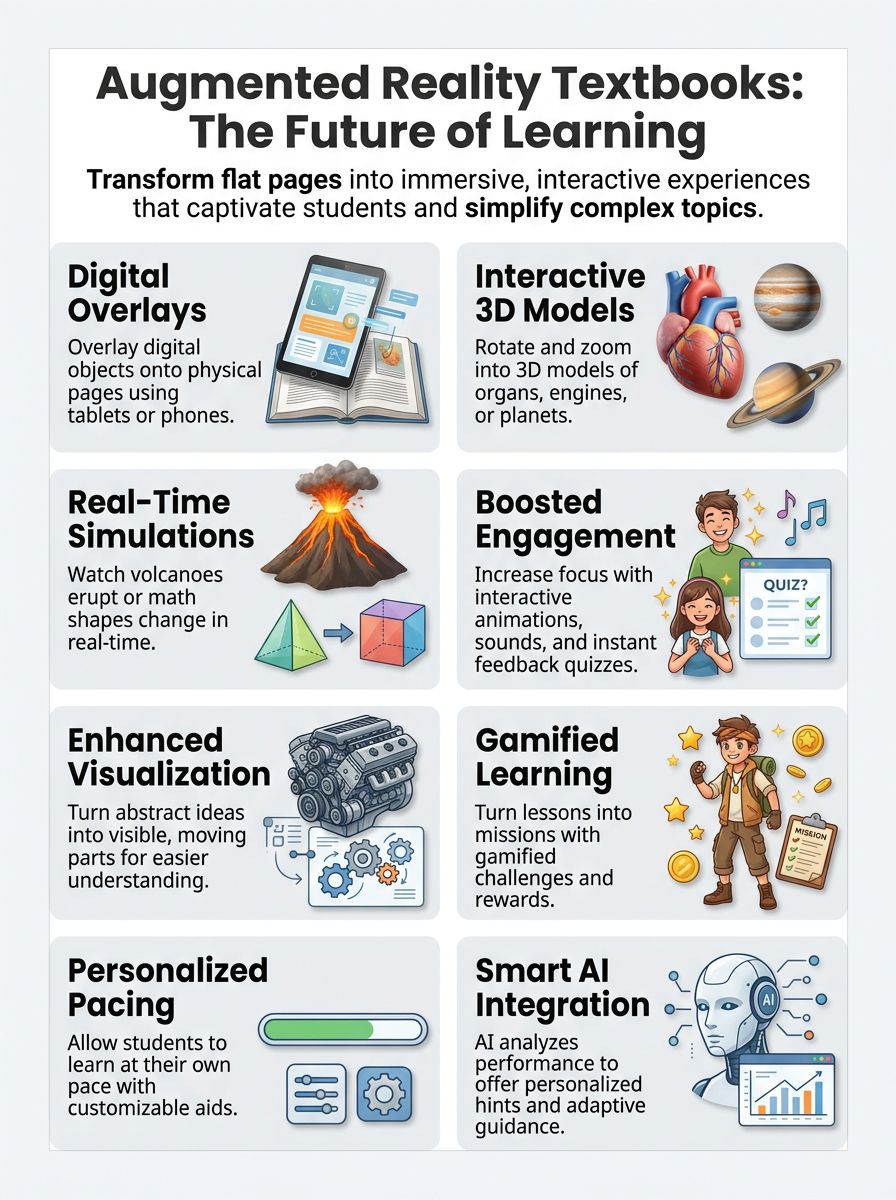
AR stands for Augmented Reality. It adds digital things, like pictures, animations, or sounds, to what you see in real life. With AR, a student can point a tablet at a page and watch 3D dinosaurs move across the desk.
This mix of virtual objects and physical space creates an immersive experience. It is different from Virtual Reality (VR), which blocks out the real world completely. AR keeps you grounded in your classroom while adding a layer of magic on top.
Many schools use AR as part of educational technology. Kids scan textbook pages with their phones or tablets to bring pictures or maps alive. Simple apps turn math problems into games right on the book page.
Here is a quick breakdown of how AR compares to traditional methods:
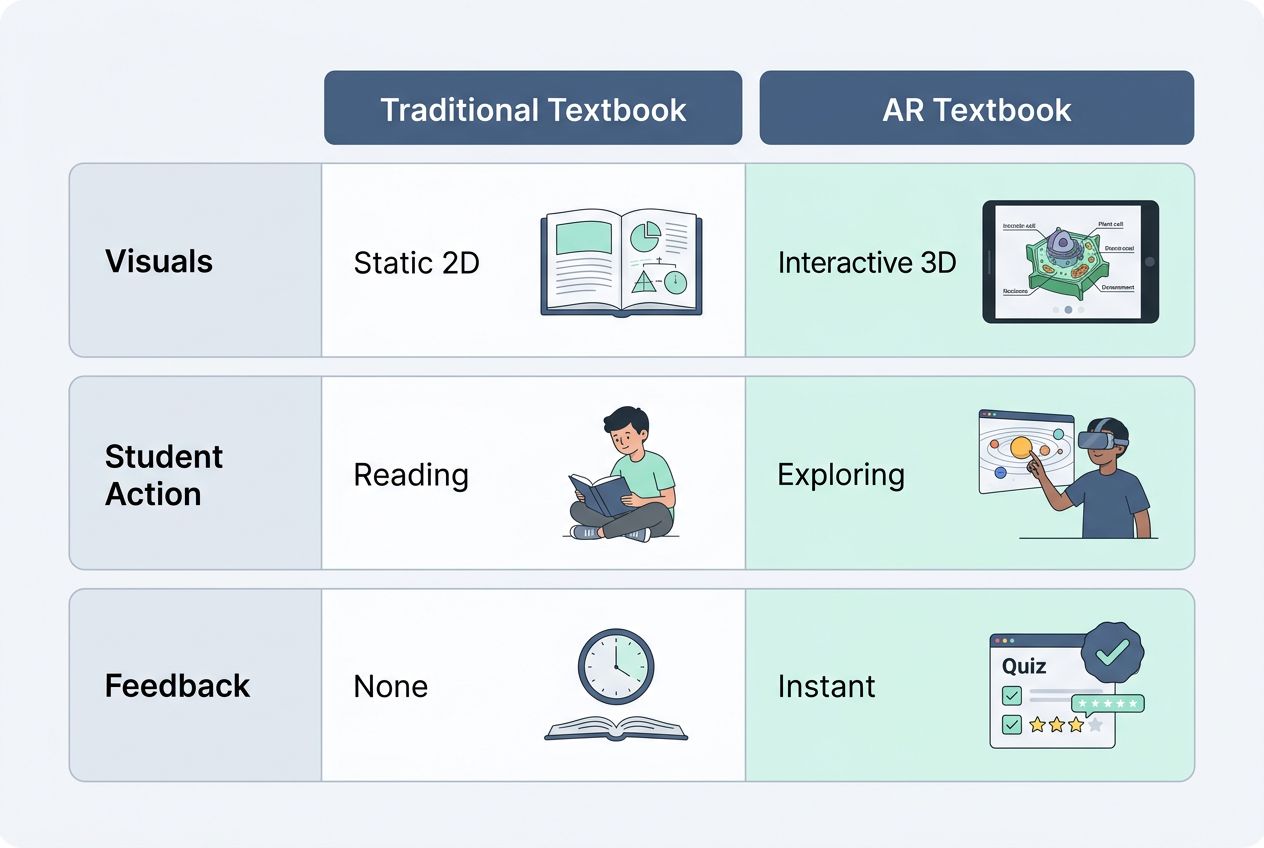
| Feature | Traditional Textbook | AR Textbook |
| Visuals | Static 2D Images | Interactive 3D Models |
| Student Action | Reading & Looking | Manipulating & Exploring |
| Feedback | None (Passive) | Instant (Active) |
Students enjoy learning more because it feels like magic happening before their eyes.
How AR Textbooks Work
AR textbooks let you watch images jump off the page. This makes ordinary lessons feel like magic. Curious to see how learning can pop? Let’s look at the specific mechanics under the hood.
Interactive 3D Models
Interactive 3D models bring science, math, and history to life. Students spin a planet, zoom in on animal cells, or even see the inside of an engine. These tools help kids touch lessons with their eyes.
Teachers see students light up as they explore objects that once lived only in textbooks. It works through specific file formats, like USDZ or GLB, which allow these complex models to load instantly on a phone.
“Being able to rotate a molecule in mid-air helps students grasp chemical bonds in seconds—a concept that used to take days of lectures.”
Virtual objects fill the classroom as if magic just happened right on top of desks. Want to understand how a volcano erupts? Watch hot lava flow in all directions across your book’s page! This hands-on learning makes lessons stick better than reading words alone ever could. Real-time simulations take this fun even further for every learner.
Real-Time Simulations
Real-time simulations use Augmented Reality (AR) to make learning active and fun. Students point a device at their textbook page, and suddenly things start moving. Planets spin, volcanoes erupt, or the water cycle comes alive on the screen.
Science class feels like magic. Kids can see how an engine works or watch math shapes change in real time. These AR tools help turn tough ideas into something you can touch and explore. Real-time feedback lets students test out changes fast, like swapping parts in a virtual robot or mixing colors right before their eyes.
This hands-on approach keeps everyone’s attention sharp and helps boost memory, too. Many teachers say student engagement jumps when lessons feel this real and lively.
Digital Overlays on Physical Text
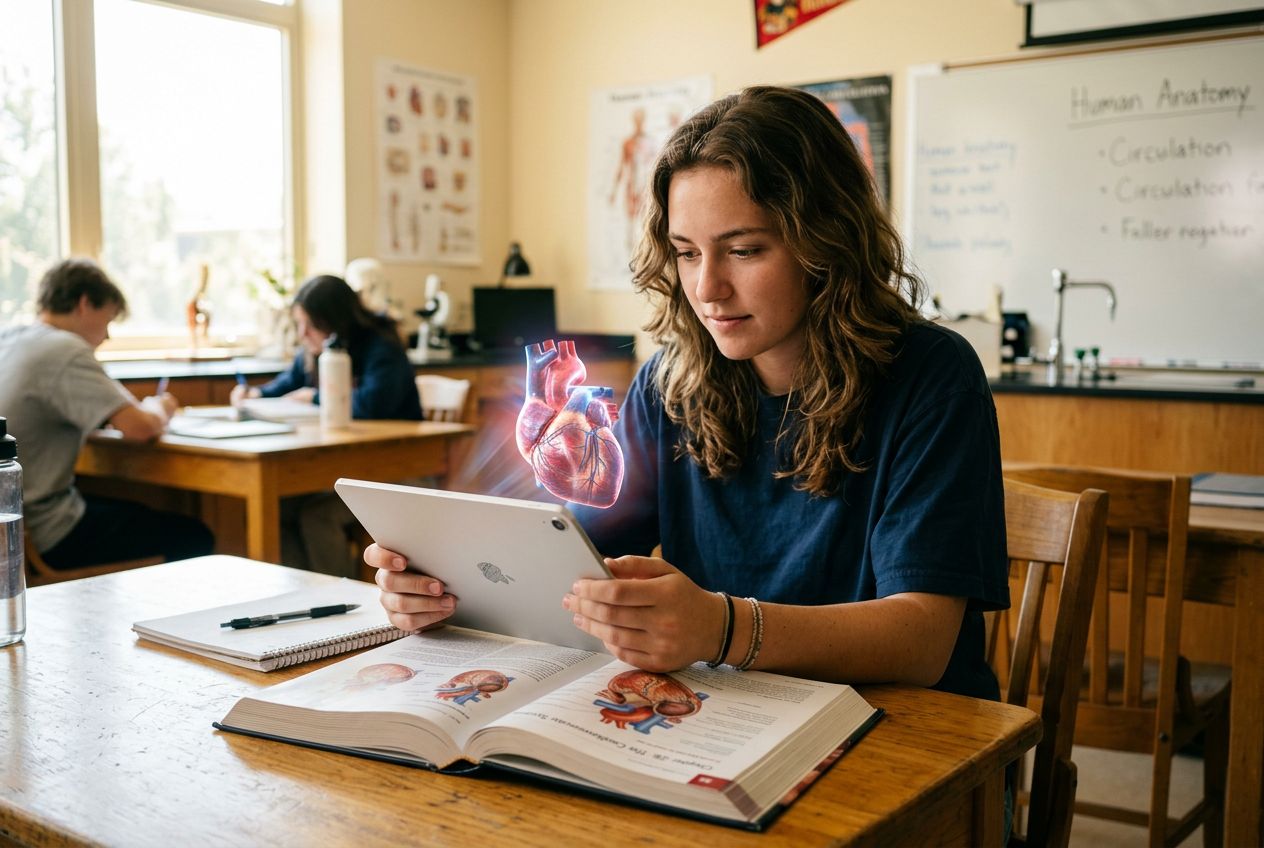
Students scan pages with a tablet or smartphone. Animated diagrams, videos, and interactive quizzes pop up right on top of the words. Imagine studying science and seeing a beating heart model jump out from your biology book.
Words turn into moving creatures, math problems show step-by-step hints, or historical maps update as you watch. Every tap adds images, sounds, or even 3D models to regular lessons.
Pro-Tip for Teachers: Lighting is critical here. If your classroom is too dark, the device’s camera cannot track the “image target” on the page. Always have students sit near windows or ensure the overhead lights are bright for the best experience.
These digital overlays give textbook reading a big upgrade for student engagement in classrooms. You do not just read about atoms; you see them spin in front of you through immersive technology.
This keeps learning active and fun for many ages and subjects, especially in STEM education, where pictures help hard ideas stick. Teachers use this tool to spark curiosity fast and boost understanding right at each desk.
Next come more ways AR textbooks create interactive learning using other smart tech tricks.
Benefits of AR Textbooks in Education
Kids and teachers often smile wider when lessons jump off the page. You might find that learning feels less like a chore and more like a game. Suddenly, everyone wants to play.
Enhanced Engagement and Interactivity
Students touch, move, and explore 3D planets or animals right from their tablets. Pictures leap off textbook pages as virtual animals roar or volcanoes erupt with a swipe. Interactive learning grabs young minds with color, sound, and movement that books alone cannot show.
Learners get immediate feedback from quizzes built into the lesson; instant cheers for a correct answer keep motivation high.
Curiosity blooms when lessons turn playful. Even shy students become eager to press buttons, peer under rocks in a digital science lab, or spell new words by dragging letters across the screen.
STEM education gets a boost, too. Students can build circuits or break apart molecules without any real-life mess or danger. Such hands-on practice sticks with them long after class ends because nothing beats “doing” for deeper understanding.
Improved Visualization of Complex Concepts
AR textbooks make tough ideas easier to see and understand. Interactive learning tools can turn a flat science diagram into a 3D beating heart or spinning planet. Touch, move, and zoom in on these digital models right from your desk.
Hard math turns simple with step-by-step visual solutions popping up beside the problem. Digital overlays help readers spot patterns, compare objects, and trace changes over time in subjects like biology or history. AR brings invisible things to light, watch atoms form molecules, or see inside a volcano as it erupts.
This kind of immersive experience sticks better than plain text alone and helps every learner keep up, no matter their pace.
Increased Motivation and Confidence
Students see their progress in real time with digital education tools. Interactive learning makes them feel proud after each step they finish. Immersive experiences, like seeing a volcano explode on the page, help students stay curious and eager to learn more.
In STEM education, kids often solve problems by moving or changing virtual objects themselves; this builds courage because mistakes are part of the fun.
Teachers notice shy students speak up during these activities. Technology in classrooms gives every student a chance to shine, not just those who raise their hands first. Students unlock new levels and badges in many AR textbooks, boosting excitement much like winning a game at recess. Confidence grows with every high score or correct answer that pops up right before their eyes.
Differentiated and Personalized Learning
AR textbooks support every type of learner. Some kids learn fast with pictures, while others need to hear or touch things first. With these educational tools, a student can tap on a virtual object and get info spoken aloud, or watch a short video right from the page.
AR gives instant feedback and lets learners repeat lessons as often as they want. Teachers use AR to help one group practice reading, while another works on math puzzles at the same time. This technology in classrooms makes it easier for everyone to go at their own pace.
Interactive learning through AR helps shy students join in without feeling left out, which boosts confidence across all ages. Using digital education like this turns lessons into immersive experiences that match what each person needs most.
Operational Mechanics of AR Textbooks
Peek behind the curtain to see how AR textbooks work their magic. It usually boils down to three main delivery methods. Stick around, because knowing the difference helps you pick the right tool for your class.
Utilizing Location-Based Augmented Reality
Location-based augmented reality links digital content to real places. Imagine pointing your tablet at a school map, and seeing virtual objects pop up where classrooms or science labs sit.
Students can walk around, scan different spots, and reveal animal habitats in the gym or ancient landmarks on the playground. This technology makes lessons more interactive and fun.
Teachers use AR apps like Sandbox AR to connect lessons with physical locations. For example, students can visit a local park and see facts about trees or wildlife right through their devices.
Historical facts pop up while touring museums with Xplorer as well. This sparks curiosity and keeps everyone engaged in learning outside traditional walls.
Exploring Projection-Based Augmented Reality
Projection-based augmented reality shines images or interactive content straight onto desks, walls, or textbooks. A small projector can turn a plain science page into a 3D volcano that erupts with sound and color.
Students do not need to hold tablets or phones. They just look at the surface in front of them as digital images blend smoothly with real objects.
This type of immersive technology helps teachers show things like human anatomy or solar systems right in their classrooms. Kids often find it easier to focus since they are hands-on with virtual objects instead of simply reading about them.
Some schools use tiny projectors for group activities, making learning more social and lively. Superimposition-based AR takes these ideas even further by layering new information directly over what learners see on the page.
Understanding Superimposition-Based Augmented Reality
Superimposition-based augmented reality layers new digital images over real objects. Hold your AR-enabled device over a page in an AR textbook, and watch digital diagrams or models appear right on top of the printed words.
A heart diagram can float above the science chapter, showing moving blood flow. In math, students see 3D shapes overlay their workbook examples to make geometry easier.
This technology gives interactive learning a boost by blending virtual objects with physical text. It helps students follow instructions, understand steps, and connect ideas faster than standard pictures do.
Teachers use this for immersive experiences during lessons in STEM education. Many learners feel more engaged and eager to ask questions as AR tools bring each lesson alive before their eyes.
Examples of AR Textbooks and Tools
Some AR textbooks pop, twist, and swirl off the page. Creatures come to life, and planets spin right in your hands. These tools make science facts click and bring math problems into focus with flashes of color you can’t forget.
TimePod Adventures
TimePod Adventures uses Augmented Reality to turn lessons into interactive stories. Students scan special pages, and 3D characters pop up right in the textbook. These virtual objects help make history or science come alive with sound and movement.
Teachers use it in classrooms for STEM education, language learning, or just to boost engagement. Kids visit ancient Egypt or explore the solar system without leaving their seats. Lively activities encourage student interaction and quick feedback. With colorful visuals and simple controls, even younger learners can join in the fun of digital education without feeling lost.
Sandbox AR
After exploring TimePod Adventures, Sandbox AR brings learning closer to nature and play. Students use tablets or phones to place digital objects on a real sandbox filled with sand.
They shape the sand into mountains, rivers, or valleys with their hands. The app then uses the camera to recognize these shapes and adds interactive 3D overlays like water flowing down hills or volcanoes erupting.
This tool is powerful for teaching topography and geography concepts:
- Create Watersheds: Watch how water flows from high peaks to low valleys.
- Simulate Disasters: See what happens when a dam breaks or a volcano blows.
- Build Habitats: Design a home for a specific animal and see if it survives.
Kids watch as virtual rain pours onto their sandy world or animals walk along tiny roads they carved. Teachers can turn any lesson into an immersive experience right in the classroom.
Subjects like geography, biology, and engineering jump off the page in full color and motion using this technology. With Sandbox AR as part of digital education tools, student engagement soars because kids become creators inside each lesson instead of just listeners.
Xplorer
Xplorer brings science lessons to life with interactive 3D models and vivid animations. Students point their tablets or phones at textbook pages, and virtual objects pop up right before their eyes.
A cell floats above the book, showing its parts in bright colors. Dinosaurs walk around on desks, moving as if they are alive. Learners tap to zoom in or rotate objects for better views.
Gamified challenges turn each lesson into a mission. Quizzes appear along with hints to help students recall facts faster than ever before. Teachers use Xplorer’s dashboard to check progress and spot who needs support quickly.
With features built for both group work and solo study, this tool adds excitement while making sure learning sticks like glue. It helps boost student engagement, makes digital education active, and supports strong curriculum enhancement across subjects such as STEM education and second language acquisition.
AR in Different Educational Settings
Kids, teens, and adults can all benefit from AR in their learning spaces. Each classroom has its own way of using digital magic to make lessons stick. Here is how different age groups are using it today.
AR in Primary and Secondary Education
Teachers use AR in classrooms to bring lessons to life. Imagine learning about the solar system and seeing planets spin right on your desk using a tablet. That grabs attention faster than plain text ever could.
Interactive 3D models help young students touch, move, and see objects from all angles, making tricky science or math topics clear as day.
Schools now use tools like Sandbox AR for science labs or TimePod Adventures for history trips. Fourth graders might watch volcanoes erupt safely on their desks while ninth graders explore ancient Egyptian tombs virtually.
This tech gives real-time feedback too; students answer quizzes that pop up during activities. Engagement rises, questions grow deeper, and participation skyrockets because lessons feel more like games than chores.
AR in Higher Education
College students use AR to study science labs, history maps, and even medical models. Virtual objects pop up from textbooks and let learners explore every angle. Imagine a biology class peering inside a 3D beating heart or an architecture student walking through virtual buildings on campus lawns.
Institutions like Case Western Reserve University have pioneered this by using Microsoft HoloLens to teach human anatomy. Students can walk around a 3D body, stripping away layers of muscle to see the bone structure beneath.
Professors create interactive learning tasks, turning lectures into hands-on activities with digital overlays. Immersive technology helps explain complex ideas in STEM education. Many universities use educational tools like Xplorer for field trips without leaving the classroom.
This shift builds stronger engagement and boosts confidence as students see how lessons connect with real-world jobs.
AR in Vocational and Technical Training
Students point their phone or tablet at a textbook page and see a car engine pop up in 3D. They zoom, spin, and take apart virtual machines without touching real parts. Welding trainees watch the correct hand movements through projections on practice materials.
Future electricians scan codes to see safety rules appear right where they work. AR textbooks make skills come alive for hands-on jobs like auto repair or nursing. Trade schools use these tools to build confidence before students try tasks on real equipment or patients.
Fast feedback helps everyone learn safely, even if mistakes happen in digital space first. Many teachers report higher student engagement using immersive technology in class workshops and labs.
Challenges of Implementing AR Textbooks
Many schools face hurdles with AR textbooks. It is not all smooth sailing. Learning about these obstacles now can help you prepare for them later.
Cost and Accessibility
Schools need special devices like tablets or smartphones for AR textbooks. These tools can be expensive, especially for small schools or families on a tight budget. Some digital education apps charge extra fees too, making access harder for everyone.
Not all students have strong internet at home, so using immersive technology like virtual objects and interactive learning may not work everywhere. Classroom budgets differ by area, which means some students will get more out of augmented learning than others.
This gap creates new hurdles in digital education and student engagement that we should not ignore.
Technical Limitations
After discussing the hurdles of cost and access, there are some big speed bumps with technology itself. Many AR textbooks need newer tablets or phones to run smoothly, yet some schools use older devices that cannot support 3D models or real-time simulations.
Common technical headaches include:
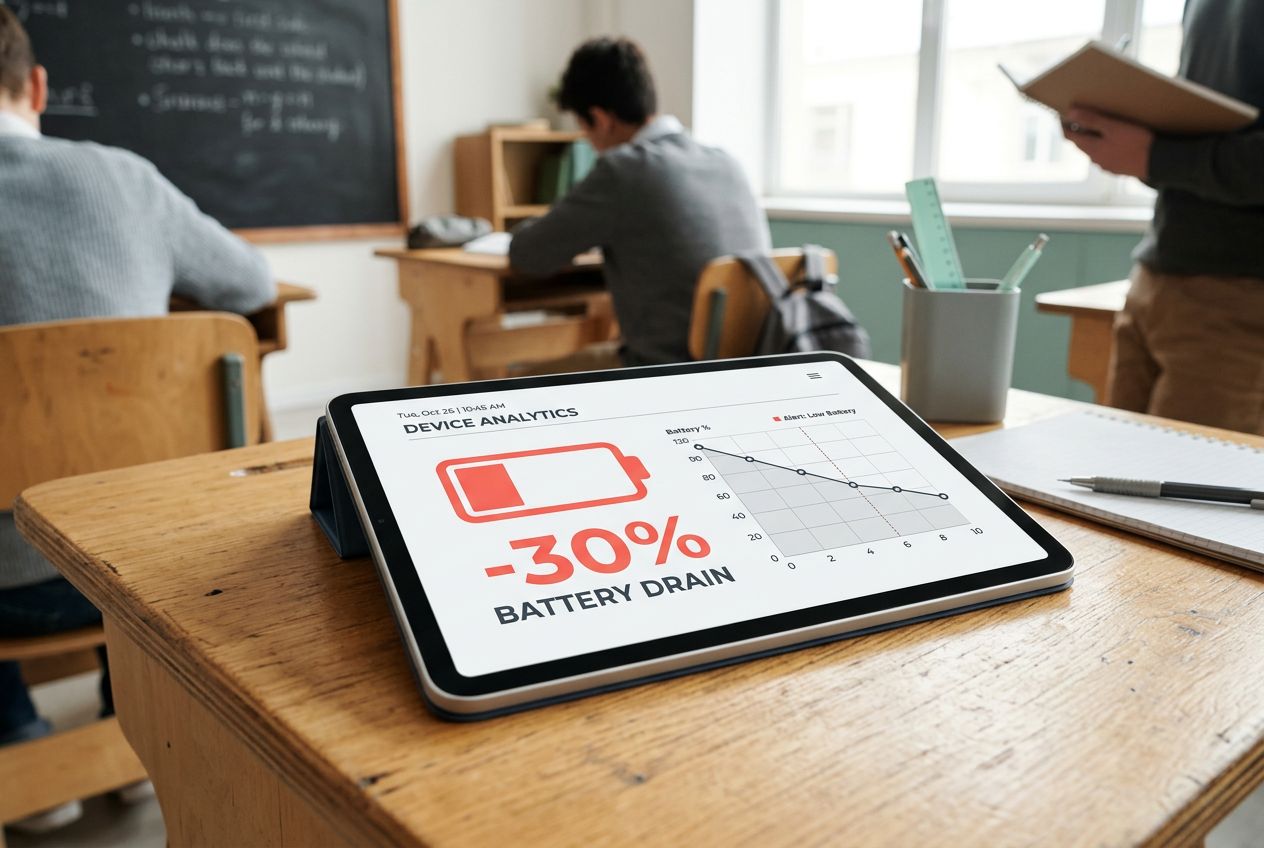
- Battery Drain: AR apps are power-hungry. A 45-minute science lesson can drain a tablet battery by 30%.
- Overheating: Older devices often get hot when processing 3D graphics, leading to crashes.
- Drifting Images: If the camera loses sight of the page, the virtual model might float away or disappear.
Slow Wi-Fi can also spoil an immersive experience, making virtual objects stutter or freeze. Some apps work well only with certain brands or operating systems, which shuts out many learners from interactive learning.
Errors pop up when apps struggle to link digital overlays to printed text—sometimes planets float off the page on their own adventure! These hiccups interrupt those moments where STEM education really comes alive for everyone at once.
Educator Training and Support
Technical issues can stump even the best teachers, so support is critical. Teachers need hands-on training to use new educational technology like AR textbooks. Workshops help show them how interactive learning tools work in real lessons.
Some schools run short weekly sessions where educators try out STEM education activities that use virtual objects and immersive experiences.
Guides with step-by-step pictures make it less scary for beginners. Support teams answer calls fast if a digital tool freezes or an app will not scan text. Peer mentoring helps too; one teacher shows another some tricks to boost student engagement with these innovative resources.
Training does not stop after day one, since updates bring fresh features every year. It is like surprise homework, but ideally more fun.
The Future of AR Textbooks
New tools are making learning more fun and personal. Imagine a future where books can talk, move, and answer your questions as you learn. We are just scratching the surface of what is possible.
Integrating AI with AR in Educational Scenarios
AI can help AR textbooks feel more personal and smart. Imagine a math app that watches how you solve problems, then uses AI to spot trouble areas. The next time you open the book, it shows 3D shapes or offers hints right where you need them most.
In language lessons, AI can listen as students speak English or Spanish and give feedback on accents in real time. Teachers see these results fast, so they know which parts of the lesson might need extra attention.
Some science apps mix machine learning with AR for experiments. For example, an app could guide kids step by step through growing a plant virtually on their desk; if someone skips watering it too much, AI steps in and explains why plants wilt.
This combo makes each student’s learning path a bit different based on what they do in class, helping boost motivation and confidence using interactive education tools.
Advancing Web-Based AR Educational Tools
Web-based AR educational tools now work right in your browser. No downloads, no headaches. Students open a link, and up pops interactive learning with digital overlays and 3D models.
In 2026, schools are increasingly using standards like WebXR to bring immersive experiences to more kids worldwide. Teachers can switch lessons or update content fast since everything stays online.
Mobile-friendly websites help students practice STEM education skills anywhere they have Wi-Fi. One click opens science simulations or helps second language acquisition become more fun through gamification features built into the site itself.
More classrooms turn to these flexible platforms for easy access and stronger engagement across grade levels. Mobile AR technologies step in next, taking learning even further outside traditional walls.
Developing Mobile AR Technologies
Mobile AR technology keeps moving forward fast. Many new apps now bring virtual objects into your living room, classroom, or even outside in the park. In 2025, over 1.4 billion devices globally were estimated to be AR-ready.
These tools use smartphone cameras to make digital overlays and interactive models pop up on real books and worksheets. Some apps scan a page with your camera, then show a talking dinosaur or erupting volcano right above it.
Teachers enjoy using these tools for STEM education and foreign language practice because students can touch and move around virtual items. Companies like Google, Apple, Xplorer, and Sandbox AR keep pushing updates so things feel smoother each year.
Schools get more value as prices drop and content grows richer. More learners get quick access to hands-on activities without needing fancy headsets or big budgets. The next section looks at what challenges come with bringing these high-tech textbooks into classrooms everywhere.
Final Thought
Augmented Reality textbooks turn learning into an adventure, making hard ideas fun to see and touch. Students use simple tools like phones or tablets, so getting started is easier than you think. Why stick with old ways when lessons can jump off the page?
Imagine students excited for class, asking questions, and showing off what they learned in new ways. This kind of teaching helps everyone grow; kids feel brave enough to try harder things. Curious about adding more spark to your classroom? Check out sites that share AR lesson tips or free apps.
You might even find a favorite digital tool today. Sometimes, I wish my own science book had let frogs leap across my desk instead of just sitting flat on the page!