


Adobe is stepping up its game in the world of AI creativity by officially launching a standalone version of its Firefly app for Android and iOS users. This marks a major move for the company as it brings powerful, AI-driven image and video generation tools—previously only available on desktop or via Adobe’s Creative Cloud web platforms—into the hands of everyday mobile users.
This mobile-first strategy is designed to empower both casual users and professionals to create high-quality visual content directly from their smartphones, using Adobe’s trusted tools powered by artificial intelligence.
What is Adobe Firefly?
Adobe Firefly is Adobe’s creative AI suite that enables users to generate and edit images, videos, and graphics using simple text prompts or intuitive tools. The platform integrates various generative AI capabilities that include:
-
Text-to-Image
-
Text-to-Video
-
Image-to-Video
-
Generative Fill
-
Generative Expand
These tools were initially built into Adobe’s professional software like Photoshop, Illustrator, and Premiere Pro, but with the mobile app, Adobe is opening up access to anyone with a smartphone and a creative spark.
Key Features of the Firefly Mobile App
1. Generative Fill
One of the standout features, Generative Fill, allows users to remove unwanted elements from photos or add new ones realistically. For example, you can erase a passerby from a scenic image or add an entirely new object that blends naturally with the rest of the image.
This function uses AI to match lighting, texture, and perspective, delivering professional-quality edits that previously required advanced Photoshop skills.
2. Generative Expand
Generative Expand enables users to increase the size of an image by stretching its content to different aspect ratios. This is particularly useful for content creators and marketers who need to repurpose a single image for various social media platforms such as Instagram, YouTube, Pinterest, or TikTok.
Instead of cropping or leaving blank space, the app intelligently generates new parts of the image that match the original design seamlessly.
3. Text-to-Image and Image-to-Video
The text-to-image function lets users turn written descriptions into original visuals. Simply type a prompt like “a tropical beach at sunset in watercolor style,” and the app generates a stunning image in seconds.
The image-to-video tool animates static images into short, dynamic video clips by simulating movement, lighting effects, or transitions.
4. Text-to-Video (Currently Up to 5 Seconds)
With the text-to-video tool, you can generate short clips (currently up to five seconds long) from text prompts. This is ideal for quick reels, intros, or background animations for social media or marketing campaigns.
Although still in the early stages, Adobe plans to expand this capability as demand for AI-powered video tools grows.
Powered by Multiple AI Engines
Unlike other apps locked into one AI model, Firefly lets users choose from multiple AI engines. The app defaults to Adobe’s own Firefly Image Model 4 and Video Model 1, but also provides access to third-party models from industry leaders:
-
OpenAI (used in DALL·E image generation)
-
Google’s Imagen and Veo models
-
Luma AI
-
Pika Labs
-
Runway ML
-
Ideogram
-
Black Forest Labs
This flexibility allows users to pick the best AI model for their creative needs—whether they prioritize realism, stylization, or speed.
Adobe Firefly Boards Integration
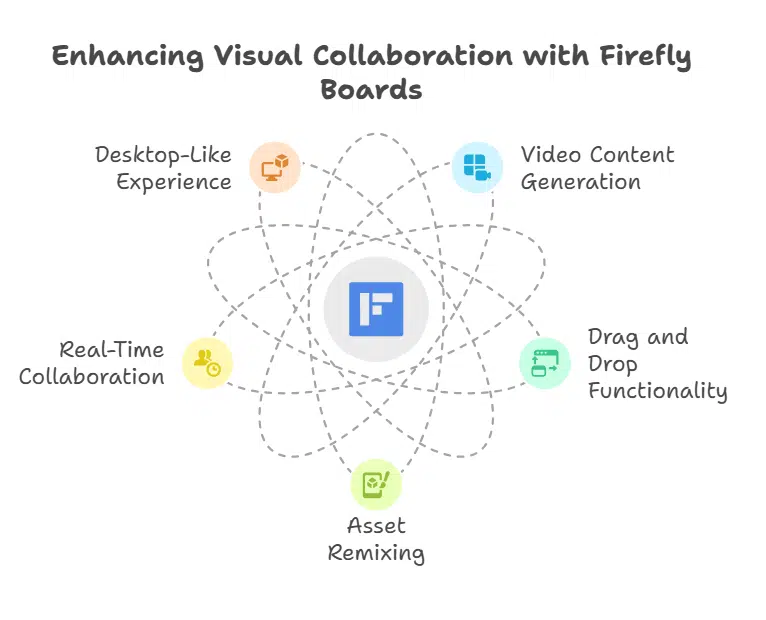
In addition to the app, Adobe has updated its Firefly Boards—a collaborative visual workspace designed for moodboarding and ideation. It now includes the ability to generate video content using third-party models.
Users can drag and drop reference content, generate image or video variations, remix assets, and collaborate with others in real time. The Boards experience complements the mobile app, offering a desktop-like feel for visual thinkers.
Content Ownership and Ethical AI Use
Adobe has taken a strong stance on responsible AI development. The company confirmed that all Firefly models are trained on licensed, public domain, or Adobe-owned content only. This reduces the legal risk associated with AI-generated content—a growing concern among creators and businesses.
Additionally, Adobe has publicly stated that it does not train its AI using user-generated content, protecting users’ intellectual property and privacy.
This approach contrasts with some competitors who have faced lawsuits over the unauthorized use of copyrighted data in AI training.
Pricing and Credit System
While the Firefly app is free to download, users need credits to generate content. The app uses a credit-based model similar to Adobe’s web platform:
Free Users
-
Get a limited number of monthly credits
-
Can access basic generation features
-
May face limitations on high-resolution or video outputs
Premium Plan ($4.99 to $9.99 per month)
-
Offers additional credits
-
Unlocks premium features (like text-to-video and third-party AI models)
-
Syncs with the full Adobe Creative Cloud ecosystem
Note: Credits renew monthly and do not carry over. Users are notified before running out.
This model ensures users can control their usage and spending while scaling up as needed.
Seamless Sync with Creative Cloud
One of the most practical benefits is cross-platform sync. Content created on the Firefly mobile app is automatically saved to your Adobe Creative Cloud account, allowing you to:
-
Continue editing on Photoshop, Illustrator, or Premiere Pro
-
Share assets across mobile, tablet, and desktop
-
Maintain consistent file versions and project history
This feature makes Firefly not just a toy app, but a powerful part of Adobe’s professional workflow.
Download and Availability
The Adobe Firefly mobile app is now available globally on the:
-
Apple App Store
The app is compatible with most modern Android and iOS devices and supports content creation in multiple languages.
Adobe’s AI Push: Competing in a Crowded Market
With this launch, Adobe is clearly stepping up its competition with OpenAI, Google, Meta, and other AI image generators. However, Adobe is uniquely positioned thanks to:
-
Its established user base of millions of Creative Cloud users
-
Deep integration with professional editing tools
-
A transparent, ethical AI approach
By offering a mobile-first, lightweight, and legally compliant creative AI app, Adobe is not only democratizing design—but also reinforcing its role as a leader in creative innovation.
What This Means for Creators
The release of Adobe Firefly for mobile devices is more than just a tech update—it’s a major shift in how creative work can be done.
-
Aspiring designers can explore ideas on the go.
-
Social media managers can generate platform-ready content in minutes.
-
Professional teams can collaborate more efficiently across devices.
-
Businesses can access a legal, brand-safe solution for AI-generated visuals.
With intuitive tools, flexible pricing, and unmatched cloud integration, Adobe’s Firefly app is set to become an essential tool in the future of mobile content creation.






























