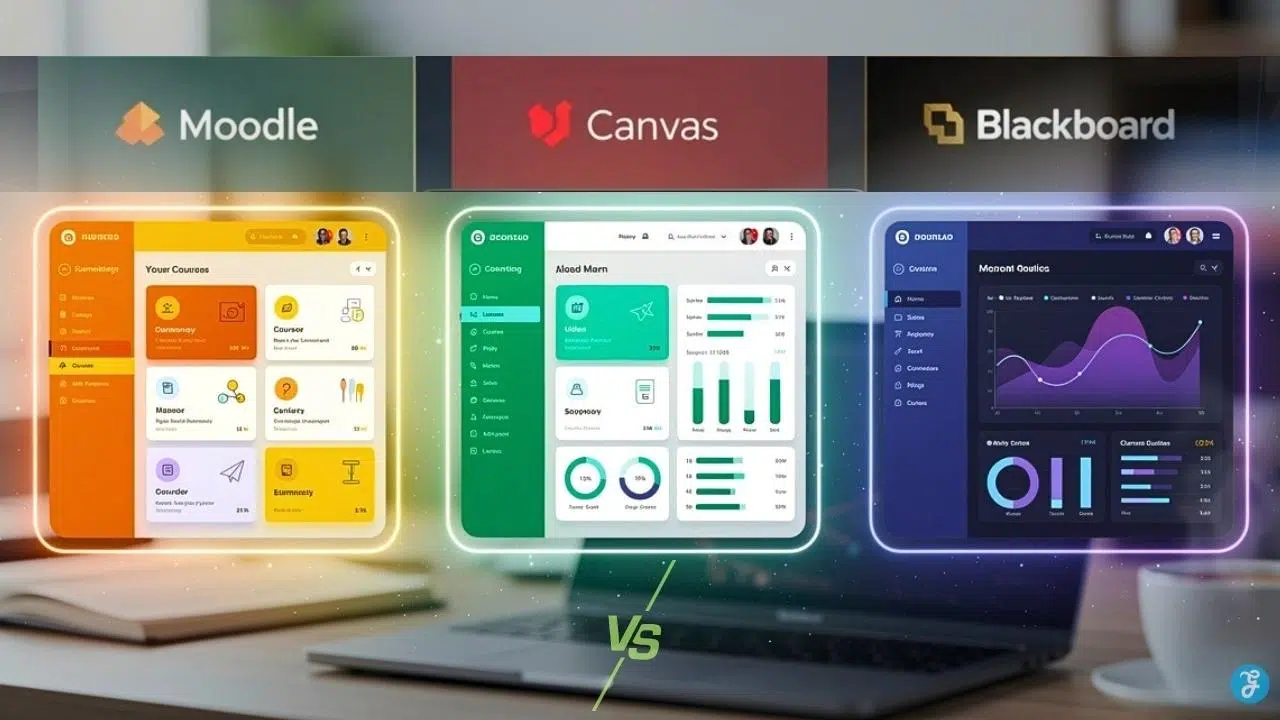
Have you ever felt completely overwhelmed trying to pick the right software for your school? Picking the right learning management system feels like choosing between three very different pizza places, and each one has its own special style. Schools and organizations face this exact problem every single day. They need a platform that works well, costs the right amount, and actually fits their needs.
Moodle, Canvas, and Blackboard all promise to fix these headaches, yet each one works differently. Teachers often get frustrated trying to learn a new system. Administrators constantly worry about spending too much of the budget. Students simply want a platform that does not crash or confuse them. The stakes are high because making the wrong choice wastes your time, money, and effort.
I want to share a number that blew my mind. Over 300 million people use learning management systems worldwide today. That number keeps jumping up every single year. Schools, big companies, and local training programs rely entirely on these platforms to teach online. The choice between Moodle Vs Canvas Vs Blackboard shapes how thousands of students experience education each day.
We are going to look closely at features, costs, ease of use, and real-world performance. You will see exactly what makes each platform unique, including its biggest strengths and hidden flaws.
Overview of Moodle vs Canvas vs Blackboard
Three major learning management systems shape online education today. Each platform serves schools and organizations differently, offering distinct tools for teaching and learning.
The key purpose of each platform
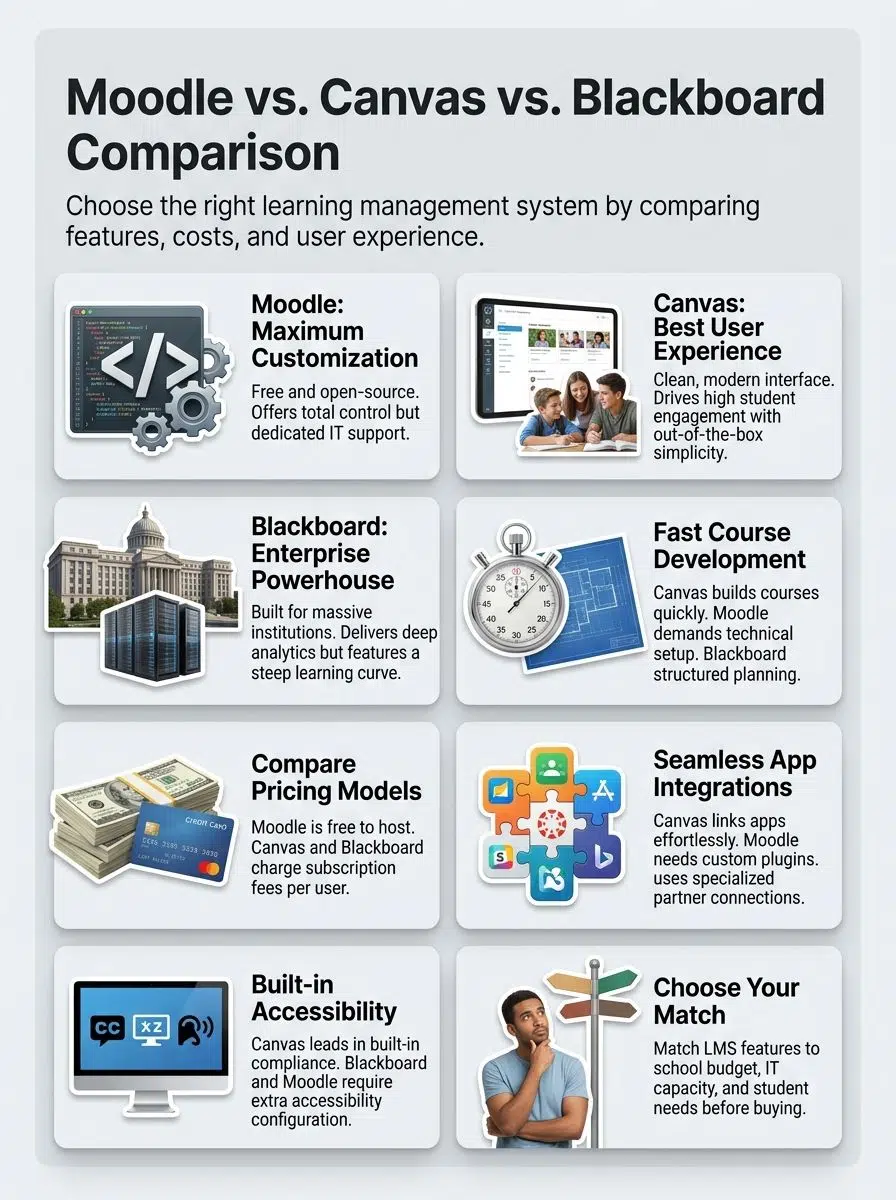
In my years of evaluating educational technology, I have noticed that Moodle serves schools that want to build a platform completely from scratch. This open-source system lets educators create courses and manage students without paying steep licensing fees. Moodle recently released version 4.5, which is a massive upgrade. It now includes a built-in AI subsystem that helps teachers automatically generate course descriptions and summarize long reading materials.
Canvas focuses on making online learning completely simple. Instructors use Canvas to design beautiful courses, while students move through a clean interface without getting lost. Institutions choose Canvas when they want a system that works right out of the box without requiring a massive IT team.
Blackboard operates as an enterprise solution for large institutions. The company is currently pushing schools to upgrade to “Blackboard Learn Ultra,” which is a modernized, streamlined version of their older software. Ultra combines course management with student information systems to create one central academic hub.
The right learning management system becomes invisible, letting teachers teach and students learn without fighting the technology. – EdTech Insight
Popularity and use cases
Canvas absolutely leads the pack in North America. A 2026 industry report from Raccoon Gang shows that Canvas holds roughly 41 percent of the higher education market share in the US. In fact, all ten Ivy League universities currently run on Canvas. Schools choose it because it offers a responsive support team and strong student engagement tools.
Blackboard holds significant ground in enterprise education and large state university systems. They serve institutions that require granular control over user permissions. Organizations choose Blackboard when they prioritize strict institutional compliance and detailed learning analytics.
Moodle captures a completely different audience. It attracts educators who want absolute control over their servers. Many international institutions and smaller training organizations run Moodle to avoid vendor lock-in. They value the ability to modify code and build exactly what they need.
Feature Comparison: Moodle Vs Canvas Vs Blackboard
Each platform brings different tools to the table. Your choice depends on what your school or organization actually needs right now.
Course development and content creation tools
When you build courses from scratch, your tools make all the difference. Let’s see how these three platforms compare in the content creation arena.
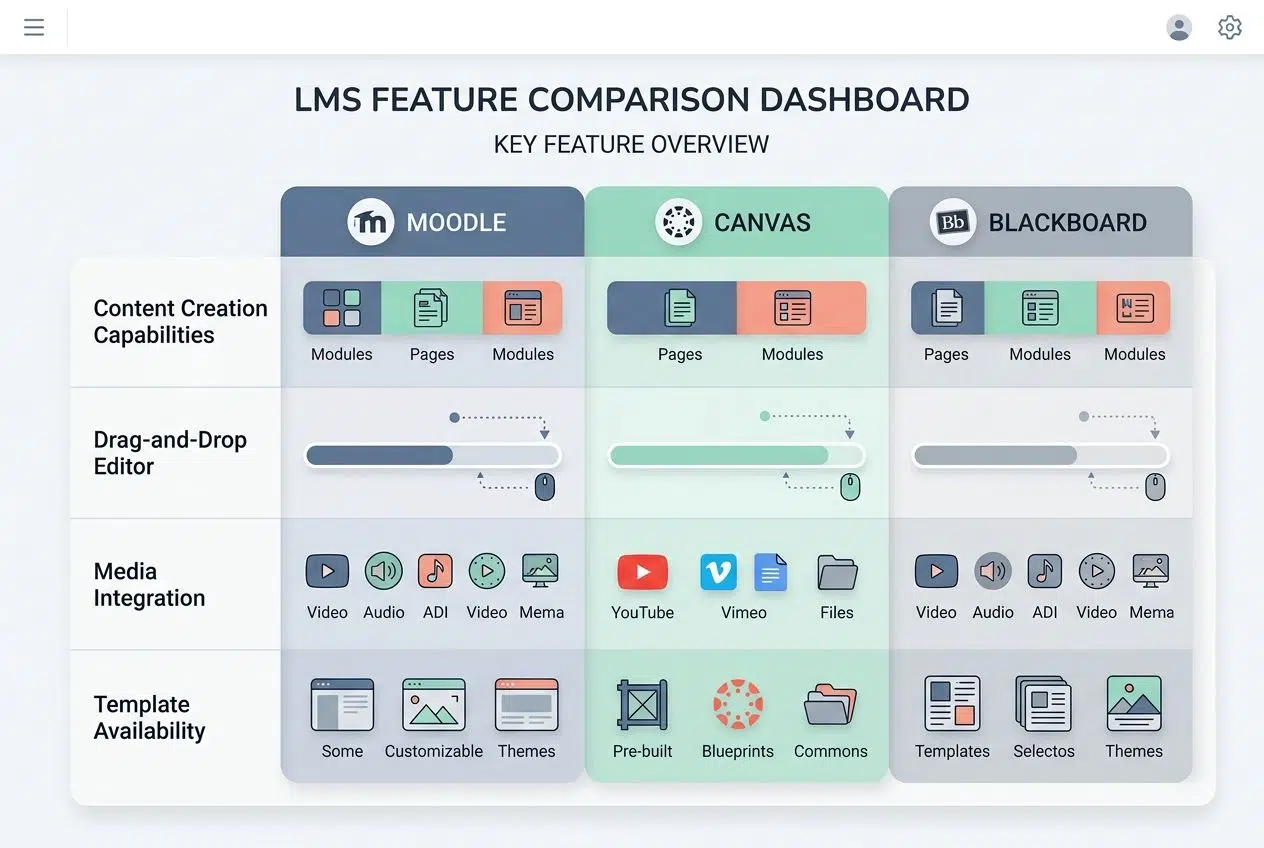
| Platform | Content Creation Capabilities | Drag-and-Drop Editor | Media Integration | Template Availability |
|---|---|---|---|---|
| Moodle | Moodle 4.5 introduced “Subsections,” allowing you to visually group related content easily. Instructors add text and files freely, and community plugins expand capabilities. | Basic drag-and-drop exists. The new TinyMCE text editor feels very similar to Google Docs, making formatting much smoother for beginners. | Supports videos, audio, and images. Integration with YouTube and external repositories works smoothly once configured. | Limited pre-built templates. Instructors build courses from individual elements, though community templates help reduce starting friction. |
| Canvas | Intuitive course builder with rich options. Modules organize materials sequentially, and the speed of course creation impresses most instructors. | Smooth drag-and-drop functionality. Reordering content takes seconds, making it incredibly accessible for non-technical instructors. | Canvas Studio is fantastic because it lets teachers record and host video content natively without needing a third-party tool. | Course templates speed up initial setup. Instructors duplicate existing courses easily, and institutions can mandate brand consistency. |
| Blackboard | Blackboard’s new Ultra experience provides “AI Design Assist.” This tool helps you instantly generate course modules and rubrics, saving hours of setup. | Drag-and-drop is standard in the Ultra version. Migration from the Original view to Ultra simplifies workflows dramatically. | Supports multimedia files and streaming content. External tool integration handles large content libraries easily. | Course packs provide starting frameworks. The Ultra version includes modern design templates to help standardize course structure. |
Administrative and user management features
Managing users across your learning platform can feel like herding cats. These three systems handle administrative tasks quite differently.
| Feature | Moodle | Canvas | Blackboard |
|---|---|---|---|
| User Role Management | Offers granular role assignments. Admins can create unlimited specific roles to fit highly specific institutional needs. | Provides preset roles for admins, teachers, and students. Canvas keeps role structures simple and standardized to avoid confusion. | Delivers sophisticated role hierarchies. Blackboard allows complex organizational structures across multiple university campuses. |
| Bulk User Import | Integration with LDAP simplifies sync processes. Moodle handles large-scale user additions efficiently. | Connects effortlessly with major Student Information Systems like PowerSchool and Workday. This automation reduces manual data entry significantly. | Facilitates bulk operations via XML and SFTP uploads. Blackboard processes massive user batches without performance issues. |
| Permission Control | Administrators maintain fine-grained control. Permissions cascade through roles and categories flexibly. | Permissions operate at the course level primarily. Canvas balances administrative control with instructor independence effectively. | Implements layered permission structures. Institution-wide settings override course-level adjustments when necessary for compliance. |
| Activity Monitoring | Tracks login history and course access. Moodle 4.5 includes new predictive analytics to identify at-risk students based on engagement. | Provides beautiful analytics dashboards showing student engagement metrics in real-time. | Delivers comprehensive audit trails. Administrators access detailed reports to support institutional compliance reporting. |
| User Provisioning Speed | Automated provisioning handles thousands of users during initial deployment safely and quickly. | API-driven provisioning expedites account creation. Canvas deployment typically occurs faster than its competitors. | Batch processing handles large user populations quickly, scaling perfectly for enterprise environments. |
| Course Enrollment Management | Admins control enrollment manually or through automated self-enrollment rules. | Offers automatic enrollment through the Student Information System data. Teachers can manually adjust their rosters easily. | Provides multiple enrollment pathways. Cross-listing features support complex, merged course structures easily. |
| Backup and Data Management | Administrators schedule automated backups. The system stores multiple versions for rapid recovery. | Automated backup systems protect data regularly. Canvas facilitates course exports so users can download personal data. | Implements comprehensive disaster recovery procedures to ensure complete business continuity. |
Assessment and grading tools
Evaluating students takes a massive amount of time. These platforms take different approaches to help you provide fast, helpful feedback.
| Platform | Assessment Features | Grading Capabilities | Feedback Options |
|---|---|---|---|
| Moodle | Supports multiple question types and peer assessments. Instructors can create question banks for randomized quizzes easily. | Offers flexible grading scales. Moodle 4.5 added a “sticky footer” with bulk actions, allowing you to grade multiple submissions quickly without endless scrolling. | Provides written comments on submissions. Rubric-based feedback aligns assessment directly with specific learning objectives. |
| Canvas | Features an advanced quiz builder. Instructors can set time limits and shuffle question order to prevent cheating. | Canvas features the SpeedGrader tool. In mid-2025, Instructure released a major performance upgrade for SpeedGrader, making it load up to 10 times faster for high-enrollment courses. | SpeedGrader enables audio and video feedback. It also features a “Comment Library” so you can save and reuse your most common feedback phrases. |
| Blackboard | Includes advanced test creation with question pools. The assessment engine tracks learning outcomes systematically. | The grading system supports weighted categories. Instructors can easily hide grades from students until a specific release date. | Rubrics provide structured feedback. Grade explanations help students understand scoring decisions, and outcome tracking shows progress for specific goals. |
Communication and collaboration functionality
Moodle lets you build specific discussion forums and customizable group workspaces. Canvas shines with its intuitive messaging interface and real-time collaboration tools that feel natural to use. Blackboard offers solid communication features, though some users find it takes a few extra clicks compared to Canvas.
Your choice depends on how much flexibility you need. Canvas users praise how quickly students pick up the communication tools without training. Moodle gives you total control if you want to tweak every aspect of how people interact.
User Experience
How these platforms actually feel to use matters more than you might guess. Let’s see which one wins the comfort contest.
Moodle presents a functional dashboard that puts control in your hands. It used to feel very cluttered, but recent updates have streamlined the course pages significantly. It feels like a workshop where you have every tool available.
Canvas greets you with a clean, modern design. The platform prioritizes simplicity. Students benefit from clear pathways, and they rarely have to guess where to find their next assignment.
Blackboard sits somewhere in the middle. The transition to the Blackboard Learn Ultra interface replaced their old sidebar menu with a clean top-navigation layout. This makes it much easier to use on mobile phones, though experienced educators sometimes miss the deep customization of the old Original version.
Learning curve for administrators and instructors
Administrators face different challenges with each system.
- Canvas: Offers the gentlest slope. Most administrators get productive within a few days because the menus are straightforward.
- Blackboard: Demands a bit more time upfront. You have to explore multiple settings to get the institution-wide permissions just right.
- Moodle: Requires the most patience. Because you can change almost anything, your IT team will spend weeks mastering the server configurations.
Instructors experience their own unique journeys. Canvas instructors often jump into course creation without needing formal training. Moodle and Blackboard instructors typically need dedicated workshops to feel comfortable building assessments and managing the gradebook.
Customization and Integration
Each platform lets you shape your learning space, and they all connect with other tools your school already uses. Finding the system that plays nicely with your tech stack saves massive headaches later.
Shaping your platform
Moodle stands out as the customization champion. Because the code is open-source, developers can build completely new features or change how the entire platform looks. If your organization refuses to change its workflow to match a software program, Moodle gives you the freedom to build exactly what you need.
Canvas offers moderate customization through basic themes and logos. Blackboard provides some branding options, but institutions usually find themselves more limited compared to Moodle’s endless flexibility.
Connecting third-party tools
Integration capabilities dictate how well your new system will talk to your existing software. Canvas shines brightly here. It connects effortlessly with your favorite daily applications, including:
- Zoom and Microsoft Teams for live video classes.
- Turnitin for instant plagiarism detection.
- Kaltura for hosting large video files securely.
Blackboard also offers solid integration options through its partnership ecosystem. Setting up these connections requires slightly more technical knowledge than Canvas, but it works reliably once configured.
Moodle connects with hundreds of third-party tools through its community plugin marketplace. You will need a knowledgeable IT staffer to install and maintain these plugins safely.
Compatibility and Accessibility
All three platforms work across different devices. They also support users with disabilities, which is becoming a strict legal requirement.
Device and operating system compatibility
All three platforms work on Windows, Mac, and Linux. You can access them through web browsers on any desktop or tablet. Canvas delivers a fantastic mobile experience with highly rated apps for both iOS and Android. Students really appreciate this because they frequently check grades on their phones between classes.
Blackboard also offers dedicated mobile apps that sync course content beautifully. Moodle runs on any compatible browser, and you can even customize your own mobile app if you have the developer resources.
Accessibility features for users with disabilities
This is a critical topic for US schools right now. A recent Department of Justice update to the ADA Title II mandates that all public university digital content must comply with WCAG 2.1 AA standards by April 24, 2026. Here is how the platforms handle this legal requirement:
- Canvas: Canvas is fully WCAG 2.1 AA certified. In March 2026, they launched a powerful “Course Accessibility Checker” dashboard. This tool scans your entire course at once to ensure all text and images are compliant.
- Blackboard: Blackboard relies heavily on a built-in tool called “Blackboard Ally.” Ally automatically generates alternative formats for students, like electronic Braille or audio files. Many universities report that using Ally has boosted their file accessibility scores by up to 20 points.
- Moodle: Moodle includes strong accessibility features, and their newest text editor warns you about contrast issues. Your team will just have to do more manual configuration to hit that strict 2026 compliance deadline.
If your institution serves students with visual impairments or cognitive differences, prioritizing these features from day one is essential.
Pricing Models
Each platform charges differently. You must understand what fits your budget before signing a contract.
Cost structure of Moodle
Moodle operates on a free, open-source model. You can download the software for free, but you still have to pay for hosting and support.
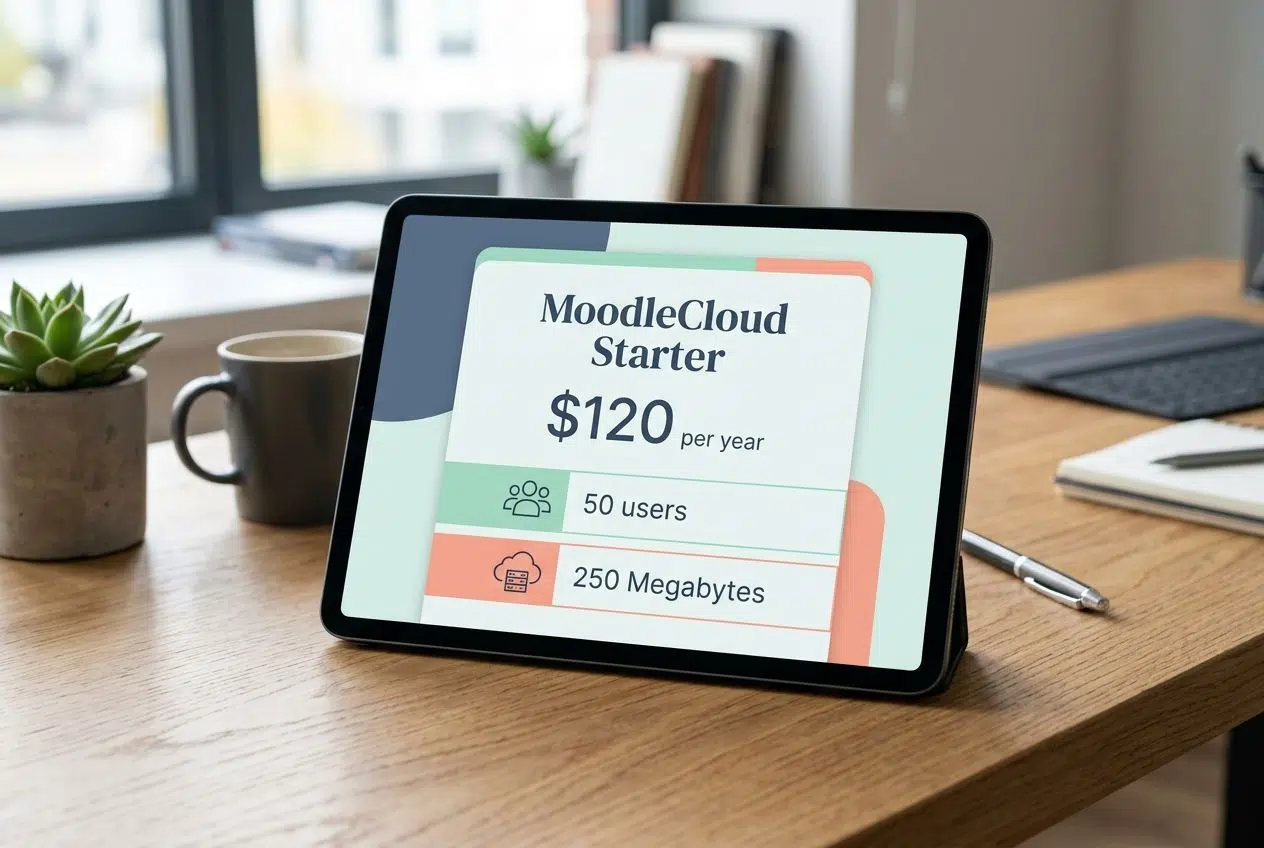
If you are a tiny organization, the “MoodleCloud Starter” plan costs about $120 per year for 50 users. Just be aware that this plan limits your storage to a very restrictive 250 Megabytes. If you are a larger school, you will need a managed cloud hosting partner. Those customized services easily range from hundreds to several thousand dollars a month, depending on your server needs.
Cost structure of Canvas
Canvas operates on a subscription model based on your specific enrollment numbers. While they do not publish a public price list, most educational institutions pay between $5 and $15 per student annually.
Canvas also uniquely offers a “Free-for-Teacher” account. This is a brilliant option for individual educators, allowing them to build courses for up to 300 students at no cost. Just keep in mind that the free version caps course storage at 500 Megabytes.
Cost structure of Blackboard
Blackboard uses a subscription model that charges based on your total enrollment size and the specific modules you select. Because they bundle features into custom packages, a large state university will pay significantly more than a small community college.
You must also factor in heavy implementation costs. Blackboard usually charges extra for the initial setup, staff training, and premium support services. Always request a detailed quote to understand your complete financial commitment.
Pros and Cons of Each LMS
Each system brings unique strengths and specific weaknesses to your campus.
Moodle: Strengths and weaknesses
The Good:
- You get complete, total control over your platform’s code.
- There are zero annual software licensing fees.
- The community offers thousands of free plugins to extend functionality.
The Bad:
- You must handle your own server maintenance and security patches.
- The interface feels a bit industrial and requires training to master.
- Storage space gets very expensive if you host a lot of video files.
Canvas: Strengths and weaknesses
The Good:
- The user interface is incredibly clean, modern, and easy to navigate.
- The SpeedGrader tool saves teachers hours of grading time every week.
- It integrates seamlessly with almost any third-party school software.
The Bad:
- You cannot customize the core layout or deep functionality.
- Annual per-student subscription costs add up quickly for growing schools.
- The basic customer support tier can sometimes be slow to respond.
Blackboard: Strengths and weaknesses
The Good:
- It handles massive, multi-campus university systems without crashing.
- The Blackboard Ally tool provides incredible, automated accessibility support.
- Advanced data analytics help you track student performance closely.
The Bad:
- The total cost of ownership is generally the highest of the three.
- Even with the new Ultra design, the learning curve remains steep.
- Setting up third-party app integrations requires significant IT help.
Best Use Cases for Each LMS
Choosing the right software depends entirely on your specific school profile.
- Choose Moodle if: You have a strong IT department and a tight software budget. It is perfect for organizations that need highly specific, custom features and prefer to host their own data securely on-site.
- Choose Canvas if: User experience is your absolute top priority. It is the best choice for schools that want a modern platform that teachers and students can adopt immediately with almost zero training.
- Choose Blackboard if: You run a massive enterprise or state university system. It is ideal for institutions that require intense data reporting, complex permission hierarchies, and built-in accessibility tools like Ally.
Corporate training departments also use these platforms effectively. Schools prioritizing simple student engagement consistently report higher completion rates with Canvas.
Wrapping Up
Choosing the right learning management system comes down to what your school actually needs to succeed. Canvas shines brightly for institutions that want an intuitive platform with a very low learning curve. Blackboard serves massive enterprises that demand detailed analytics and complex security. Open-source Moodle appeals to organizations that crave absolute technical freedom.
Your decision hinges on your budget, your IT staff, and how much you value a simple user experience. I suggest starting by listing your three most critical priorities. Test drive the free versions with a small group of teachers before committing to a multi-year contract.
The best learning management system is simply the one your instructors will actually use. Your investment today pays off through better course management, faster grading, and happier students for years to come.
Frequently Asked Questions (FAQs) on Moodle Vs Canvas Vs Blackboard
1. Which LMS is easiest for beginners, Moodle, Canvas, or Blackboard?
Canvas typically wins for beginners with its clean, intuitive dashboard that makes finding courses and navigating tools feel effortless. Moodle offers powerful features but hides them behind complex menus, while Blackboard falls in the middle with a steeper learning curve than Canvas but less complexity than Moodle.
2. How do these platforms handle course customization?
Moodle leads in flexibility with over 1,600 plugins available, letting teachers build almost anything they can imagine with enough time to explore. Canvas keeps customization simple through drag-and-drop content blocks that work without IT support, while Blackboard offers structured tools that lean toward consistency over creative freedom.
3. What about mobile access on Moodle vs Canvas vs Blackboard?
All three offer mobile apps for phones and tablets now. Canvas shines here with its mobile app rated 4.4 stars on iOS, working smoothly whether you’re checking grades at practice or submitting homework from anywhere. Moodle’s app handles the basics but can lag with updates, and Blackboard covers essentials though some users report it struggles with larger files.
4. Which platform supports collaboration best: Moodle, Canvas, or Blackboard?
Canvas makes collaboration feel natural with built-in chat and real-time project spaces where team members see changes instantly. Moodle provides reliable forums and wikis for group work, while Blackboard offers standard group tools though the interface can take some hunting to navigate.