

Let’s be honest for a second: we have all been guilty of the “gamer hunch.” You sit down for a quick match at 8 PM, blink, and suddenly it’s 2 AM. You stand up, and your lower back screams in protest, your shoulders feel tight, and your neck is stiff. For years, the gaming chair industry sold us a lie. They prioritized flashy racing stripes and bucket seats that looked cool on a stream but were actually terrible for long-term spinal health. Those cheap foam seats forced our shoulders forward and offered zero lumbar protection, essentially training our bodies to slouch.
But 2026 has marked a massive, much-needed shift in the industry. The conversation has finally moved from “looking like a race car driver” to genuine ergonomic science. The best gaming chairs for posture this year are engineering marvels, designed with input from orthopedic specialists and physiotherapists. We are seeing a rise in “active sitting” technology—chairs that encourage micro-movements to keep your blood flowing—and adaptive materials that respond to your body heat and weight. If you are tired of back aches ruining your rank (and your day-to-day life), you are in the right place. We have ditched the marketing hype to bring you an unbiased, data-backed look at the top seats that will actually save your spine this year.
Quick Summary: The Top Ergonomic Picks at a Glance
If you are in a rush to get back to the lobby or just want the bottom line, we have compiled the top performers based on our extensive testing. These aren’t just random picks; they are categorized by specific use cases because every gamer’s body and budget is different. Whether you need a heavy-duty tank of a chair or a budget-friendly option that doesn’t skimp on support, here is your cheat sheet for 2026.
| Category | Model | Best For | Estimated Price |
| Best Overall | Secretlab Titan Evo (2026 Series) | The “Do-It-All” Ergonomic King | ~$549 |
| Best Premium | Herman Miller x Logitech G Embody | Unmatched Spinal Health | ~$1,695 |
| Best Lumbar | Razer Iskur V2 | Adaptive Lower Back Support | ~$649 |
| Best for Pain | ThunderX3 Core | Active Core Support Tech | ~$399 |
| Best Big & Tall | AndaSeat Kaiser 4 XL | Heavy-Duty Posture Support | ~$539 |
| Best Budget | Corsair TC100 Relaxed | Affordable Ergonomics | ~$250 |
What Makes a Gaming Chair “Good” for Posture?
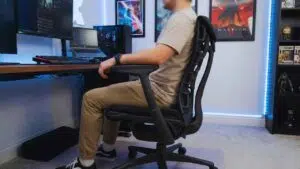
Before we dive into the specific reviews, it is crucial to understand what separates a “chair” from an “ergonomic tool.” A soft chair is actually often the enemy of good posture. When you sink into a cloud-soft cushion, your pelvis tilts backward, flattening the natural curve of your spine and forcing your lower back muscles to work overtime just to hold you up. This is why you feel exhausted after sitting in a plush recliner. In 2026, the best gaming chairs for posture focus on four specific pillars of ergonomics that stabilize your body so your muscles can relax.
The 4 Pillars of Ergonomics
First, Adaptive Lumbar Support is non-negotiable. We have moved past the era of loose throw pillows that slide around and offer no real resistance. The gold standard now is integrated support systems that adjust 4-ways: up, down, in, and out. This allows you to match the chair’s curve to the unique “lordosis” (inward curve) of your spine. Second is Seat Firmness & Depth. You want high-density “Cold-Cure Foam” that is medium-firm. It should push back slightly against your glutes to keep your hips aligned and level. Third is 4D Armrests. This might sound like a gimmick, but being able to pull armrests in close to your body and level with your desk prevents “shrugging,” which is the number one cause of upper back and neck tension. Finally, the Active Sitting Factor. The best chairs now allow for “micro-movements,” meaning the seat and backrest move slightly with you, keeping your core engaged and blood flowing without you even noticing.
| Feature | Why It Matters for Posture | What to Look For |
| Lumbar Support | Maintains the spine’s natural S-curve. | 4-Way adjustability (Height + Depth) or “Live” systems. |
| Seat Foam | Prevents pelvic tilting and slouching. | Cold-Cure High-Density Foam (50kg/m³ or higher). |
| Seat Depth | Ensures circulation to the legs. | Waterfall edge design; ample room between knees and seat. |
| Armrests | Reduces strain on the Trapezius muscles. | 4D movement (Up/Down, Left/Right, Front/Back, Swivel). |
In-Depth Review: The 6 Best Gaming Chairs for Posture
We have tested, sat in, and scrutinized these chairs to see which ones live up to the ergonomic claims. Here is the deep dive.
1. Secretlab Titan Evo (2026 Series)
Best Overall for Posture
The Secretlab Titan Evo continues to hold the crown, but the 2026 update has refined it into near-perfection. It effectively bridges the gap between a strict, mesh office chair and a comfortable gamer’s lounge seat better than anything else on the market today. What sets the Titan Evo apart is its refusal to compromise; it doesn’t force you into a rigid position like some task chairs, but it also doesn’t let you slouch into a ball like a beanbag. It creates a “neutral posture” zone where your body feels supported regardless of whether you are leaning forward in a “focus” pose or reclining to watch a movie. The build quality feels industrial yet refined, using a proprietary pebble seat base that subtly guides your hips toward the center of the chair, preventing you from sitting unevenly—a common and unnoticed cause of scoliosis-like pain in gamers.
Posture Tech & Ergonomics
The star of the show is undoubtedly the 4-Way L-ADAPT™ Lumbar System. Unlike older chairs where you just had a pillow, this system is built inside the backrest structure itself. Using two knobs on the side of the chair, you can move the support hinge higher or lower on your spine, and—crucially—change how much it protrudes outward. This lets you dial in the exact curvature needed for your specific back shape. The 2026 model has also improved the “give” of this system, so it flexes slightly as you shift your weight, ensuring the support doesn’t feel like a hard rock digging into your vertebrae.
| Feature | Specification Details |
| Lumbar Type | Internal 4-Way L-ADAPT™ (Height + Depth Adjustable) |
| Upholstery | SoftWeave Plus Fabric or NanoGen Hybrid Leatherette |
| Headrest | Magnetic Memory Foam (No straps, infinite adjustment) |
| Recline | 85-165 Degrees with Tilt Lock |
| Warranty | 5 Years (Extendable with social share) |
| Ideal Height | Available in Small, Regular, and XL sizes |
Pros:
- Clinical-grade lumbar support that is fully integrated and doesn’t slip.
- Magnetic headrest removes the need for fiddly straps, allowing perfect neck alignment.
- Available in three distinct sizes (S, R, XL) to ensure a perfect ergonomic fit for any body type.
- The seat foam is incredibly durable and won’t sag after years of use.
Cons:
- The seat is very firm; it typically takes about 2 weeks to “break in” and get used to.
- Premium pricing puts it out of range for strict budget builds.
2. Herman Miller x Logitech G Embody
Best Premium Splurge for Spinal Health
If you have the budget and treat your body like a high-performance athlete’s, the Herman Miller x Logitech G Embody is the endgame. Herman Miller didn’t just slap a logo on an existing chair; they re-engineered their flagship office chair specifically for the forward-leaning posture gamers use. This chair is less about “sitting” and more about “floating.” It completely eliminates pressure accumulation, which means you can sit for 8+ hours without feeling that familiar ache in your tailbone or thighs. It forces you into a good posture not by being rigid, but by being so supportive that slouching actually feels harder to do than sitting correctly. The visual design is striking, featuring a “cyborg” spine aesthetic that looks incredible in a modern setup.
Posture Tech & Ergonomics
The Embody uses a revolutionary Backfit™ Adjustment system. The backrest is designed like a human spine, with a central “ribcage” and flexible ribs. When you first sit down, you twist a knob to align the backrest with your natural spinal curve. Once set, the “Pixelated Support” matrix—a grid of 150+ small points—distributes your weight evenly across the entire surface. As you move, lean, or stretch, these pixels move with you. The 2026 gaming version also includes updated copper-infused cooling foam in the seat. This matters for posture because heat buildup causes you to squirm and shift into bad positions; by keeping you cool, the Embody keeps you sitting correctly for longer.
| Feature | Specification Details |
| Lumbar Type | Non-adjustable “Sacral Support” (Passive & Reactive) |
| Upholstery | Sync Fabric (Highly Breathable & Durable) |
| Armrests | Fully Adjustable Height & Width |
| Recline | Kineture™ Tilt (Maintains vision line while reclining) |
| Warranty | 12 Years (Includes labor and parts) |
| Weight Cap | Rated for 24-hour use up to 300 lbs |
Pros:
- Arrives fully assembled—no wrestling with screws or heavy boxes.
- Promotes blood flow and oxygen levels better than any foam chair on the market.
- Unbeatable warranty covers everything for over a decade, making the high price cheaper over time.
- “Pixelated Support” reduces pressure on the sciatic nerve.
Cons:
- No headrest option, which frustrates some players who like to lean back and relax fully.
- The price tag is eye-watering ($1,600+), making it a significant investment.
3. Razer Iskur V2
Best Adaptive Lumbar Support
Razer listened to the criticism of their V1 chair—which had a very stiff, prominent lumbar support—and came back swinging with the Iskur V2. This chair features arguably the best dedicated lumbar system on the market right now for people who move around a lot. If you are the type of gamer who doesn’t sit still—maybe you lean to the side, cross your legs, or shift weight during intense moments—the Iskur V2 is designed for you. It combines the familiar “gamer” aesthetic with genuinely high-end ergonomic engineering. The fit and finish are premium, with synthetic leather that feels soft and luxurious rather than sticky or plasticky.
Posture Tech & Ergonomics
The 6D Lumbar Support System is the headline feature here. Most lumbar supports are static—they stay put while you move away from them. The Iskur V2’s lumbar cushion is spring-loaded and mounted on a unique swivel mechanism. If you turn to look at a second monitor or lean diagonally, the entire lumbar pad physically swivels and tilts to follow your back. This ensures that you never lose support in the critical L4/L5 vertebrae region. Furthermore, the high-density foam cushions are molded to hold their shape, preventing the “slouching” effect that happens when cheaper foam collapses. Razer also widened the shoulder arches to 160 degrees, so you don’t feel like your shoulders are being pushed forward.
| Feature | Specification Details |
| Lumbar Type | 6D Adaptive (Swivels, Tilts & Adjusts Height/Depth) |
| Upholstery | EPU Grade Synthetic Leather (Sustainable & durable) |
| Seat Base | Wide Pebble Seat (Allows cross-legged sitting) |
| Recline | 152 Degrees |
| Warranty | 3 Years on mechanisms and moving parts |
| Frame | Reinforced Steel |
Pros:
- Lumbar support tracks your micro-movements perfectly, offering constant contact.
- Wide seat base and flatter edges allow for cross-legged sitting without digging into thighs.
- Premium fit and finish that rivals more expensive office brands.
- High-density foam strikes a great balance between comfort and support.
Cons:
- The “Gamer” aesthetic is loud (green stitching/logos) and might not fit a professional home office.
- Aggressive side bolsters on the backrest can still annoy users with very broad shoulders.
4. ThunderX3 Core
Best Specialized Chair for Back Pain
ThunderX3 is often the dark horse of these lists, but their “Core” chair is a masterpiece of functional design, specifically targeted at people who already suffer from back pain. Unlike other brands that focus on esports branding, the ThunderX3 Core focuses purely on pain relief and adjustability. It looks different, too—less like a racing seat and more like a futuristic cockpit. The chair comes with a multifunctional footrest in the box, which is a massive value add for ergonomics, as keeping your feet grounded is step one of good posture. If you struggle to find a comfortable position in standard chairs, the Core’s unique floating approach might be the solution.
Posture Tech & Ergonomics
This chair features CORE.RDY 360 Tech. The lumbar panel floats independently from the rest of the backrest, suspended on a multi-directional joint. It automatically adjusts to your sitting angle without you having to touch a single knob. Whether you lean forward or back, the pad stays pressed against your lower back. Crucially, it utilizes a “synchro-tilt” mechanism, usually found in high-end office chairs like Herman Miller. This means when you lean back, the seat pan tilts slightly less than the backrest (at a 2:1 ratio). This geometry keeps your feet planted flat on the floor even while reclining, which opens up the angle of your hips and relieves significant pressure on the lower back muscles.
| Feature | Specification Details |
| Lumbar Type | Self-Adjusting Floating Panel (CORE.RDY 360) |
| Upholstery | Breathable Weave Fabric (Sweat-resistant) |
| Mechanism | Synchro-Tilt (Synchronized seat and back movement) |
| Extras | 3-in-1 Footrest included |
| Warranty | 2 Years |
| Headrest | Memory foam with side wings for support |
Pros:
- Incredible value for the amount of ergonomic tech included (Synchro-tilt is rare at this price).
- Unique “wingback” feel provides a sense of being hugged/supported without being tight.
- Comes with a multifunction footrest, promoting better leg circulation.
- The floating lumbar requires zero manual adjustment to work effectively.
Cons:
- Assembly can be tricky with some sharp metal edges on the legs during setup.
- Brand availability can be spotty in some regions compared to major brands like Secretlab.
5. AndaSeat Kaiser 4 XL
Best for Big & Tall Posture Support
Ergonomics means nothing if the chair doesn’t fit you physically. If you are over 6’0″ or 250 lbs, standard “one-size-fits-all” chairs will actually hurt your posture by forcing your shoulders into a hunch or cutting off circulation in your legs. The AndaSeat Kaiser 4 XL is built like a tank to solve this exact problem. It is spacious, robust, and designed to handle heavier loads without creaking or flexing. Unlike other “XL” chairs that just make the seat wider, AndaSeat has scaled the entire ergonomic structure, ensuring that the lumbar support hits the right spot on a taller torso and the headrest actually sits behind the head, not the neck/shoulders.
Posture Tech & Ergonomics
The Kaiser 4 XL supports up to 395 lbs with a reinforced steel frame and an aluminum base. But it’s not just big; it’s smart. It uses a 4-Way Adaptive Lumbar system similar to Secretlab’s, but it is positioned higher up the backrest to accommodate taller users. The extra-deep seat is critical for tall users; it ensures your thighs are fully supported almost to the knee, which takes the weight of your legs off your hips. This prevents the “perching” effect where tall users have to sit on the edge of the chair. The 5D armrests are massive and can fold upward, giving you plenty of surface area to rest your arms comfortably without hunching forward to reach them.
| Feature | Specification Details |
| Lumbar Type | 4-Way Integrated (Optimized for Taller Torsos) |
| Upholstery | DuraXtra Leatherette or Soft Linen Fabric |
| Weight Cap | 395 lbs / 180 kg |
| Height Rec | 5’11” to 6’10” (181cm – 210cm) |
| Warranty | 5 Years |
| Assembly | MagClap System (Easy magnetic assembly) |
Pros:
- Massive weight and height capacity makes it the safest choice for larger gamers.
- MagClap assembly makes putting this heavy chair together surprisingly easy.
- Spacious seat allows for any sitting position, even for broad users.
- Very thick, high-density foam provides long-lasting support that won’t flatten out.
Cons:
- It is physically huge—it will dominate a small room and may not fit under small desks.
- Armrests can feel a bit “wobbly” compared to the tighter tolerances of Secretlab.
6. Corsair TC100 Relaxed
Best Budget Pick for Ergonomics
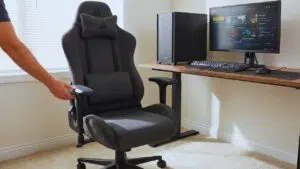
You don’t need to spend $500 to save your back. While you do get what you pay for in terms of fancy features, the Corsair TC100 Relaxed proves that budget chairs can still offer decent posture support if you strip away the unnecessary bells and whistles. It’s a straightforward, no-nonsense chair that nails the basics. Corsair realized that many gamers on a budget were buying cheap “racing” knockoffs that fell apart in six months. The TC100 is the answer to that: a solid, reliable chair from a reputable brand that prioritizes width and foam density over gimmicks.
Posture Tech & Ergonomics
The “Relaxed” in the name is the key feature here. Many budget chairs have narrow “bucket” wings that pinch your shoulders forward, ruining your posture by closing your chest. The TC100 has a much flatter, wider seat and backrest, allowing you to sit back with your chest open and shoulders back—the foundation of good posture. While it lacks internal lumbar gears, it comes with a high-density lumbar pillow. Unlike the cheap, fluffy pillows on generic chairs, this one is dense and shaped to actually push your lower back into alignment. The chair uses a steel frame and decent density cold-cure foam, which is rare at this price point where plywood and scrap foam are common.
| Feature | Specification Details |
| Lumbar Type | External High-Density Pillow (Removable) |
| Upholstery | Plush Fabric or Leatherette (Fabric is recommended) |
| Seat Width | 375mm (Wider than standard budget chairs) |
| Recline | 90-160 Degrees |
| Warranty | 2 Years |
| Gas Lift | Class 4 Grade |
Pros:
- Excellent price point (usually under $250) for a brand-name chair.
- Breathable fabric options prevent sweating, which helps maintain posture.
- Wide design accommodates broader body types without squeezing.
- Decent recline range allows for relaxation between gaming sessions.
Cons:
- Armrests are only 2D (up/down, in/out), lacking swivel or depth adjustments.
- Foam is softer than premium picks and may degrade faster (2-3 years) than cold-cure options.
How to Configure Your Chair for Perfect Posture?
Buying one of the best gaming chairs for posture is only step one. If you sit in it wrong, you have wasted your money. Even a $1,500 Herman Miller can’t save you if you are slouching. The goal is to achieve “neutral alignment,” where your joints are under the least amount of stress. This doesn’t mean sitting stiff as a board; it means setting up your station so that good posture feels natural and lazy posture feels awkward. Here is the 2026 pro-guide to setting it up correctly.
The 90-90-90 Rule
This is the golden rule of ergonomics. Your feet should be flat on the floor (or a footrest) so your knees are at a 90-degree angle. If your feet dangle, it pulls on your lower back. Your hips should also be at a 90 to 100-degree angle relative to your spine. Finally, your elbows should rest on the armrests at 90 degrees, allowing your shoulders to relax downward. If your armrests are too high, your shoulders hike up toward your ears.
Lumbar & Recline Tuning
The curve of the chair needs to hit the curve of your back (your belt line), not your tailbone and not your ribs. Adjust the height of the lumbar support until it nestles right into that hollow space above your hips. For the backrest, don’t sit perfectly straight at 90 degrees; a slight recline to about 100-110 degrees reduces the pressure on your spinal discs significantly compared to sitting bolt upright.
| Adjustment | Goal | How to Check |
| Chair Height | Feet flat, knees level with hips. | Can you slide your hand easily under your thighs? |
| Lumbar | Support the inward curve (Lordosis). | Does it feel like a gentle hand pushing your lower back? |
| Armrests | Shoulders relaxed, not shrugged. | Are your elbows touching the rests without you leaning? |
| Monitor Height | Prevent “Tech Neck.” | Is the top 1/3 of the screen level with your eyes? |
Final Thoughts
The days of sacrificing your spine for a cool-looking setup are essentially over. In 2026, the best gaming chairs for posture combine the aesthetic you want with the medical-grade support you actually need. We are finally at a point where you don’t have to choose between a chair that looks good on stream and one that keeps you out of the chiropractor’s office. If you want the safest, most well-rounded choice that fits 95% of gamers, the Secretlab Titan Evo remains the gold standard.
However, for those treating this as a serious medical investment for chronic pain, the Herman Miller Embody is worth every penny, while the Razer Iskur V2 stands out as the clear winner for anyone needing active lower back support that adapts to constant movement. Remember, your back is the only piece of hardware in your setup that you can’t easily upgrade or replace, so treat it right.





















