Building a membership site is exciting, until you hit the wall of picking WordPress themes. Too many choices, not enough clarity. We tested a wide range and focused on layout quality, smart customization options, and SEO optimization, that is, tools that help your site rank.
Below, you’ll find clear reviews of ten responsive themes and builders, including Divi and SeedProd. They make user profiles, content restriction, landing pages, and online courses feel simple. Start reading now, you might find the perfect fit today.
Key Takeaways
- Divi shines for deep design control, with 2 million installs and 20,000 Trustpilot reviews, and it pairs well with MemberPress for content restriction.
- Astra is a lightweight choice trusted by major brands, offering fast load times, broad plugin support, and steady updates since 2017.
- SeedProd powers more than 1 million sites, includes 350-plus templates, and integrates with MemberPress for smooth membership setups.
- BuddyBoss adds social features like forums and private messages to BuddyPress communities, which boosts engagement for online courses.
- Thrive Theme Builder sets up in about 15 minutes, uses drag and drop, and syncs neatly with Thrive Apprentice for selling courses.
Why is Divi considered the best for customization?
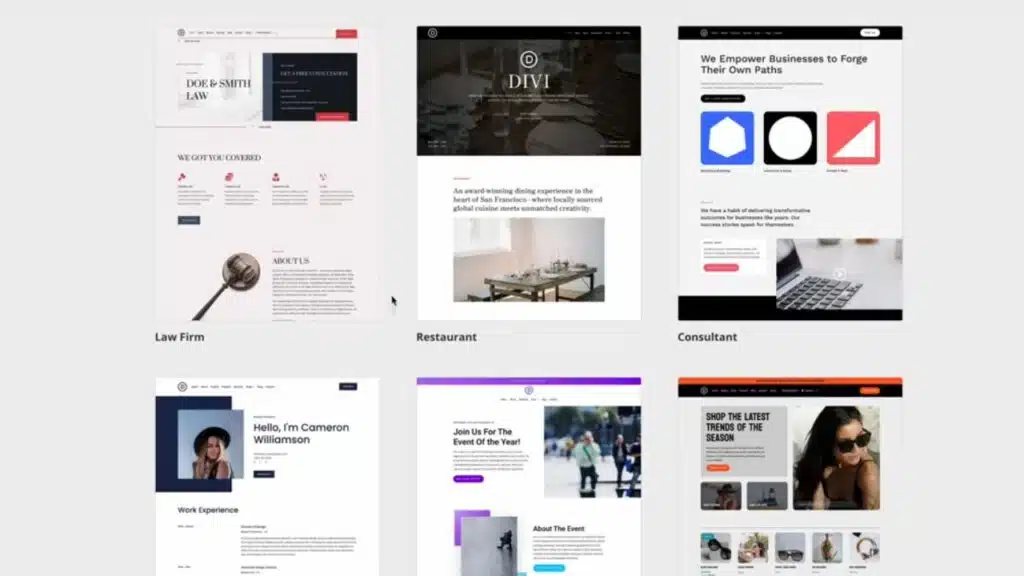
Divi stands out with more than 2 million active installs and over 20,000 Trustpilot reviews. Its visual dashboard feels like a simple graphics editor, similar to Photoshop, so design changes are quick.
You get 300-plus page templates. Mix and match sections to launch a clean membership site or a polished online course. The drag and drop builder lets you change layouts, colors, fonts, backgrounds, and animations without touching code.
Need pricing tables or a sticky menu? Drop them in. Detailed font controls keep your brand consistent, and analytics tools like Google Analytics make performance easy to track. Divi works smoothly with MemberPress for advanced content restriction and multiple membership levels.
Everything is responsive, so designs look great on phones and laptops. It also plays well with payment tools like PayPal and even third-party systems such as VirtueMart or Magento style connectors. Web design feels like creative work again, not a chore.
What makes Ultra’s design user-friendly?
Ultra ships with ready-made layouts that help you build fast. Think of it like a set of blocks. Drag sections into place and see changes in real time with the live customizer.
No coding. No long design tutorials. Demo content helps new users set up a strong membership site in minutes. Custom widgets cover user profiles, social links, and pricing tables right out of the box.
Ultra works with MemberPress and popular eCommerce plugins, so adding online courses or a store is simple. Multiple header styles let you pick a classic layout or a sticky menu. Lots of layout choices keep your site from feeling cookie cutter.
How versatile is OceanWP for different site types?
OceanWP wears many hats. It fits blogs, business sites, stores, and learning platforms. The free core includes demos and templates for eCommerce, learning management systems, and more, so you can launch quickly.
Change layouts and colors with simple controls. There are more than eighty WooCommerce demos, which store owners love for fast setup. Add premium extensions for pricing tables or sticky menus with just a few clicks.
OceanWP also supports MemberPress for gated content, member dashboards, and access rules. Tie in web analytics to track growth without extra work. Whether you run an agency site, a school with online courses, or a brand working with ad partners on social media, OceanWP adapts with ease.
What features make Hestia Pro elegant for membership sites?
Hestia Pro has crisp, modern layouts that make membership sites look polished. You can build a one-page promo site or a full multipage hub, and both feel clean and fast.
Starter templates help you launch a subscription or event site quickly. Tweak colors and widgets in a few steps. It works with WooCommerce and MemberPress, so selling access to premium content is straightforward.
Everything is responsive, so members get a smooth experience on phones, tablets, or desktops. Social options help people connect faster, which keeps communities active.
Why is SeedProd the top page builder for memberships?
SeedProd powers more than 1 million sites and has thousands of five-star reviews. It includes 350-plus site kits and starter templates, so your idea can go live fast.
Build login, registration, and thank-you pages with an easy drag and drop builder. Even first-time site owners get a clean result. Deep MemberPress integration lets you set pricing, content restriction rules, and membership levels without juggling extra tools.
Use the theme builder to create custom headers and footers. If you sell online courses or plans, WooCommerce features connect smoothly. Specialized blocks help you build clean member areas that look great on any device.
SeedProd is focused on speed and SEO optimization, so pages load fast and index well on the internet. It is a strong pick if you want a page builder that covers design and membership needs in one place.
BuddyBoss brings social features into your site. It works with BuddyPress to add forums, private messages, and clear profile directories.
Events include RSVPs so no one misses out. A simple profile menu keeps key actions close. Themes like OneCommunity and CommunityJunction pair with BuddyBoss to add tools that keep people talking, which is great for course groups and clubs.
Frequent updates keep pace with new BuddyPress releases. Sales numbers for community themes, more than 4,400 in some cases, show how much people value these features. You can also layer in cookies support for ads or analytics and even restrict content by membership level.
What makes Aardvark ideal for membership and eLearning?
Aardvark is a practical choice for memberships and online courses. It is priced at $69 and has about 4,400 sales as of April 2025, which signals strong adoption.
Import a full demo and flip the switch on a ready site. Built-in modules support courses, forums, and profiles without extra fuss. It connects with top membership plugins and learning systems, so creators can plug in their favorite tools fast.
Flexible pricing tables make it easy to show different membership levels. With BuddyPress support, learners can chat and share like they would on social networks. Regular updates help Aardvark stay steady with new WordPress versions and major plugins.
Why is Astra lightweight and customizable for memberships?
Astra is known for speed. The theme is lightweight, so your pages load quickly even with member areas and course libraries.
It plays nicely with LearnDash, MemberPress, and WooCommerce. Starter templates help you launch in minutes. If you prefer a drag and drop builder, Astra works well with Elementor and Beaver Builder for fast design changes.
Security fixes and feature updates arrive often, supported by a large community since 2017. You can change fonts, colors, and layouts to match your brand without touching code. For many membership sites, Astra blends performance and control better than most WordPress themes.
How does MemberPress Theme integrate with membership plugins?
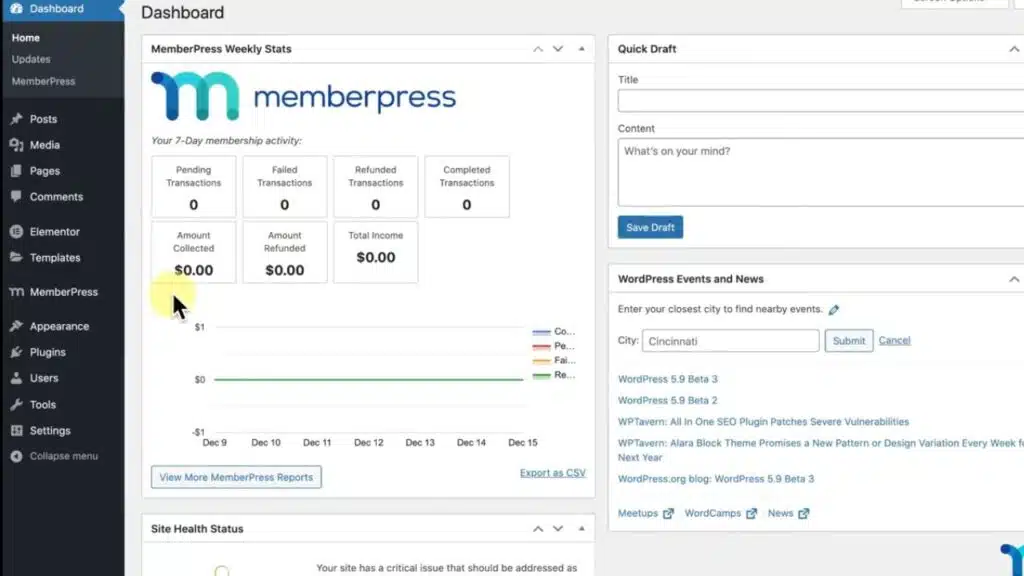
MemberPress Theme drops into your site and works with leading membership plugins. Builders like Divi and Elementor are supported, so you can design with drag and drop tools.
Payment processors connect through automation tools such as Zapier. That makes renewals, upgrades, and cancellations easier to manage. Compatibility-focused updates keep things stable with each WordPress core release.
Out of the box, you get solid content restriction, tiered membership levels, and coupon controls. Add a forum to increase engagement. MemberPress can also sync with ActiveCampaign to send automated emails based on member actions, which helps at scale.
What makes OneCommunity perfect for BuddyPress sites?
OneCommunity gives BuddyPress site owners a true social hub for about $59. You get event tools, member directories, and an activity feed right away, which keeps conversations flowing.
The design is responsive, so it looks sharp on phones and tablets. Messaging and forums are built in, which lowers friction and gets people talking.
Support keeps pace with BuddyPress updates, including the release cycle since January 27, 2024. A one-click demo import can fill your site with sample content in minutes. With more than 4,400 sales and strong social features, it offers quick launch power plus helpful SEO optimization for community pages.
How does Thrive Theme Builder help grow membership sites?
Thrive Theme Builder moves fast. The setup wizard takes about 15 minutes, even if you are new to WordPress.
Change headers, footers, and page sections with an intuitive drag and drop builder. The design is responsive, so members get a smooth experience on any screen.
It integrates with Thrive Apprentice to help you create and sell courses. Use access rules to decide who sees what, which keeps premium content safe. Conversion-focused tools let you add pricing tables, sticky menus, opt-ins, and call-to-action blocks in a few clicks.
Frequent updates add features and polish. If something goes sideways, support is available to get you back on track.
Takeaways
Choosing the right theme shapes how your membership site feels and performs. Clean layouts, fast load times, and clear SEO optimization give members a smooth ride. Divi and SeedProd stand out for visual control and quick building.
Ultra offers a simple setup that still looks stylish. Astra delivers a lightweight base with deep customization options. BuddyBoss and OneCommunity handle community features, while Aardvark and Thrive Theme Builder make online courses and access rules easier to manage. MemberPress Theme pulls the pieces together with strong integrations.
These picks cover a wide range of needs for membership sites and WordPress themes. Want elegant user profiles, a sticky menu, or flexible pricing tables? You will find a fit here. Try one and give your community a site worth joining.
FAQs
1. What makes a WordPress theme good for membership sites?
A strong WordPress theme for membership sites offers responsive design, content restriction features, and easy customization options. Look for themes with user profiles and support for multiple membership levels.
2. Which themes work best if I want to sell online courses?
Themes like Astra Theme or Ultra Theme shine here; they come with drag and drop builder tools, pricing tables, and page builder compatibility. These features help you organize lessons while keeping your site lightweight.
3. How do SEO optimization features help my membership site grow?
SEO optimization in your chosen theme helps boost visibility on search engines by using the right keyword structure and fast-loading code. This means more people find your site when searching for topics related to your community.
Yes, many top-rated membership WordPress themes include sticky menu options out of the box or through simple settings tweaks. Navigation stays visible as users scroll, making it easier to access key pages without hunting around.
Absolutely! Hestia Pro and Binder Pro both offer advanced customization options along with robust support for content restriction tools, flexible pricing tables, and seamless integration with popular plugins designed specifically for managing memberships on WordPress platforms.