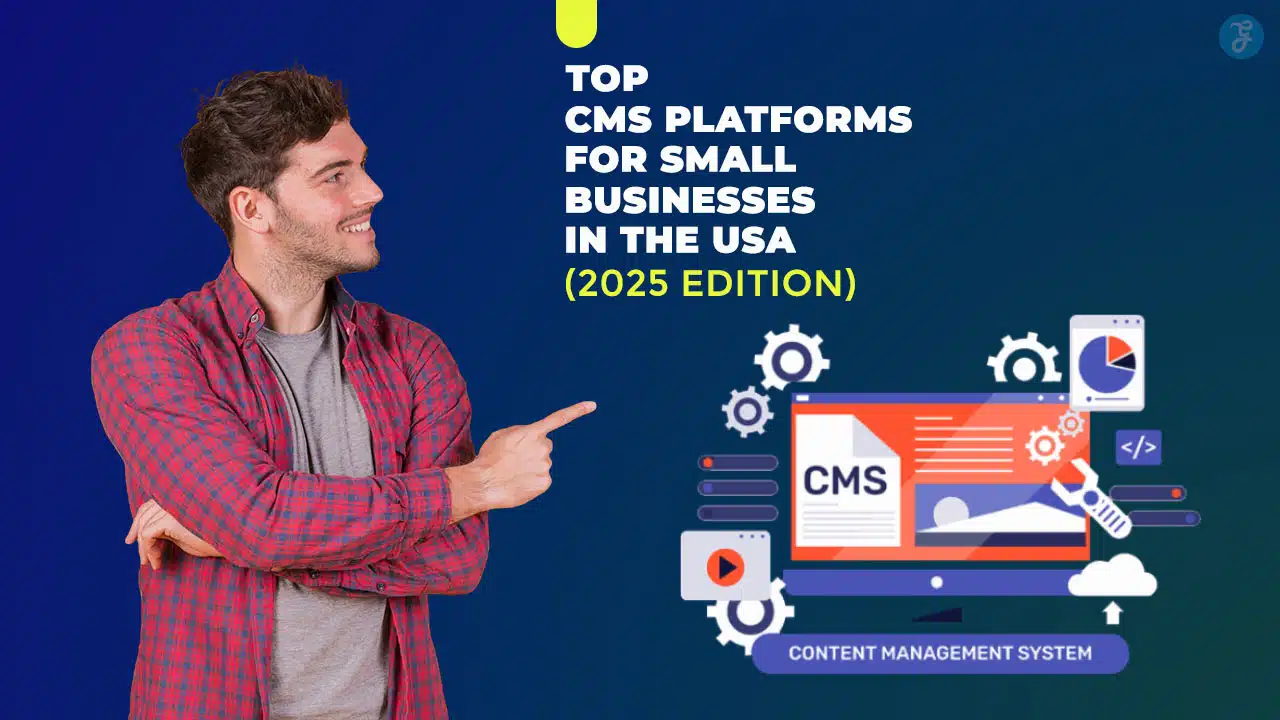
You feel lost picking a content management system for your small business. WordPress powers over 40 percent of websites, and it links with Google Analytics, offers Yoast SEO, plus many themes and mobile optimization.
This guide compares ten systems, from Wix Studio’s drag-and-drop interface to Shopify’s online store features, HubSpot CMS crm integration, and headless cms options, so you pick the best option.
Your new site awaits.
Key Takeaways
- WordPress leads with 43 percent market share and 58,000+ plugins. It runs on PHP/MySQL, turns blogs into stores with WooCommerce, and adds Yoast SEO plus HubSpot CRM integration.
- Wix, launched in 2006, hosts over 200 million sites. Its drag-and-drop editor uses 900+ mobile-ready themes and a built-in App Market for e-commerce, chatbots, and CRM.
- Shopify and BigCommerce top e-commerce. Shopify’s drag-and-drop editor, POS, App Store, and Apple Pay support speed store setup. BigCommerce offers 120+ payment options, PCI/SSL security, headless APIs, and auto-scaling.
- HubSpot CMS, introduced in 2018, combines site building with a free CRM for up to 1 million contacts. It gives drag-and-drop pages, SEO tools, email automation, forms, and live analytics in one dashboard.
- Open-source CMS options deliver deep customization. Joomla uses 8,000+ extensions and multilingual support. Drupal offers Views, Panels, Twig templates, and headless APIs. Ghost, from 2013, powers fast, content-focused blogs with built-in SEO and membership tools.
What makes WordPress the most flexible and scalable CMS?
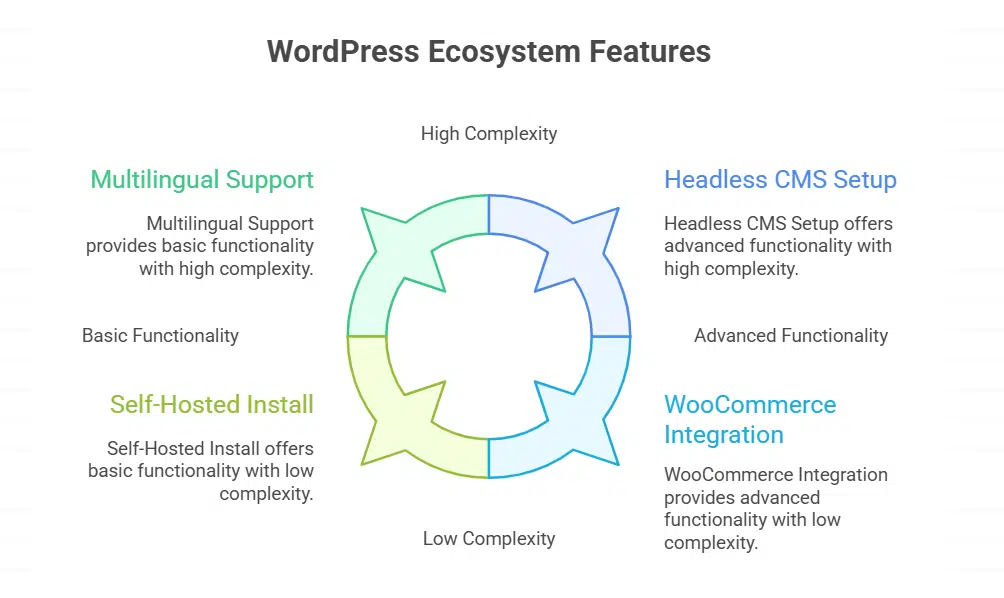
WordPress runs on PHP and MySQL, and supports more than 58,000 plugins. This open-source CMS powers 43 percent of sites online. A headless CMS setup via the REST API can feed mobile apps or digital displays.
Businesses tap multilingual support with a few clicks and expand global reach. WooCommerce turns blogs into online stores with inventory tools and checkout flows. HubSpot CRM integration handles contacts, leads, and marketing tools in one dashboard.
Yoast SEO plugin offers meta tags, sitemaps, and search engine optimization tips.
Developers use the Gutenberg drag-and-drop editor to place blocks, tweak layouts, and tailor designs. A self-hosted install from wordpress.org gives full control over code and plugins.
Cloud-based hosting on wordpress.com reduces server chores and covers security features. Performance optimization comes easy with caching plugins and image compression tools. Frequent updates, a global community, and detailed guides keep sites fresh and secure.
Why is Wix the best drag-and-drop website builder for beginners?
Wix uses a drag-and-drop interface that feels like play for total beginners. Launched in 2006, it now powers over 200 million sites. New users drag a block then drop it. The editor shows changes in real time, so you tweak colors and text with instant feedback.
That cuts the learning curve. Wix offers more than 900 designer-made themes. Each theme fits a niche, from coffee shops to portfolios. Themes come mobile optimized, so phones see a perfect layout.
You link a custom domain in minutes. Built-in SEO tools push your pages up in search engines. This saves small businesses hours and headaches.
Beginners love this website builder for its friendly dashboard and clear labels. You tap icons, add images, adjust layouts—no code needed. The cloud-based cms loads fast, even on slow Wi-Fi.
Apps in the Wix App Market boost functionality. You can launch an online store, enable credit card checkout, embed chatbots for crm integration or set up social media feeds. Wix Studio and Velo offer extra tools later, if you hire web developers.
Content creation and user management live under one roof, so you avoid juggling multiple platforms. That’s a real win for tight budgets and busy teams.
What features make Shopify ideal for e-commerce businesses?
Shopify’s cms platform speeds up store setup. Its drag-and-drop editor simplifies website design. Merchants choose from many themes and templates to match their brand. Mobile optimization and built-in seo tools boost search engine rankings.
You can link a custom domain in minutes. The cloud-based cms handles security features and performance optimization. Small businesses can add Shopify POS for in-person sales. The online storefront works across web and mobile.
An extensive Shopify App Store extends the platform with marketing tools, web analytics, and crm integration. Multilingual support and Shopify Payments with Apple Pay and debit cards ease online shopping.
Real-time order tracking and customer journey reports help with inbound marketing. A built-in query engine speeds up content modeling and dynamic content management. Growing stores enjoy automatic scaling and regular security audits to protect data.
What design options does Squarespace offer small businesses?
Small shops can pick from over 100 polished templates. The style editor lets users tweak fonts, colors, and spacing with clicks. A drag-and-drop interface makes it simple to add gallery blocks or video sections.
Mobile optimization comes built in, so customers get a smooth view on phones.
Advanced users can apply CSS or code injection to add custom widgets. SEO tools and analytics dashboards help track search results and visitor trends. You also get a free custom domain, SSL certificates, and integrated social sharing.
This cloud-based CMS balances ease of use with performance optimization.
HubSpot CMS: Marketing and CRM integration for small businesses
HubSpot CMS links your contact hub and attraction marketing in one simple dashboard. You can edit your site with built-in content pipelines and track leads from first click to sale.
How does HubSpot CMS combine marketing and website management?
A single dashboard ties website and inbound marketing work. It links each visitor click to a customer database. Users get a drag and drop page builder, blog editor, SEO tools, and forms.
Automated email series launch after form fill. HubSpot CMS launched its CMS Hub in 2018 to help small businesses scale.
The built in crm integration stores up to one million records free. Marketers spot lead trends in real time with live analytics. Landing pages and pop up forms sync with subscriber lists.
Teams cut tool costs by working on one cloud based cms. This setup helps grow traffic and boost sales.
What CRM features are included in HubSpot CMS?
HubSpot CMS brings crm integration to your content management system, with contact records, a deal pipeline view, and email sync. You segment leads by source, track every form fill, and log chat transcripts without extra plugins.
It feels like you have a digital sidekick, capturing buyer info as visitors click around.
Automation tools trigger follow-up messages or task assignments, using built-in marketing tools. Reporting dashboards reveal top pages, conversion rates, and pipeline health. Teams link Gmail or Outlook mailboxes, log calls, and assign follow-up tasks with no fuss.
Small businesses skip imports, keep data clean, and power inbound marketing.
Joomla: Open-source customization for small business websites
Joomla runs on PHP and MySQL, giving small shops a sturdy Apache-backed toolkit. Its template library and content modeling tools feel like Lego blocks for quick site tweaks.
What customization options does Joomla provide?
Small businesses use an open-source cms to explore thousands of themes in the extension directory. Owners tweak colors, fonts, and block layouts in the template manager. A built-in language switch adds multilingual support for global visitors.
Admins assign roles with fine user management to guard content. Developers add modules and plugins to boost features like calendars and contact forms.
Editors code HTML and CSS to refine page structures in web design tasks. Template overrides let teams change core files without risk. The content management system also supports editorial workflows for multi-author sites.
Mobile optimization settings keep pages fast on phones and tablets. SEO tools and URL routing improve search visibility. Built-in caching and site health apps track performance.
How suitable is Joomla for small business needs?
Joomla acts as a free open-source content management system. It offers 8,000+ plugins for SEO tools, page builder, and user management. Entrepreneurs tap into multilingual support and fast performance optimization.
The platform uses modules and themes to handle website customization. A built-in WYSIWYG editor makes block placement simple.
A local bakery can add an online store with a POS plugin. Social media APIs, analytics, and CRM integrations arrive in minutes. Most cloud-based hosts handle backups and uptime tasks.
You can browse the Joomla Extension Directory for tools, like a gallery module or chat widget. Volunteers and pro developers post solutions in active forums.
Drupal: Advanced tools for building complex websites
Drupal makes it easy to shape content types, editorial workflows and page layouts with modules like Views and Panels. It taps a database, PHP libraries, a template engine and a headless API for big sites.
What advanced features does Drupal offer?
Drupal packs modular tools that push technical projects ahead. It supports complex content modeling with entity references and custom fields. The core system delivers robust editorial workflows that let editors schedule and approve updates.
A headless cms option lets developers separate front-end code. It also offers built-in multilingual support for global sites. Views and Media Library come ready out of the box. This open-source cms platform adapts to any project size.
Site builders use Paragraphs to build flexible layouts. Twig templating adapts the design layer without custom scripting. Drush CLI speeds up updates, module installs, and database tasks.
JSON:API support helps export data to external apps and mobile. A vast open-source ecosystem brings extra modules for SEO tools, performance optimization, and security features.
When should small businesses consider Drupal?
Small businesses that plan to build sites with many pages, complex content models, or multilingual support can pick Drupal as an open-source cms. This content management system offers custom content modeling and flexible editorial workflows that streamline updates.
It links with REST and GraphQL for a headless cms setup that can feed mobile apps, too.
Growing shops that need tight security, performance optimization, and user management can go this route. The platform scales well and handles high traffic. It also lets developers add modules with Composer and tweak templates with Twig.
How does Weebly simplify website building for beginners?
Weebly acts as a simple website builder. You use a drag-and-drop interface to place items. A visual page builder loads in seconds. It offers over forty themes and templates. All designs include mobile optimization.
The sidebar menu shows content management system tools.
Merchants launch an online store in minutes. They sell goods with point-of-sale features. eCommerce tools link to payment processors. The platform adds SEO tools for ranking. Users set a custom domain with a click.
Weebly runs on a cloud-based cms platform. This solution handles performance optimization during peak loads. It scales as firms grow.
What makes BigCommerce a comprehensive platform for online stores?
BigCommerce is a cloud-based cms platform that gives all the tools you need for an online store. It adds SEO tools, fast servers, and mobile-friendly layouts. Drag-and-drop pages and ready-made themes and templates speed up design.
You can plug in PayPal, Stripe, or Square POS. That unlocks over 120 payment options with no extra fee. SSL certificates and PCI compliance keep data safe.
Say you own a coffee stand and want to sell online. BigCommerce links to Google Analytics, Facebook Ads, Amazon, and eBay. You get order tracking, inventory control, and cart recovery at once.
The open API lets devs build custom apps or use a headless cms. You can manage promotions and discounts without code. Focus on brewing coffee, not tech headaches.
Why choose Ghost for content-focused websites and blogs?
The open-source headless content management system launched in 2013 on a fast JavaScript runtime. Writers use a text formatting language to craft posts in a clear UI. The command line tool acts as a swiss army knife for setup and updates.
Core code gives top performance optimization and built-in seo tools that boost traffic. Clean design feels like a blank canvas for every idea.
Membership and newsletter features live right in the dashboard. Editors follow simple editorial workflows to schedule content and manage multilingual sites. Routes and templates adapt easily for custom website customization.
A generic integration tool links posts to social feeds. Mobile optimization arrives from day one, so readers stay happy on phones.
Adobe Commerce (Magento): Scalable e-commerce solutions for growth
Adobe Commerce, built on this platform, grows as your store expands. It offers cloud servers, decoupled APIs, translation tools, SEO features, and speed tweaks to power large catalogs and custom workflows.
What scalability features does Adobe Commerce offer?
An open-source cms lets teams add servers as traffic grows. A database engine can split data across many nodes. A message broker handles order workflows off the main thread. A cache server and front-end cache cut page load times.
This content management system works as both a headless cms and a cloud-based cms for flexible APIs.
Sites hook into CDN networks across the globe. You can add multilingual support for US and overseas shoppers. The platform integrates seo tools to boost search rankings. Systems use an API query language to speed up front-end loads.
Magento CLI and composer scripts help manage modules at scale.
How does Magento support growing businesses?
Magento scales with your store. Its architecture breaks core functions into modules, letting developers swap or add features fast. A retailer can handle thousands of products and millions of page views, thanks to caching and performance optimization, without breaking a sweat.
The platform links to POS systems, ERP, and PWA Studio for a headless cms solution. It runs on PHP, MySQL, and Docker containers, making it a cloud-based cms. A brand can launch in multiple languages, using built-in multilingual support, without extra plugins.
Built-in SEO tools boost Google rankings. Admins can edit metadata, set friendly URLs, and manage sitemaps in minutes. You get marketing tools for promotions, coupons, and email campaigns.
Page Builder lets you drag and drop banners or product carousels without touching a single line of code. It also ties into CRM platforms, so you can track customer habits and loyalty.
Security patches arrive regularly, keeping data safe during big sales events.
Takeaways
Every small team can pick a winner. WordPress.org packs endless plugin power. Wix Studio feels like moving blocks on a desk. Shopify’s POS and store setup drive sales. Squarespace themes shine on phones.
HubSpot CMS hooks your blog to your contacts. Joomla code lets you tweak every nook and cranny. Drupal grabs heavy data needs with content modeling and editorial workflows. Weebly skips complex steps for total beginners.
BigCommerce grows with you, adding marketing and SEO tools on demand. Ghost writes sharp posts that win readers. Adobe Commerce pedals hard to keep pace with rising traffic. Pick the right CMS, plant your flag, and watch your site light up.
FAQs on CMS Platforms for Small Businesses in the USA
1. What makes a content management system a top pick for small businesses?
A content management system must give a drag-and-drop interface, seo tools, security features, mobile optimization. It cuts work on content creation, and fits cloud-based cms. It can link to a crm or erp.
2. How do wordpress.com and wordpress.org differ?
WordPress.com hosts your blog or site, ready to go, but limits plugins. wordpress.org is an open source cms. You self-host, use themes and templates, crm integration, marketing tools, inbound marketing. You can try blogspot if you want a free start for a simple blog via google. It takes work, but you own your site.
3. Can I sell online with a cms?
Yes. shopify’s cms platform gives pos, online store, inventory tools. Wix Studio also shines with a website builder and marketing tools. It is like a digital shop front that never sleeps.
4. What is a headless cms and when should I use it?
A headless cms keeps content in a database only. Developers fetch it with react or an api. It frees you from a page builder or traditional editor. It works for custom web development. It lets you reuse content across apps.
5. How can I add crm integration and marketing tools to a cms?
Pick a cms with built-in crm integration, like hubspot cms, or hook up external crms. Then you can track leads, run inbound marketing, and sync cookies. You can store data in google drive or other databases. It helps you know and serve your audience.
6. How do I pick a cms for seo and multilingual support?
Look for seo tools for keyword research and google searches. Check for multilingual support, performance optimization, editorial workflows. Choose a cloud-based cms if you want fast page loads and easy maintenance.