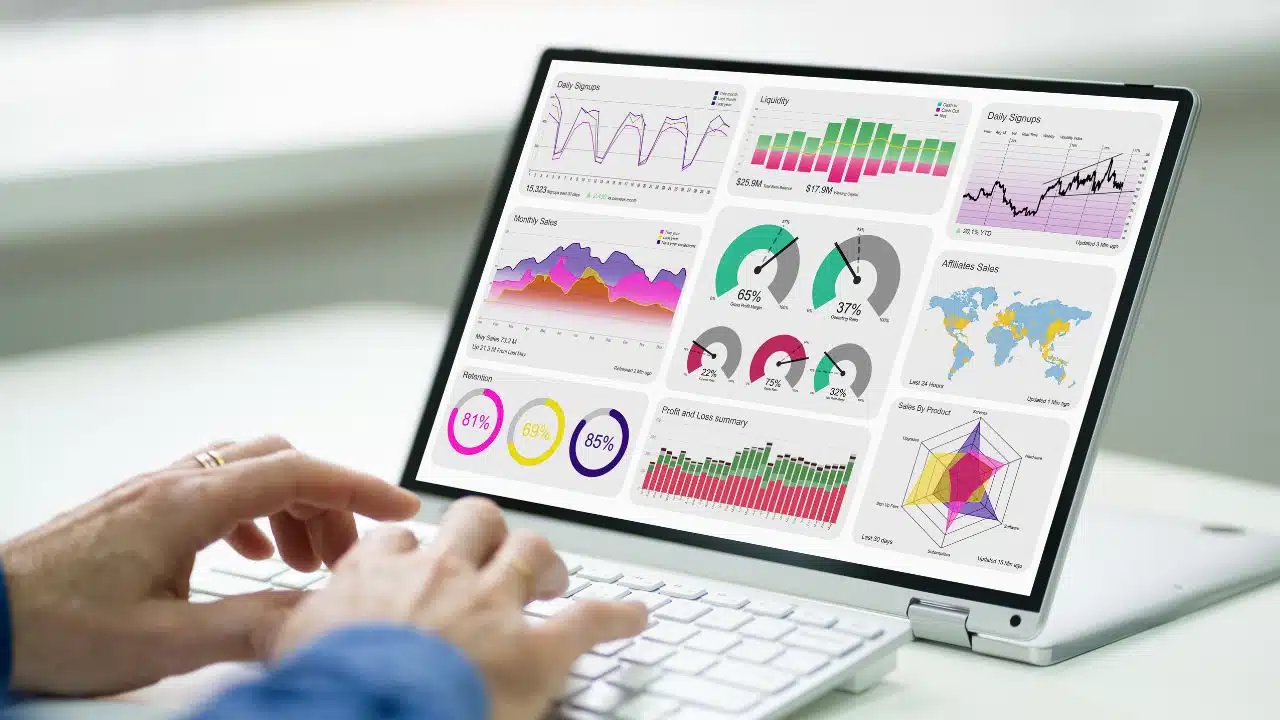
According to Gartner and Dresner Advisory, Power BI’s share of the enterprise analytics market has grown to over 35% in the last two years. This is an indicator that enterprise analytics increasingly requires simple yet powerful solutions. New security standards, AI models, and methods of integration with ERP and CRM systems are emerging every day. Against this backdrop, Power BI offers a user-friendly interface with deep capabilities: modeling, ETL automation, interactive dashboards, and forecasting.
It is no surprise that leading technology companies such as Cobit Solutions use this tool to create comprehensive analytical solutions. This approach allows data to be transformed into strategic insights that can be measured in financial terms. In this article, we will look at the capabilities of Power BI for strengthening your management system and explain how this tool differs from similar solutions.
1. The Microsoft Ecosystem Effect
One of the reasons for Power BI’s popularity is its deep integration with the Microsoft ecosystem. The platform seamlessly interacts with Azure, Excel, Teams, and Dynamics 365, creating a unified analytical space. Data from different systems is automatically combined without complex configurations. Managers can track metrics in real time, compare results across departments, and make decisions faster.
The ecosystem effect is evident not only in convenience but also in the widespread adoption of Power BI. Companies that already use Microsoft 365 can naturally integrate the analytics tool at no additional cost.
Tableau and Qlik, on the other hand, require the creation of separate data transfer channels and additional staff training. This slows down the implementation of analytics at the corporate level. At the same time, users who have already worked with Excel or Teams can easily transition to Power BI — they don’t have to learn a new system, but rather expand the capabilities of a familiar interface.
2. Analytics Accessible To Every Employee
Another reason why Power BI maintains its dominance in corporate analytics is its democratic approach to data. Today, businesses want analytics to cease being the prerogative of a single department and become part of every employee’s daily work. Power BI implemented this idea earlier than others.
The platform has made analytics understandable even to those without technical training. Users work with visual interfaces, create their own reports, apply filters, and compare metrics. They don’t need to write SQL queries or scripts. This has simplified access to analytics for business teams. It is used in sales, marketing, and finance without the involvement of technical specialists.
For the system to work smoothly, it is advisable to hire a Power BI developer at the initial stage to configure the data model and access policies. In the future, users can create dashboards or update reports on their own without involving the IT department.
3. Artificial Intelligence At The Heart Of Analytics
The main trend in business analytics is the integration of artificial intelligence, which Power BI implements through Microsoft models. Analytics is no longer limited to reports from the past — it helps predict future risks or profits. To understand how this is implemented, it is worth considering the components of Power BI that use artificial intelligence:
- Smart Narratives — automatically adds explanations to charts and tables in text format. For example, if an indicator increases, the system adds a phrase such as “Sales in region X increased by 12% compared to the previous quarter.” Explanations are updated when filters change and can be edited manually.
- Q&A — allows you to ask questions about the data in the report. Power BI generates the answer in the form of a table or graph. This simplifies the work of employees who do not have knowledge of DAX or SQL.
- Anomaly Detection — automatically finds atypical values in time series. The system marks anomalous points on the graph and adds explanations as to why they are considered deviations. This allows you to respond quickly to risks or trend violations.
- Forecasting — builds forecasts based on historical data. The user can configure the forecast period, seasonality, and confidence interval. The forecast is integrated into reports and used for scenario analysis.
- Integration with Azure Machine Learning — allows you to connect your own ML models, embed them in reports, and automate “what if” scenario analysis.
- Copilot for Power BI — an assistant that helps you create DAX queries, optimize report structure, and suggest new metrics based on context.
Thus, Power BI is setting a new standard for corporate analytics, where artificial intelligence is not an add-on, but a central element in management decision-making.
4. Powerful Security And Access Control Model
To remain a leader in the enterprise segment, an analytics platform must guarantee data security at all levels. So it’s no surprise that Power BI has strengthened its position in 2025. While competitors focus on speed or design, Microsoft has consistently developed a security architecture that is integrated into every component of the ecosystem.
This architecture covers not only data protection, but also access control, user activity auditing, and compliance with corporate policies. Security is implemented at the model, visualization, service, and external integration levels—without the need for third-party solutions.
Key Power BI mechanisms that ensure corporate security:
- Row-Level Security — allows restricting access to rows of data based on user roles. For example, a regional manager can only see data for their region, even if the report is shared across the entire company.
- Object-Level Security — enables hiding entire tables or columns of a data model for specific user groups. This is important for scenarios where the model structure must remain confidential.
- Microsoft Information Protection — integration with corporate labeling and encryption policies. Data marked as “Confidential” or “Highly Confidential” retains its status even when exported from Power BI.
- Audit Logs — record all user actions: viewing, editing, publishing, sharing. This allows you to track activity and meet internal control requirements.
- Conditional Access — context-based access control: device, location, role, authentication status. For example, access to a report can be allowed only from a corporate laptop within a VPN.
- End-to-End Encryption — provides data encryption at all stages: storage, transmission, processing. This ensures that even in a cloud environment, data remains secure.
By the way, Power BI is not only a convenient tool, it also complies with corporate policies and regulatory requirements. The platform supports GDPR, ISO 27001, SOC 2 standards, as well as industry regulations.
5. Flexible Visualization And Customization
Another reason why Power BI maintains its leadership in corporate analytics is its exceptional flexibility in creating visualizations and customizing reports to suit the needs of each company. For businesses, this means not just beautiful graphics, but the ability to display data in a way that specific teams, managers, and brands need.
Power BI provides a wide range of basic elements: charts, matrices, KPIs, maps, heat maps. But the key advantage is the ability to create your own visualizations through an open API. Companies develop unique components for their processes: from logistics indicators and inventory dynamics to the visualization of production cycles.
Additional flexibility is provided by Power BI Marketplace, an environment with hundreds of ready-made extensions and templates from partners. This allows you to quickly adapt the system to industry needs without developing from scratch.
The DAX (Data Analysis Expressions) language plays a special role. It is Power BI’s proprietary formula language that allows you to create complex calculations, forecasting scenarios, and performance indicators. DAX gives analysts complete control over the logic of the report without limiting them to the capabilities of standard filters or widgets.
Another aspect that large companies appreciated was corporate branding support. Power BI allows you to use corporate colors, fonts, logos, and styles. This makes dashboards look like part of the brand rather than a third-party tool.
6. Fastest Integration With Corporate Sources
Modern analytics requires not only powerful visualizations, but also a continuous flow of data from dozens of systems. In 2025, the ability to quickly connect to sources and keep information up to date has become a defining feature of effective BI solutions. And here, Power BI has virtually no competitors.
The platform supports hundreds of ready-made connectors to databases, ERP, CRM, marketing services, cloud storage, and web applications. Microsoft is constantly expanding this list by adding native integration with tools used by businesses around the world. These include Salesforce, SAP, Google Analytics, Snowflake, and Dataverse.
Connections are made without intermediate ETL solutions: Power BI immediately “reads” the data, preserving the logic and structure of the fields. This significantly reduces the time between collecting information and displaying results on dashboards. In addition to standard connectors, Power BI allows you to create your own integration channels via API or Power Query. This is especially important for corporate environments where analytics must combine internal databases, document management systems, or industrial data from IoT devices.
The speed and stability of integrations is enhanced by the use of Azure Data Gateway, which provides secure access to local sources without opening external ports. All this creates the effect of “live analytics” — when data is updated in real time and reports always reflect the current state of the business.
7. Optimal Cost Of Ownership And Scalability
Another reason why Power BI remains the dominant corporate analytics tool in 2025 is its cost-effectiveness. In a world where implementing analytics platforms often costs hundreds of thousands of dollars, Microsoft has offered a different model. Power BI supports gradual expansion of functionality—from basic reports to a full-fledged analytics ecosystem with AI, security, and external integrations.
Key factors that reduce the total cost:
- Flexible licensing model — users can start with the free version of Power BI Desktop and then upgrade to Power BI Pro or Premium depending on their needs. This allows you to scale your costs as your business grows.
- Integration with Microsoft 365 — Power BI is already part of the Microsoft ecosystem, so it does not require separate investments in infrastructure, authentication, or sharing. This reduces support and training costs.
- Cloud architecture — no need for local servers, complex administration, or updates. Companies pay only for actual usage, without capital expenditures.
- Automation and AI features — reduce the need for manual analysis, cut down on report preparation time, and ease the load on analytics teams.
- Rapid deployment — most scenarios can be implemented in a few days, without bringing in outside consultants or developers. This is especially important for medium-sized businesses.
As a result, Power BI has formed a new approach to analytics — it has become scalable, cloud-based, and economically balanced. It is thanks to the combination of accessibility, stability, and power that the platform maintains its leading position in the corporate segment.
8. Active Ecosystem And Community
One of the reasons why Power BI will remain dominant in 2025 is its large and vibrant ecosystem of users, developers, and partners. This community has become a source of practical solutions, training materials, and ready-made components that accelerate the implementation of analytics in companies of all sizes. It includes not only technical specialists but also business users who create reports, share templates, and submit requests for product development. What’s included in the ecosystem:
- Power BI Community is an official forum where solutions, questions, visualization examples, and discussions of new features are posted daily.
- Visualization Marketplace — a library of components created by independent developers. Users can add custom charts, KPI cards, and matrices that are not included in the basic set.
- YouTube channels, blogs, conferences — independent experts create training materials, implementation case studies, feature comparisons, and report demonstrations. This accelerates learning and the dissemination of best practices.
- The Microsoft Partner Network consists of certified consultants who help companies adapt Power BI to the specifics of their industry, integrate it with ERP/CRM systems, and develop corporate templates.
Thanks to this ecosystem, Power BI is evolving not only as a product, but as a platform that is constantly improving under the influence of real-world tasks and user experience.
9. Extensive Scalability Options
Power BI adapts to any scale — from local businesses with a few reports to global corporations with thousands of users. Its architecture allows you to start at a basic level and gradually expand functionality without changing the platform or transferring data.
Among the advantages of the platform are:
- Flexible deployment model — Power BI can run in the cloud or on a local server. The cloud version is accessible via a browser, while the local version is installed on the company’s infrastructure. Both options support the same reporting and data access logic.
- Hybrid data integration — the platform allows you to work simultaneously with local sources and cloud services. Thanks to gateways, data remains in place but is available for real-time analysis.
- Scaling users and roles — Power BI provides access to reports through corporate accounts. To do this, the administrator assigns roles to each user or group: who can view, edit, or publish data. All access rights are managed centrally through the Microsoft authentication system.
- Support for large data models — Power BI Premium allows you to upload large amounts of data — up to hundreds of gigabytes in each module. They are stored in the cloud, processed on dedicated resources, and support incremental updates. To speed up performance, queries are executed in parallel and data can be compressed.
- Automated updates and publishing — reports can be updated on a schedule, published centrally, and distributed via Microsoft Teams, Outlook, or mobile apps. This ensures stable performance even with many users.
10. Mobility and accessibility
In corporate analytics in 2025, response speed is crucial. Data is only useful when it can be accessed at the right moment. Power BI has become a leader, in particular because it has made analytics completely mobile—accessible anywhere, on any device, at any time.
The Power BI Mobile app provides access to corporate dashboards from smartphones and tablets. The interface adapts to the screen size while preserving the logic of reports and the structure of filters. This allows managers to view key metrics on the go and employees to track team performance in real time.
A special feature of Power BI is its support for adaptive dashboards. They automatically adjust to the mobile format while maintaining readability and functionality. Users can open the same report on a laptop, tablet, or phone without losing structure or data.
Another important aspect is offline access. Power BI allows you to save selected reports for viewing without an internet connection. This is useful for field specialists, sales managers, or executives who often work on business trips.
Takeaways
Power BI dominates corporate analytics in 2025 thanks to a combination of three factors: technological maturity, strategic integration, and an open development ecosystem. It doesn’t just collect data, it shapes a culture of decision-making where every metric matters and every action is based on facts.
In an environment where the speed and accuracy of information affect the outcome, Power BI remains the tool that sets the standard. Its development is the development of analytics itself: from tables and reports to intelligent systems for managing the future of business.