


Microsoft has a “special event” lined up in New York City this week, and the anticipation is building as the tech giant is set to unveil three new Surface devices and introduce AI-powered features across a range of its products, including Windows, Office, Bing, and Surface.
What adds an intriguing twist to this event is its timing, as it comes hot on the heels of the unexpected resignation of Panos Panay, the former head of Windows and Surface at Microsoft. Now, we get to witness how the new leaders of these divisions will drive forward Microsoft’s ambitious AI initiatives.
In this article, we’ll guide you on how and when you can catch the live coverage of the event. Plus, we’ll delve into the exciting new product announcements that Microsoft is expected to make.
The Microsoft “Special Event” is When?
The highly-anticipated press event is scheduled to start at 7 AM PT / 10 AM ET on Thursday, September 21st. This event holds special significance as it marks Microsoft’s first in-person Surface event since the onset of the pandemic. While Panos Panay won’t be taking the stage, it’s probable that we’ll see Yusuf Mehdi, who heads consumer marketing at Microsoft, stepping into the spotlight. Additionally, Microsoft’s CEO, Satya Nadella, is expected to make an appearance. The event will be held in New York City.
How do I Watch Microsoft’s Event?
Unfortunately, Microsoft won’t be offering a live stream of its Surface and AI event. But don’t worry, The Editorialge has you covered. They’ll be live blogging the event, keeping you updated with all the announcements in real-time as they unfold. The event is set to kick off at 7 AM PT / 10 AM ET.
If you can’t catch it live, Microsoft will be posting a recording of the event a few hours later, at 10 AM PT / 1 PM ET, on their event site. So, you’ll have the chance to catch up on all the exciting reveals even if you miss the live action.
The Three Latest Surface Devices
Microsoft’s upcoming special event is generating quite a buzz with rumors swirling about the launch of three new Surface devices. One of these devices, the Surface Laptop Studio 2, has already made its way into the spotlight with some leaked details. This sleek laptop is expected to feature Intel’s 13th Gen processors and Nvidia’s RTX 4060, promising some serious power under the hood.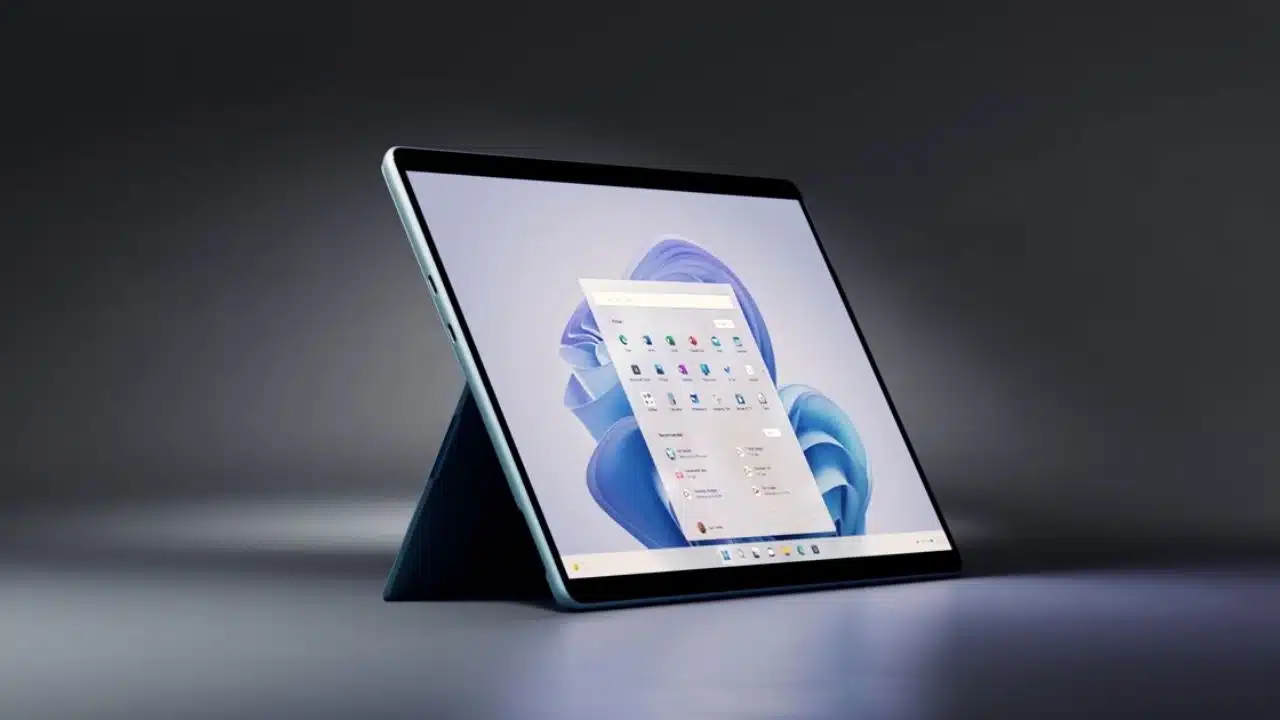
The design of the Surface Laptop Studio 2 seems to retain the essence of the original, complete with a display that can be pulled forward, transforming it from a traditional laptop to a tablet. Notably, this device is rumored to come with an impressive 64GB of RAM, a significant upgrade in terms of internal specs.
In terms of connectivity, Microsoft seems to be catering to users’ needs by including a USB-A port for compatibility with existing peripherals and a microSD card slot for easy storage expansion. If the rumors hold true, eager customers might be able to get their hands on the Surface Laptop Studio 2 as early as October 3rd.
While the Surface Laptop Studio 2 is undoubtedly stealing the spotlight, Microsoft has more in store with the expected announcements of the Surface Go 4 and Surface Laptop Go 3. According to reports from WinFuture, the Surface Go 4 is set to come equipped with an Intel N200 processor. Interestingly, Microsoft seems to have changed course by opting for an Intel processor over an Arm-based one, as previously rumored.
As for the design, there haven’t been any leaked images of the Surface Go 4 just yet, but it’s anticipated to maintain a similar look to its predecessor, the Surface Go 3.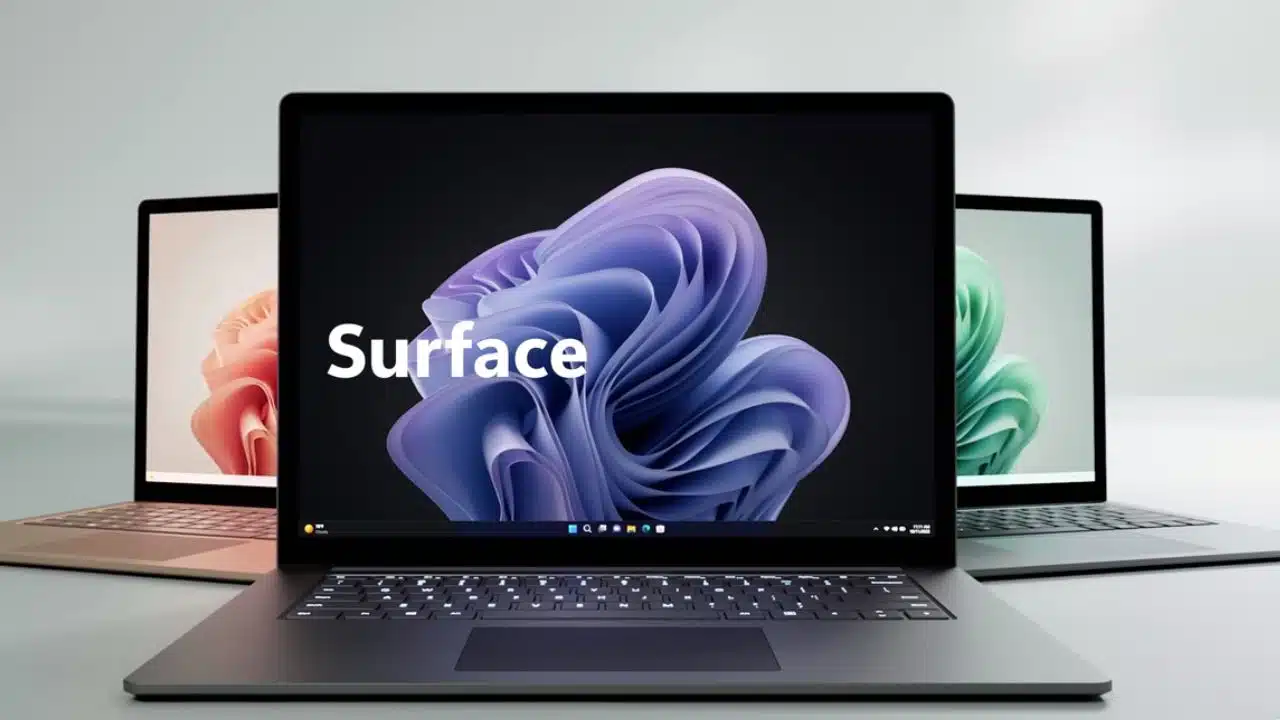
Now, turning our attention to the Surface Laptop Go 3, leaked images have already surfaced online. While it bears a striking resemblance to the Surface Laptop Go 2, the new model is rumored to feature Intel’s 12th Gen CPUs, promising improved performance. If these rumors hold true, eager customers may be able to get their hands on the Surface Laptop Go 3 in early October.
Windows AI Features
During its upcoming special event, Microsoft is set to unveil a slew of AI-powered features for Windows, expanding the capabilities of its software. One significant development is the update to Windows 11 (23H2), which introduces Windows Copilot, essentially an AI “personal assistant.” This update is slated to roll out by the end of September, bringing a host of improvements to Windows 11.
However, it’s not just Copilot that’s expected to take center stage. Microsoft is likely to delve into a broader range of AI-powered features. In recent times, we’ve witnessed the integration of AI enhancements into various Windows apps. Test versions of tools like the Snipping Tool and Photos app have received updates, equipping them with valuable functions such as text extraction from screenshots and the ability to add background blur to photos. These additions are indicative of Microsoft’s commitment to infusing AI-driven innovation across its software ecosystem.
Additional AI enhancements are on the horizon for Microsoft’s software ecosystem. Paint, the beloved graphics application, is reportedly in line to receive AI-powered features that enable text-to-image prompts, allowing for the automatic generation of images. Moreover, the Photos app is rumored to be introducing a feature that can identify individuals or objects within photos and then cut and paste them to other locations—a functionality reminiscent of a similar feature found on iOS.
While it’s unlikely that Microsoft will provide a glimpse of its AI-powered plans for Windows 12, which is anticipated for next year, many of the upcoming Surface and Windows AI features will serve as foundational elements for Microsoft’s broader AI focus within the Windows environment. As Panos Panay mentioned earlier this year, “AI is going to reinvent how you do everything on Windows, quite literally.” So, it’s safe to say that we are on the cusp of witnessing the initial steps in Microsoft’s journey toward this reinvention.
Surface AI Features
Steven Bathiche, who heads Microsoft’s applied sciences group, emphasized the potentially profound impact of AI on computer usage and its evolution in terms of form. In an interview last year, he discussed how AI could fundamentally transform the way we interact with and use our computers.
Microsoft’s Surface team has been actively engaged in AI-related developments for several years, with notable features like Windows Studio Effects. These features made their debut on the Arm-powered Surface Pro X in 2020, introducing functionalities such as automatic eye adjustment during video calls to create the illusion of continuous eye contact through the camera.
To enable these AI capabilities, dedicated neural processing units (NPUs) have been crucial. These specialized chips handle AI processing tasks and, thus far, have been exclusively available in Arm-powered Surface devices. Microsoft introduced the Surface Pro 9 Arm version with an NPU last year, and there are reports suggesting that the upcoming Surface Laptop Studio 2 may also incorporate its own dedicated NPU.
impressive demo from @sbathiche and @panos_panay of the latest Windows 11 Voice Focus feature on ARM-based devices. It completely wipes out background noise. Yes Nvidia, Discord, and others can do this, but this uses 0% of your GPU and CPU pic.twitter.com/xppsxsttnc
— Tom Warren (@tomwarren) October 13, 2022
AMD made a significant stride with its Ryzen 7000 mobile processors by introducing the first x86 mobile chips equipped with a dedicated AI engine. This AI engine is fully compatible with Microsoft’s Windows Studio Effects, encompassing features like eye contact maintenance and background noise removal. Intel is also on the horizon with its upcoming Meteor Lake chips, expected to offer similar AI capabilities. While the specific neural processing unit (NPU) used in the Surface Laptop Studio 2 remains undisclosed, it could serve as a foundational element for the additional AI enhancements that Microsoft has in store for Windows 11 and future iterations.
Microsoft has not limited its AI ventures to just processing power; they’ve also harnessed AI for their Surface smart camera. This suggests the possibility of witnessing more accessories within the Surface ecosystem that leverage AI intelligence to enhance user experiences.
Office and Bing AI features
Microsoft’s special event isn’t solely focused on Surface and Windows; it promises to delve deeper into Microsoft’s Copilot plans for Microsoft 365 and Office applications. Back in July, Microsoft attached a substantial price tag to Copilot, and now it’s time for the eagerly awaited release date, especially for enterprise users eager to embrace this AI-powered future for Office documents.
Copilot, when integrated into Office apps, offers a suite of capabilities that can significantly benefit businesses. It enables quick document summarization, automated email generation, and expedited data analysis in Excel. Microsoft aims to position Copilot as a competitive response to similar AI-powered features found in Google Workspace, Zoom, and Slack.
Furthermore, Microsoft initiated the rollout of a preview version of Bing Chat Enterprise earlier this year. This variant closely resembles the consumer version of Bing Chat but comes with additional commercial data protection. It’s quite likely that we’ll receive updates on when Bing Chat Enterprise will transition out of the preview phase, along with potential enhancements for both the consumer and enterprise versions of Bing Chat.
























