
Do you ever feel like keeping your team trained is a full-time job in itself? Your company grows quickly, and your team is scattered across different cities in the US. You need a reliable way to get everyone on the same page with new skills and company rules. Traditional classroom training takes too much time, and it burns through your budget fast.
Getting all your employees in one room just isn’t practical anymore. That is where e-learning swoops in to fix the problem. Your workers can learn at their own pace, from the comfort of their home office, on any device they prefer. Let’s look at the real cost. In 2025, US companies spent $102.8 billion on employee training. That breaks down to an average of $874 per learner.
Most successful companies use online platforms to make that investment count. The best corporate e-learning platforms save you time and money. They also keep your workers engaged and motivated to learn.
I will walk you through the best corporate e-learning platforms that work perfectly for training. You will learn exactly what features matter most for your team. We will look at real platforms, complete with their strengths and weaknesses.
What to Look for in an E-Learning Platform for Corporate Training
Picking the right e-learning platform can completely transform your training program. Your company needs software that grows with your team, plays nicely with your current tools, and keeps employees learning from anywhere.

Scalability for growing teams
Your company moves fast, and your learning management system (LMS) must keep up. Scalability matters because your platform needs to handle 50 employees today and 5,000 next year without crashing. A scalable e-learning solution expands its capacity seamlessly.
You can add new users, fresh courses, and large video files without facing expensive system overhauls. Your digital learning infrastructure should flex easily to fit your corporate education needs at any size.
The best training platforms grow alongside your business, not against it.
Top systems let you scale up your online training efficiently. You simply add more users to your account, and the cloud-based server handles the heavy lifting. This approach saves money and keeps your professional development programs running without annoying glitches.
Integration with existing tools
Your corporate training platform should connect smoothly with the tools your team already uses every day. Most companies rely on specific software to get work done.
Here are a few essential integrations to look for:
- Communication apps: Slack or Microsoft Teams for instant course notifications.
- HR software: BambooHR or Workday to automatically sync new employee data.
- CRM systems: Salesforce to track training alongside sales performance.
- Video conferencing: Zoom Workplace to host live virtual sessions natively.
A good LMS plugs right into these platforms without causing headaches. Employees can access courses from the same place they check messages or collaborate with coworkers. This seamless connection saves time and keeps learning from feeling like an extra chore.
Mobile accessibility for on-the-go learning
Today’s workforce is constantly on the move. Employees train between meetings, during their morning commute, or from a local coffee shop. Mobile accessibility transforms corporate education completely.
Workers need to access courses effortlessly on their iPhones, iPads, or Android devices. Top e-learning platforms offer native mobile apps or highly responsive web designs. This ensures your team learns anywhere and at any time.
Many premium platforms now offer an “offline mode” feature. This allows users to download course materials while on Wi-Fi and complete them later on an airplane. Performance tracking stays accurate, capturing progress the moment the device reconnects to the internet.
Analytics and reporting features

Data tells the story that gut feelings cannot.
Your corporate training program lives or dies by what the numbers reveal. Analytics features transform raw learning data into actionable insights that drive real business results. You can easily track employee progress and spot which courses actually stick with your workforce.
These tools show you completion rates, assessment scores, and the exact time spent on each module. Managers can see exactly who needs extra help and which training topics require an update. Performance tracking becomes crystal clear, eliminating the guessing game.
Modern systems use SCORM or xAPI data standards to capture every click and quiz attempt. You can pull custom reports that break down training effectiveness by specific departments or individual learners. Real-time data flows directly into your dashboard, ensuring you never work with stale information.
Customization options for branding
Beyond tracking progress, your organization needs a platform that reflects your unique identity. Customization options let you stamp your corporate colors, logos, and specific messaging across every learning experience. Your employees see your brand consistently.
This builds trust and keeps your company’s core values front and center. Most top e-learning platforms offer white-label solutions. This means learners interact directly with your branding rather than the vendor’s generic interface.
You can customize course layouts, adjust navigation menus, and personalize welcome screens. Employees notice these fine details. They appreciate working within a digital environment that feels like home.
Essential Features of Top E-Learning Platforms
Top platforms pack powerful features that completely transform how companies train their teams. These solutions combine smart technology, mobile-friendly design, and detailed tracking to create learning experiences that actually work.
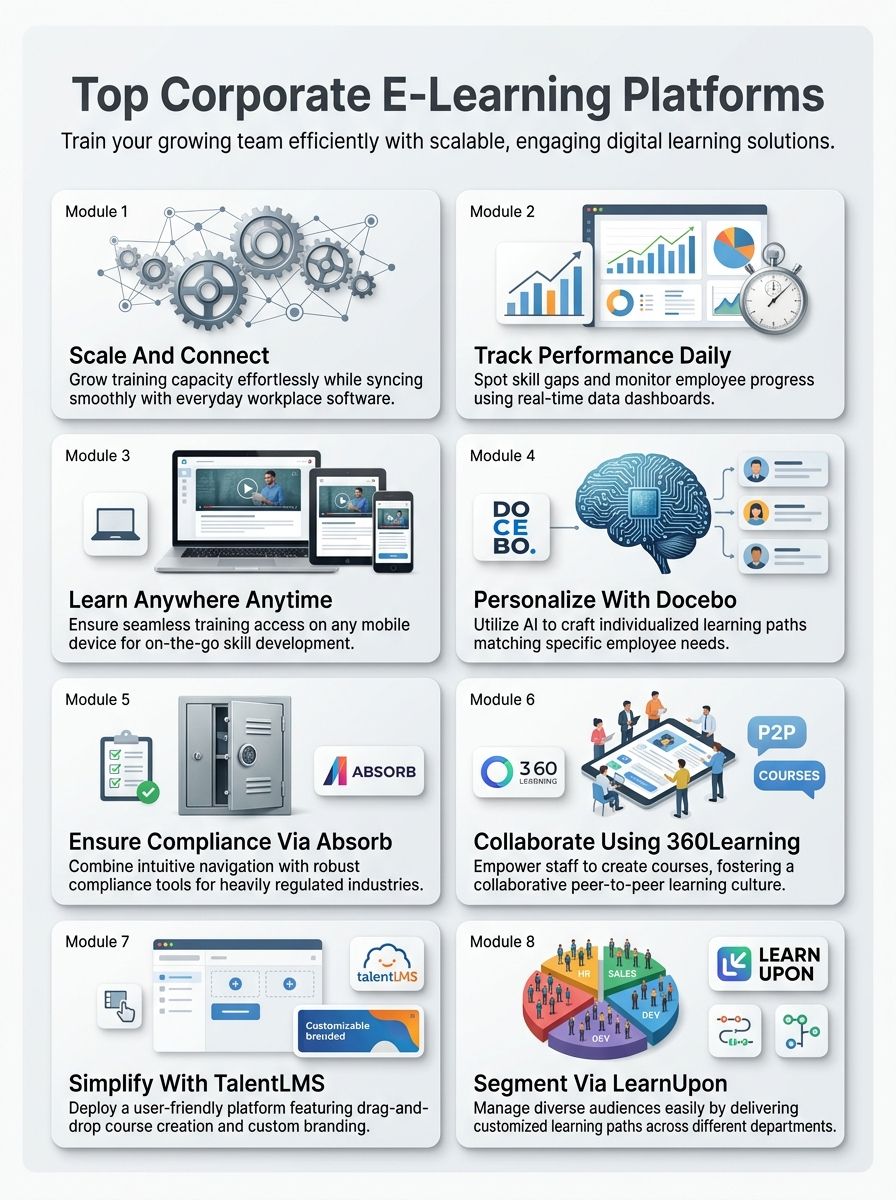
Leverage AI for Personalization and Automation
Artificial intelligence is changing the game in corporate training. It tailors learning paths to match each employee’s specific needs, speed, and learning style. AI-powered platforms analyze how workers learn best.
Then, they serve up content that directly matches their preferences and current skill levels. This personalization boosts engagement significantly. Employees get courses that actually matter to their daily tasks.
Automation handles the heavy lifting for your administrators. AI tools can now automatically generate quiz questions from a training video or translate text into multiple languages instantly. Your training team saves countless hours on repetitive tasks.
Machine learning algorithms track performance data to spot skill gaps early. These systems recommend relevant courses at just the right moment. This nudges employees toward professional development that aligns perfectly with company goals.
Ensure Mobile Accessibility and Compatibility
While AI powers smarter learning paths, your team still needs to access training conveniently. Mobile accessibility transforms corporate education. Employees learn on their phones, tablets, and laptops throughout their busy workday.
Your digital learning platform must work flawlessly across all devices. Staff members should be able to complete courses during lunch breaks or from their home offices. Top e-learning solutions offer responsive designs that adapt instantly to any screen size.
- Cross-platform support: The app must work equally well on Apple iOS and Android systems.
- Progress syncing: A user should be able to start a video on their laptop and finish it on their phone.
- Microlearning-friendly: Mobile courses should be broken down into quick, 5-minute bite-sized lessons.
This mobile-first approach keeps your workforce engaged. It effectively removes technical barriers to skill development.
Utilize Content Creation and Customization Tools
Content creation tools built directly into your LMS let your team build courses fast. You do not need to hire expensive outside coding experts. You can simply drag and drop content, add videos, and insert interactive quizzes in minutes.
Most platforms offer beautiful templates that save time. They keep your brand looking sharp across all training materials. Customization goes far beyond just simple aesthetics.
Your corporate education program can match your company’s distinct voice and messaging. You have the power to shape the entire learning experience. Employees see content that reflects your organization’s true values and culture.
Implement Comprehensive Reporting Analytics
Analytics separate the highly successful training programs from the rest. Your learning management system needs to track what employees actually learn. It should not just count how many times they click through a required video.
Smart platforms show you completion rates, test scores, and performance trends in real time. You see clearly which courses work and which ones fall flat. Managers get precise data about their teams’ progress.
This information helps you make much better decisions about your training investments. Dashboards display key metrics at a single glance. Analytics also help you measure the exact return on investment for your training programs.
Docebo
Docebo brings artificial intelligence straight into your learning experience. It is smart enough to know exactly what each employee needs to learn next to succeed.
Features and Capabilities
Docebo stands out in the corporate education space by heavily harnessing artificial intelligence. The platform learns directly from worker behavior, tracks progress, and adjusts course content in real time. This AI-powered approach means your team members get highly personalized training paths.
Employees move through material much faster when it speaks directly to their career goals. Your organization will see measurable performance improvements across the board. The system also automates routine tasks like grading, enrollment, and progress monitoring.
Docebo is built for scale and is a favorite among large enterprises. Pricing for their Elevate plan typically starts around $25,000 per year. They also offer a powerful feature called the Creator Pack, which uses generative AI to help you build courses in record time.
Pros & Cons (Docebo)
These specific strengths and weaknesses matter when deciding if Docebo fits your company.
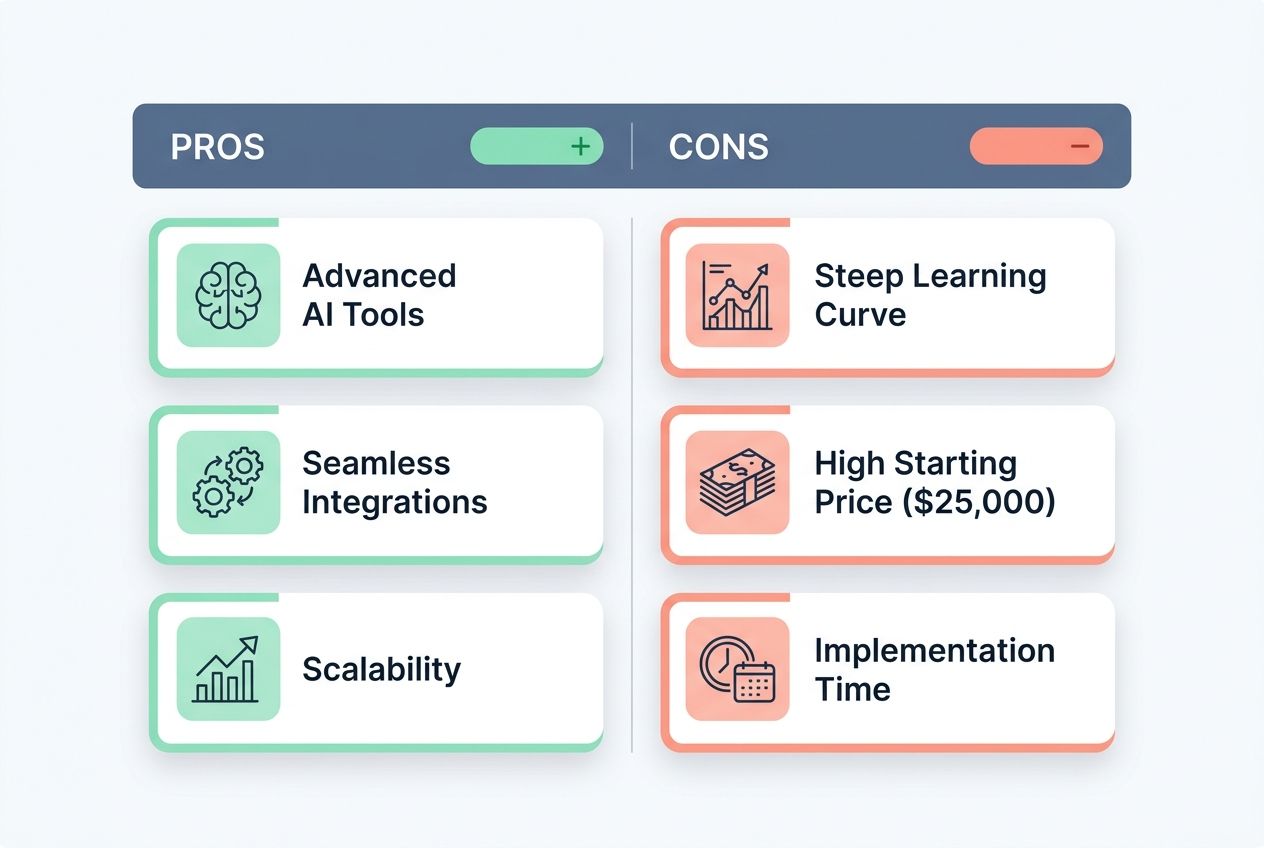
| Pros | Cons |
|---|---|
| Advanced AI Tools: Features like Harmony AI Copilot automate course creation and personalize learning paths seamlessly.
Seamless Integrations: Connects beautifully with major tools like Salesforce, BambooHR, and Microsoft Teams. Scalability: Easily handles massive user growth, supporting global learning ecosystems and extended enterprise training.
|
Steep Learning Curve: The interface offers tremendous flexibility, which can feel overwhelming for new administrators.
High Starting Price: With plans starting around $25,000 annually, it is a significant investment for smaller businesses. Implementation Time: Setup can take several weeks, often requiring dedicated onboarding support to configure properly.
|
Absorb LMS
Absorb LMS cuts through the noise with an incredibly intuitive interface. It offers powerful tools to keep your company fully compliant with industry regulations.
Features and Capabilities
Absorb LMS stands out because it combines a clean layout with serious compliance training power. Employees can navigate through their required courses without any confusion. They spend less time figuring out the software and more time actually learning the material.
This platform is a lifesaver for heavily regulated industries like healthcare or finance. It features an impressive Amplify content library packed with over 500 pre-built compliance courses, covering topics like OSHA and GDPR. The system is also SOC 2 Type 2 certified, ensuring top-tier data security for your organization.
Absorb uses AI to automatically handle enrollments based on a user’s job title or department. The platform automatically sends out reminders when training deadlines approach or certificates are about to expire. This keeps your entire workforce on track without any manual follow-ups from your HR team.
Pros & Cons (Absorb LMS)
Absorb LMS delivers solid performance, but the cost can escalate as your team expands.
| Pros | Cons |
|---|---|
|
|
360Learning
360Learning flips the traditional training script entirely. It allows your own employees to become the teachers through a highly collaborative approach.
Features and Capabilities
This platform puts your employees directly in the driver’s seat of their education. Your team members can quickly create courses, share deep knowledge, and learn from each other. The software lets workers build training content without needing any special technical skills.
Peer-to-peer learning happens naturally through built-in discussion forums and shared resources. Your company saves a massive amount of money because internal experts generate the materials. You no longer have to hire expensive outside instructional designers.
For small to mid-sized businesses in the US, their 2026 pricing is very transparent. The Team Plan costs just $8 per user per month, supporting up to 100 users. It also integrates smoothly with popular presentation tools like Genially, making content creation a breeze.
Pros & Cons (360Learning)
Let’s examine what works beautifully and what falls a bit short with this collaborative platform.
| Pros | Cons |
|---|---|
| Peer-to-Peer Focus: Employees create and share content, making training feel authentic and highly relevant to their daily work.
Transparent Entry Pricing: The $8 per user monthly rate for smaller teams makes it highly accessible for startups. Rapid Course Deployment: Capturing internal knowledge happens much faster than traditional course development cycles.
|
Quality Control Needs: Administrators must spend time reviewing employee-created content for accuracy.
Limited Advanced Reporting: The analytics capabilities lack the deep customization found in enterprise-focused systems. Enterprise Costs: While the entry plan is cheap, custom enterprise pricing for large teams can get expensive quickly.
|
TalentLMS
TalentLMS makes building and managing training programs incredibly simple. Your team learns faster and stays highly engaged without the usual administrative headaches.
Features and Capabilities
This system stands out because it prioritizes absolute simplicity from day one. Employees can jump right into their assigned courses without wrestling with complicated, confusing menus. The straightforward navigation means your team spends their time actually learning new skills.
The platform includes a fantastic feature called TalentCraft AI, which helps anyone build training content in minutes. You get drag-and-drop course creation tools that require zero coding experience. Customization options let you add your company logo and brand colors across the entire portal.
TalentLMS offers a highly flexible pricing structure that fits most budgets perfectly. In 2026, their Core plan starts at $139 per month for up to 40 users. If you need more capacity, their Pro Plan handles up to 100 users for $519 per month and includes priority support.
Pros & Cons (TalentLMS)
TalentLMS shines when you need a balanced solution, but it has a few limitations.
| Pros | Cons |
|---|---|
|
|
LearnUpon LMS
LearnUpon LMS handles multiple distinct audiences effortlessly. It is the perfect choice for companies that need serious flexibility in their complex training programs.
Features and Capabilities
LearnUpon handles different learner groups with impressive, enterprise-grade flexibility. The platform allows you to create separate, branded learning portals for different audiences from a single dashboard. This means you can train your internal employees, your external customers, and your sales partners simultaneously.
Used by massive brands like Twilio and BambooHR, it offers a headless learning capability. This unique feature lets you embed your training modules directly into your own company website or mobile app. The interface completely adapts to different learning styles and time zones without a single hiccup.
The system features an AI-assisted authoring tool and Harmony AI copilot to speed up course creation. Administrators can effortlessly customize content delivery based on specific job functions or department requirements. This flexibility ensures your corporate education program scales perfectly as your workforce expands.
Pros & Cons (LearnUpon LMS)
LearnUpon is a powerhouse for diverse audiences, but it requires a solid budget.
| Pros | Cons |
|---|---|
|
|
Final Thoughts
Picking the right e-learning platform changes the entire trajectory of your company’s training success. Docebo, Absorb LMS, 360Learning, TalentLMS, and LearnUpon LMS each bring incredible tools to the table. You can easily find the perfect mix of AI-powered personalization, mobile accessibility, and solid analytics. You now know that scalability, smart integration capabilities, and customization options matter most.
These platforms work hard to fit seamlessly into your existing systems without causing annoying headaches. Your IT team will thank you for choosing software that plays nicely with your current tech stack. Your employees gain immediate access to learning opportunities anytime and anywhere. This flexibility boosts engagement and drives real skill growth across your entire workforce.
Start testing a platform today. The companies investing in quality e-learning right now will absolutely lead their industries tomorrow.
Frequently Asked Questions (FAQs) on Best Corporate E-Learning Platforms
1. What makes an e-learning platform good for corporate training?
A good platform makes learning easy with clear navigation, mobile access, and a mix of videos, quizzes, and group discussions. You’ll want something with progress tracking built in so you can see who’s finished what and where your team might need extra help.
2. Can these platforms fit different learning styles in the workplace?
Yes! Platforms like Docebo and TalentLMS offer videos, interactive simulations, and guides so everyone can learn their own way. Some people love watching quick demos while others prefer reading instructions or working through hands-on practice.
3. How do companies measure success with online training?
They track completion rates, test scores, and time spent on modules through built-in analytics dashboards. A 2025 LinkedIn Learning report found that 94% of employees stay longer at companies investing in their learning, making these metrics crucial for retention.
4. Are there ways to make sure employees stay engaged during online lessons?
Absolutely! Good platforms use leaderboards, badges, and points to make learning feel more like a game than a chore. Research from TalentLMS in 2024 found that 89% of employees feel more productive when their work has game-like features, so mixing in challenges or real scenarios keeps people from checking out halfway through.