You can leverage technology to improve your remote leadership skills in several ways. The first is to connect and build relationships with your team members. Set goals and objectives, and communicate clearly with your team members. Try to make one-on-one meetings with your team, and ensure they get the support they need to achieve their goals.
Setting Goals and Objectives
If you are leading a team of virtual employees, you must set goals. Goals provide a sense of direction and a yardstick to measure performance. They also help to drive motivation. However, setting and reaching goals in a remote setting can be tricky.
The SMART goal-setting framework is helpful for managers. It focuses on defining a goal, identifying the key players, and quantifying progress. In addition, it enables a clear and actionable timeline.
Setting goals is an essential part of managing employees in any work environment. This is especially true when your team is spread across different locations. Your managers need to communicate expectations clearly and provide regular feedback. Also, they should be approachable and willing to adjust goals based on input from direct reports.
For example, an employee not feeling energized may miss out on some of the benefits of working from home. Setting goals to motivate employees will improve their performance and help bring clarity to their work.
Connecting with Team Members
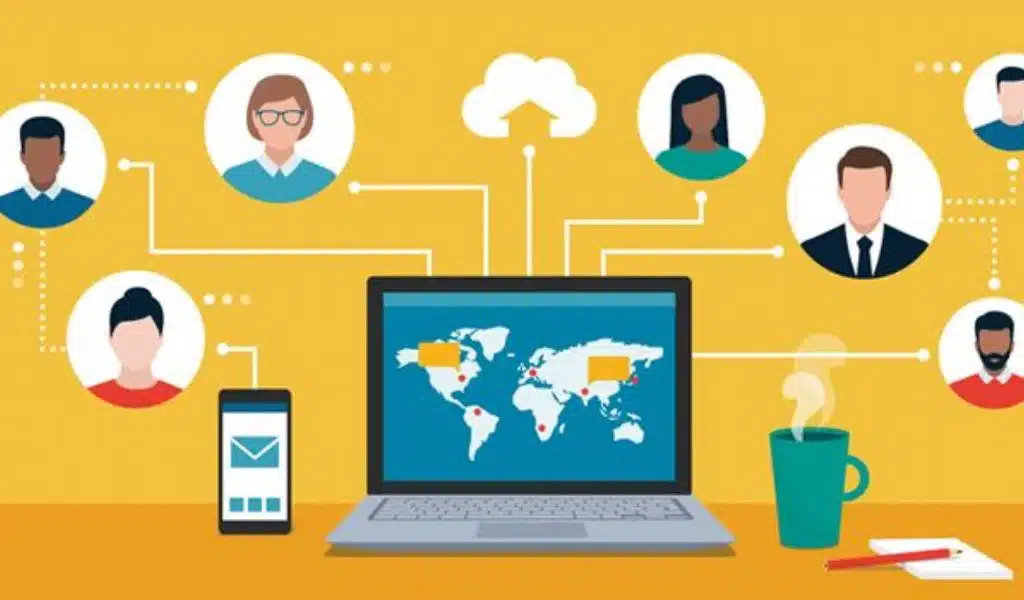
When your team is spread across different countries and cities, technology can help you create a stronger connection with your remote team members. You can also use video conferencing tools to hold virtual meetings and share valuable knowledge. Technology will be your tool for being an effective remote leader.
Managing a remote team is a challenge. It requires you to set goals, define expectations, and ask the right questions. However, it can also be fun to work with a team.
With the increased number of employees working remotely, many people are starting to feel isolated. This can affect their performance and well-being. Using technology to connect with your team can help you foster a culture of collaboration.
The most important thing to remember when managing a remote team is to communicate regularly. One-on-one meetings, regular stand-ups, and emails are essential tools for communication.
Establishing a culture of accountability is another essential tool for connecting with your team. This means ensuring that your employees understand the impact of their actions.
One-on-Ones
One-on-ones are an essential way to manage remote employees. These meetings allow managers to connect with their employees and understand their strengths and weaknesses. They are also crucial in driving communication within the workplace. While it may seem challenging to conduct a one-on-one meeting without face-to-face interaction, it’s pretty simple.
First, set the agenda. It’s best to have a clear and consistent plan that covers all key points. This way, all team members have an opportunity to contribute, and all information is organized. The next step is to prepare resources, talking points, and action items.
Make sure the room is free from distractions and interruptions. You want to save the entire meeting on interruptions.
During the meeting, you should spend time listening and taking notes. Taking notes will help remind you of the agreed-upon actions and keep you from missing any follow-ups.
Clear Communication
If you want to succeed at leading a team, you will need to establish clear communication. There are several ways to do this, but the key is consistency. This can be done through a single point of contact, a series of check-ins, and technology.
During a crisis, effective communication is crucial. It allows leaders to be prepared and to support team members. It also builds real connections. In addition to that, it helps teams feel heard and appreciated.
Communication with a remote team is different than face-to-face interactions. The tools and methods required for efficient communication will be various as well. But, the fundamental elements of good communication can be applied to any work environment.
One of the best tools for remote communication is asynchronous messaging. Asynchronous communication provides a chance for team members to review and revise content. However, it is essential to remember that asynchronous communication is best used when necessary.