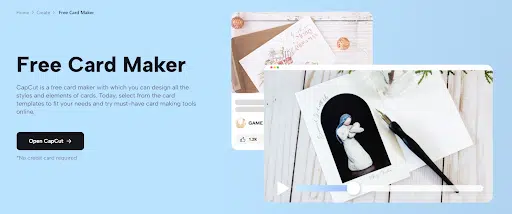
In the digital age, where moments are shared in an instant, the art of sending invitations has transformed into a creative endeavor. CapCut’s Free Card Maker emerges as a vibrant tool for those seeking to weave their personality into every digital invitation. In this article, we’ll delve into the enchanting world of digital invitations, exploring the unique features of CapCut’s Free Card Maker and providing a step-by-step guide on how to upload, edit, customize, and export your digital invitations. CapCut’s Free Card Maker, akin to a logo maker for your digital invitations, brings a dynamic touch to your event announcements, ensuring they captivate with every pixel.
Unveiling CapCut’s Free Card Maker Magic
CapCut, known for its prowess in video editing, extends its creative arm into the realm of card-making. The Free Card Maker, a gem within the CapCut creative suite, redefines the way we approach digital invitations. No longer confined to mundane templates, this tool empowers users to become digital artisans, sculpting invitations that resonate with the spirit of the occasion.
Why Choose CapCut’s Free Card Maker?
-
Versatile Card Templates
CapCut’s Free Card Maker boasts an extensive library of card templates, spanning occasions from birthdays to weddings. Each template is a work of art, carefully crafted to offer visually captivating layouts, stunning fonts, and eye-catching graphics.
-
Effortless Customization
The real magic happens in the realm of customization. With just a few clicks, users can fine-tune colors, fonts, images, and text elements to match the theme of their invitation. This flexibility ensures that each digital invitation becomes a unique expression of the sender’s style.
-
Online Collaboration Features
CapCut understands the importance of shared creativity. The Free Card Maker allows users to collaborate online, sharing a link to the design with others. This collaborative aspect enhances the design process, making it seamless to gather feedback, work as a team, or collaborate in real time.
-
Multiple Format Export
The convenience of digital design meets practicality. CapCut enables users to download their creations in various formats like PNG or JPEG. Whether you’re sharing your digital invitation online or printing it out for a tangible touch, CapCut has you covered.
The Magic Unfolds: Step-by-Step Guide
-
Step 1: Upload
The journey begins with a click. Upon entering CapCut’s Free Card Maker, you’re greeted with a diverse array of templates. From elegant wedding invitations to playful birthday cards, choose a template that resonates with the essence of your event. This step sets the tone for the artistic voyage you’re about to embark on.
-
Step 2: Edit and Customize
Now, the canvas is yours. Dive into the world of customization, where every element is a brushstroke on your digital masterpiece. Edit the text to convey the precise message you desire. Change fonts and colors to evoke the mood of your occasion. CapCut’s vast collection of graphics and illustrations stands ready for your creative touch. Upload your images to infuse a personal touch, or choose from the rich repository CapCut provides. This step is where your vision comes to life. CapCut’s versatility extends beyond digital invitations, offering a YouTube thumbnail maker that seamlessly integrates creative design into every aspect of your online presence.
-
Step 3: Export
As your digital creation takes shape, the time comes to set it free. CapCut ensures that your masterpiece is not confined to the digital realm alone. Download your creation in your preferred format – be it a sleek JPG or a vibrant JPEG. The absence of watermarks ensures that your creation is truly yours. Now, your digital invitation is ready to be shared with the world. Whether you opt for a virtual send-off through email or choose the tactile joy of a printed card, CapCut’s Free Card Maker gives you the freedom to decide.
Crafting Memorable Experiences
Digital invitations, once perceived as mere pixels on a screen, now hold the potential to be immersive experiences. CapCut’s Free Card Maker transcends the mundane, transforming the act of sending invitations into an art form. It’s not just about conveying information; it’s about creating an atmosphere, setting the tone, and leaving a lasting impression.
Grasping Hot Trends: Greeting Cards
Consider the versatility of digital greeting cards. Whether it’s a birthday, a holiday, or an anniversary, these cards become vessels of emotion. CapCut’s Free Card Maker, with its enticing templates and customization options, ensures that your greetings are not just words but a visual symphony that resonates with the recipient.
Become an Influencer: Business Cards
In the professional sphere, business cards are more than just contact information; they are extensions of personal branding. CapCut’s Free Card Maker provides a canvas for professionals to craft business cards that leave a mark. From sleek designs to bold statements, each business card becomes a reflection of the individual.
Boost Sales: Invitation Cards
For events, the invitation sets the stage. CapCut’s Free Card Maker simplifies the process, allowing users to design invitations that don’t just inform but captivate. The ability to customize every detail ensures that the invitation becomes a teaser, building anticipation and excitement among recipients.
Conclusion: Where Creativity Meets Convenience
In the realm of digital invitations, CapCut’s Free Card Maker stands as a beacon of creativity and convenience. It’s a tool that empowers individuals to transcend the ordinary, infusing their digital invitations with a touch of artistry. From the first click to the final download, CapCut’s Free Card Maker is a journey of self-expression and celebration, where each digital invitation becomes a testament to the magic of creative possibilities. So, why settle for the ordinary when you can craft extraordinary moments with CapCut’s Free Card Maker?